

My favorite Black Friday tech deals (so far)
Plus: Google’s email intrusions, the deal with all those outages, and some nice digital clocks
 Jared Newman |
Welcome to Advisorator! I’m Jared Newman, a longtime tech journalist, and this is my weekly advice newsletter. If someone shared this newsletter with you, sign up here.
I’m taking it sort of easy-ish this week with Thanksgiving coming up and cooking/hosting duties falling under my jurisdiction. So in lieu of a big feature column, let’s just look at some deals.
Over at the Advisorator website, I’ve been maintaining a running list of deals on all kinds of tech gear. This is in addition to my big list of streaming deals on the Cord Cutter Weekly site.
Below, I’ll highlight a handful of gadgets that I can recommend based on personal experience, with sale prices that are actually better than we usually see throughout the year. If you’re deal-hunting on your own, I’ve also got some tips at the bottom of the big deal page. Let’s get to it:
(This list includes affiliate links, which earn me a commission if you wind up purchasing something.)
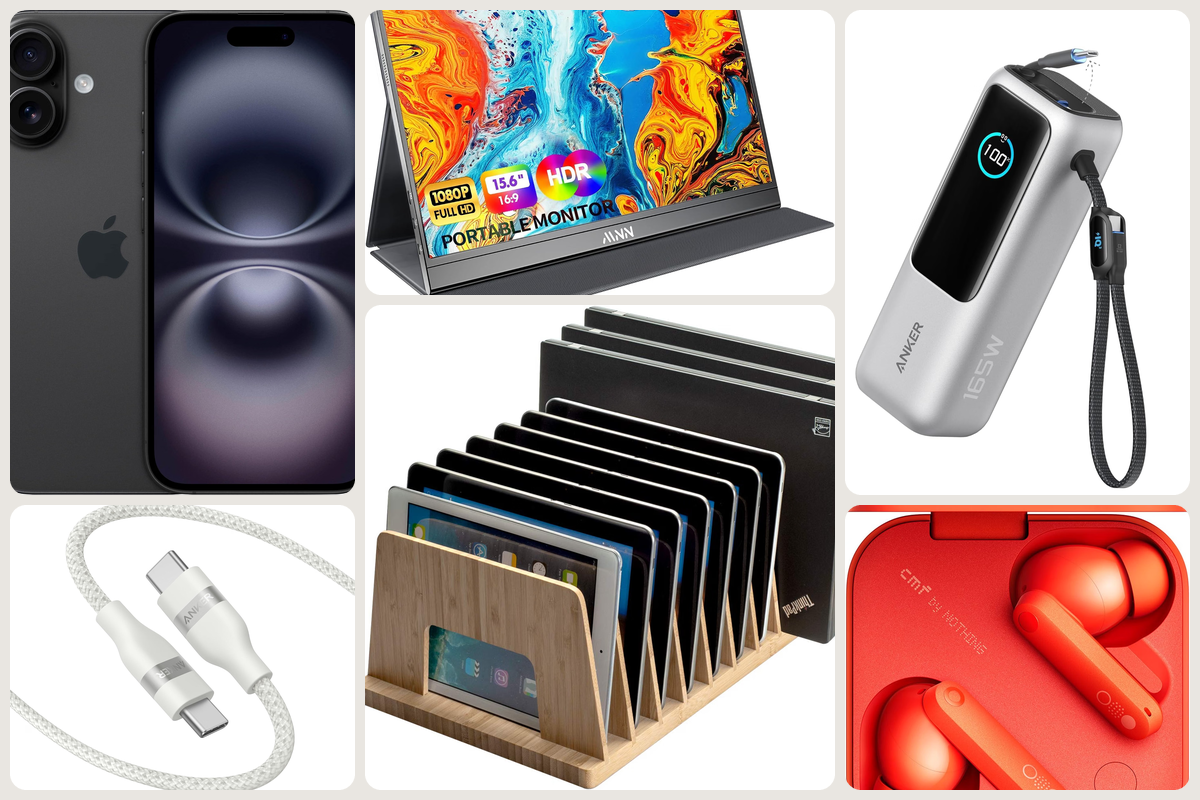
The best charging cable: Anker’s 6-foot Nano 240W USB-C cable is down to $16, a record low. I’ve reviewed piles of USB cables for New York Times Wirecutter and this one is so good, with a sturdy woven material that’s also luxuriously flexible. It just drapes over any surface instead of dragging your phone around with it like most woven cables do.
Portable outlet: Anker’s 25,000 mAh power bank with 165W charging and retractable cable is $77 if you choose the “Used – Like New” option. I have the earlier version of this power bank. It’s pricey, but can fast-charge laptops, tablets, and gaming handhelds, and it recharges just as quickly. While it’s great for travel, I use it even more around the house when I don’t want to be tethered to a wall outlet.
Unlocked iPhone deals: Woot has a range of “Grade A” refurbished options including the Phone 16 for $505 and 16 Plus for $530. My litmus test for good refurb iPhone deals is to price-compare with used, like-new, unlocked iPhones on Swappa, and these deals pass.
Cheap earbuds: CMF by Nothing earbuds include the Buds Neo for $17, Buds 2a for $18, Buds 2 for $22 ($25 in black), and Buds 2 Pro for $35. (Compare the Neo and 2a here, or the entire 2 series here.) Readers have raved to me about these budget buds. You can also try JLab’s Go Air Pop wireless earbuds for $10.
Expensive earbuds: Apple’s AirPods Pro 3 drop to $149, which is $50 less than typical sale pricing. I wear the AirPods Pro 2 to bed every night, which is a testament to how comfy they are, and I even pair them to my Android phones when I’m using them instead of an iPhone.
A small PC and monitor: eBay has a Lenovo Mini PC (Ryzen 5 Pro 5650, 16 GB RAM, 256 GB storage) and a 27-inch Asus 1080p IPS monitor for $350 refurbished. Haven’t used it, but I like Lenovo and it’s similar spec-wise to the $300 Mini PC I bought in 2023 (and still use every day). With RAM prices through the roof, this seems like a solid deal, especially with the monitor thrown in.
Basic portable monitor: A 15-inch, 1080p portable monitor from MNN is on sale for $40, $10 less than usual. Portable monitors rule. Use one as a second screen for a laptop, a bigger screen for a gaming handheld, or even for turning your phone into a portable PC.
Gadget organizer: I bought this MobileVision 10-slot device organizer for $50 in April to finally tidy up my workspace. Now it’s on sale for $40. No regrets.
Office and OneDrive storage: NewEgg is selling one-year Microsoft 365 Personal subscriptions for for $46 with a year of Malwarebytes, or $47 with a year of NordVPN. I’m a longtime OneDrive user, and this is potentially worth doing for the 1 TB of cloud storage alone.
Affordable phone plans: I’ve been a happy US Mobile customer for nearly two years, and wrote about my experience here. There are sales going on now, but if you wait until Black Friday proper, you can get 18 months of Unlimited Premium for $288.
This newsletter: It’s been fun writing Advisorator without paywalls over this past month, but it’s no way to make a living. You’ll continue getting the free edition every week, but if you enjoyed reading about how I’m using AI, finding a cheaper phone plan, and moving on from Gmail, please consider becoming a paying member. Sign up by Monday to get another month for just $1.
As I mentioned earlier, I’m maintaining a longer list of deals on the Advisorator site and will periodically update it as time allows.
Check out the full deal list →
News in brief
Outages everywhere: Outlook. iCloud. Banks. Airlines. The NSA. Other than all parties insisting that cyberattacks weren’t involved, there’s no clear common thread in the past couple weeks of tech outages. There is, however, a vibe that these types of issues may become more commonplace. Many organizations are running on aging, complex infrastructure, and as AI makes vulnerabilities easier to spot and faster to exploit, everyone’s rushing to make fixes, and things are breaking. “The whole information infrastructure of the world is in effect being upgraded right now,” Microsoft President and Vice Chair Brad Smith told CBS News’ Face the Nation on Sunday.
While you obviously can’t stop an outage yourself, the recent string of them is a reminder to think about redundancies: More backups of your data, alternative ways of doing things, maybe even some tools that are file-first instead of cloud-based. That way when the next outage happens, you won’t be completely stuck (unless it involves flying somewhere).
This week on my blog: Fast food’s AI spyware dystopia, a cool-looking browser that I can’t recommend, and neat new take on Solitaire. I’m having fun blogging about stuff that doesn’t quite fit the newsletter, and you can find more posts here.
Other notable news and reads:
- Bitwarden gets a redesign.
- Microsoft will shut down its To Do app in 2027.
- Apple explains the usage limits for its Siri AI features. (See my Siri AI coverage here.)
- Good piece by Victoria Song on how always-listening AI devices (including the new Apple Watch’s Siri Recaps) aren’t worth the privacy trade-offs.
- Expert TV reviewer Caleb Denison picks the 10 TVs he’d actually buy.
- Mem, a note-taking app with $29 million in funding, shuts down.
- Cool keychain gadgets: A tiny camcorder and an item finder that’s also an e-ink photo frame.
Tip of the week
Stop Google from reading your emails: Last month, I wrote about how Google has broken a longstanding promise not to use your Gmail or Google Photos data for targeted ads. Now, a new report has documented how Google may also share your email data with human reviewers for AI training purposes.
Here’s how it works: If you connect Gmail or Google Photos to Google’s AI features, Google may then draw from your personal information to answer web searches or Gemini queries. For instance, if you ask for restaurant recommendations, Google can dig through your emails to figure out what types of food you’re into. The information Google pulls up then becomes fodder for targeted ads and AI training.
While these AI features are technically optional, Google’s been pushing them aggressively and it’s easy to opt in without realizing it. Here’s what you can do about it:
- To disconnect Gmail and Google Photos from Google’s AI: Head to this page while signed into your Google account, then make sure “Google Workspace” and “Google Photos” are disconnected.
- To stop Google from targeting ads based on your emails: Just opt out of ad targeting entirely. Head to this page while signed into your Google account. Select the “Personalized ads” drop-down, then select “Turn off personalized ads.”
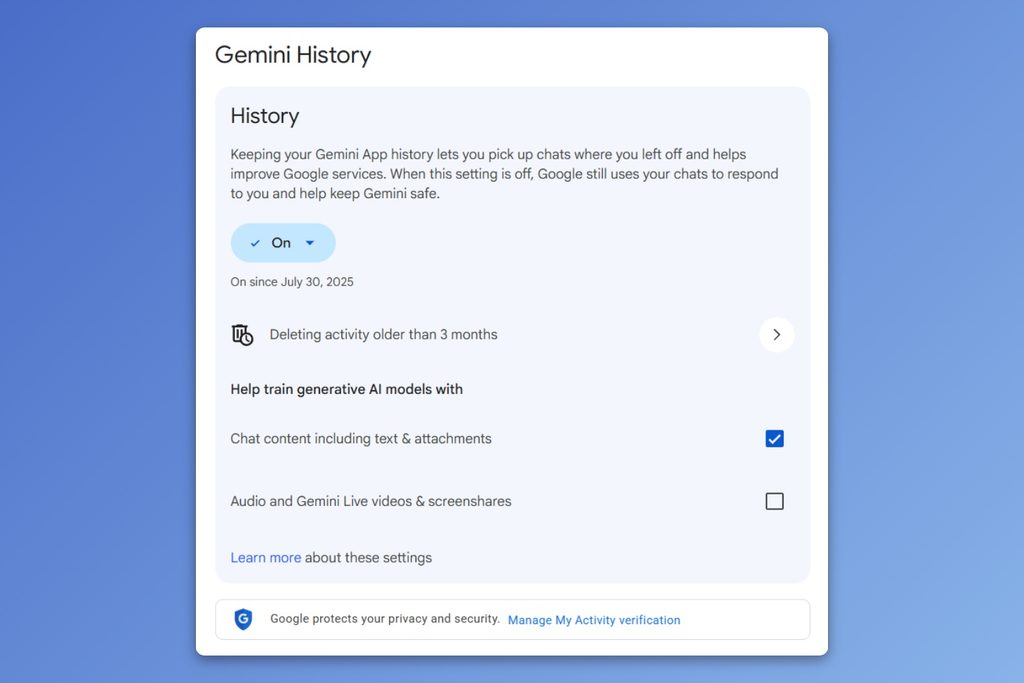
- To stop Google from training on your emails (including with human reviewers): Head to this page, then uncheck both boxes under “Help train generative AI models …” This is a new setting which may still be rolling out.
Even if you disable the latter option, Google now retains AI chats for two months in case of safety or policy violations. Google’s ever-shifting policies and broken privacy promises are a big reason I’m trying to use fewer of its products.
Try these apps
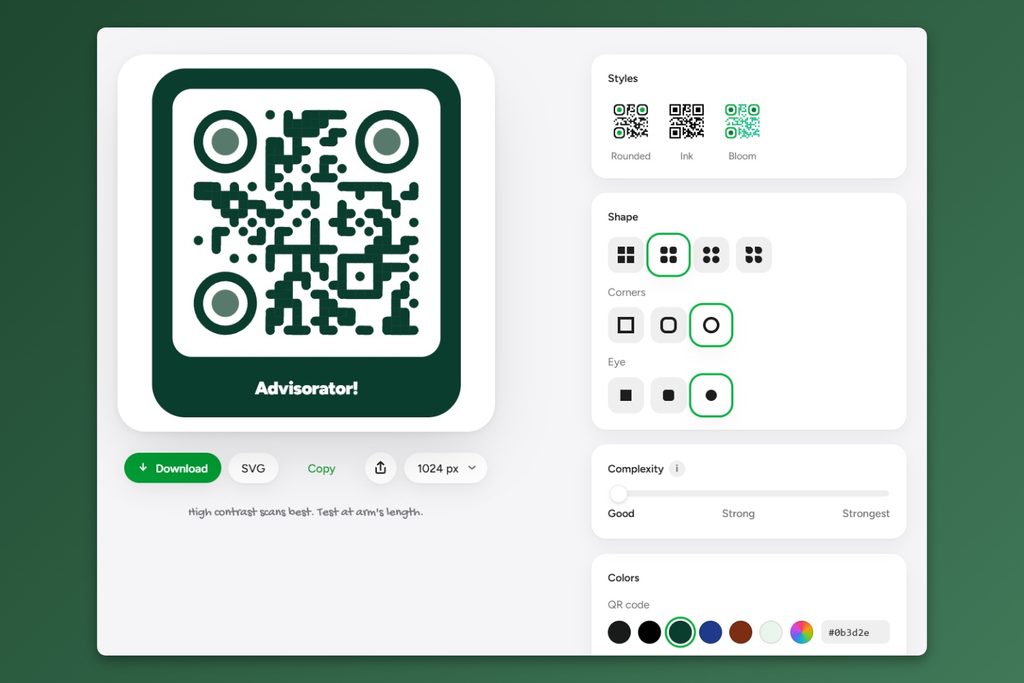
Private QR code generator: Ente QR is a free, easy-to-use website for creating QR codes. Print these codes on a flyer or business card for linking to your website, or keep a code handy on your phone for sharing your contact info. Ente QR has no ads or creepy trackers, and it’s from the same company that does private photo storage.
I first wrote about this resource in JR Raphael’s Cool Tools newsletter, and at the time griped that it didn’t let you encode contact cards or email addresses. Ente has now added both in response to that feedback, so I have no complaints.
Some nice clocks: Clockfaces.com is a free website that does nothing but display a variety of digital and analog clocks. This pairs nicely with apps like Lively Wallpaper for Windows or Plash for Mac, which can turn any website into a desktop wallpaper.
Consider an Advisorator membership!
I hope you enjoyed “no-paywall November” in Advisorator. Paying members get weekly feature stories, helpful tech guides, and access to my friendly Tech Buds discussion forum. Sign up by Monday to get another month for $1:
Let me know if you have any questions. Thanks for reading!
– Jared
Did someone share this newsletter with you? Sign up to get it every Tuesday.