

New look for Advisorator (and better search)!
Before we get to the newsletter, I wanted to share some Advisorator website updates, including a cleaner design and a new navigation bar that’s easier to access on mobile devices.
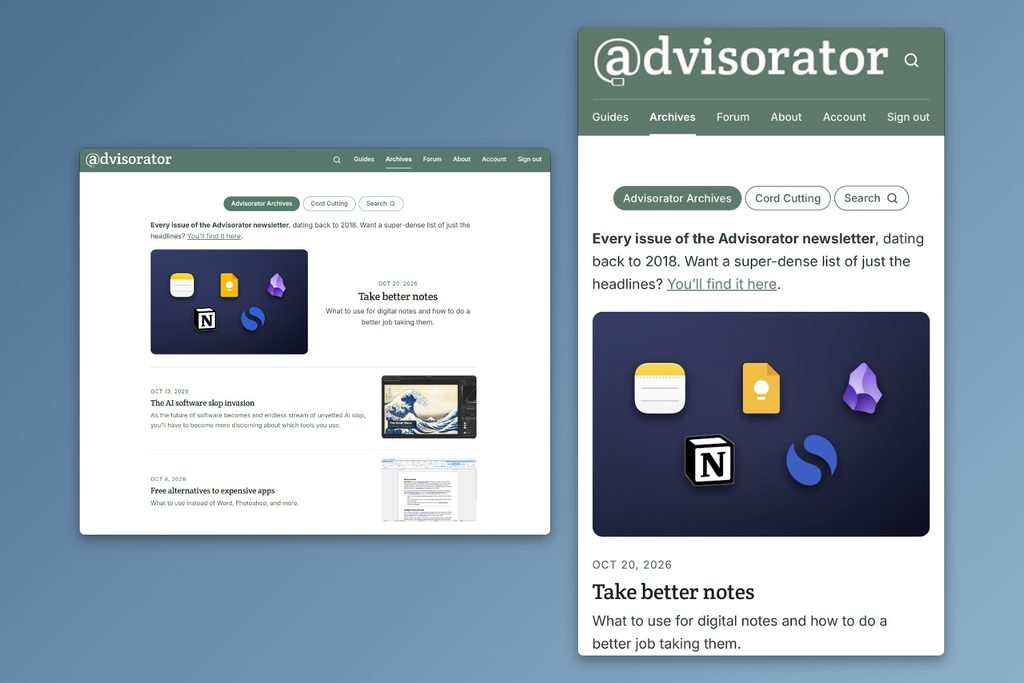
What I’m most excited about, though, is the new search bar. Use search button in the top menu bar, and the results will update as you type. You can also set filters to show only results from the newsletter, guides, or my cord cutting columns.
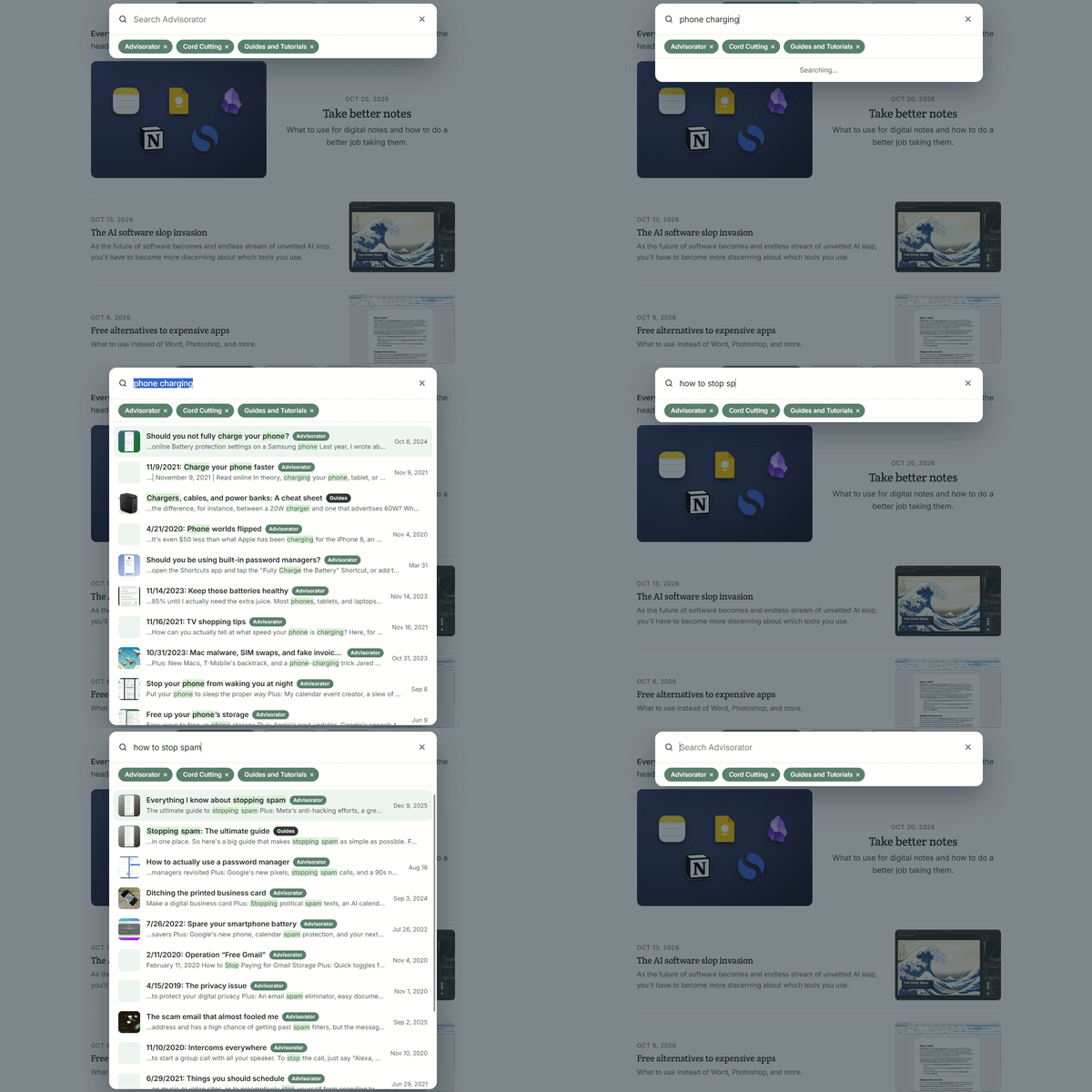
If nothing else, it’s been helpful for me when looking up old stories to reference in the newsletter.
Advisorator is still a self-hosted WordPress site. For these updates, I used Claude AI to design a new theme and a custom search plug-in to work exactly the way I’ve always wanted. Similar improvements are available on the Cord Cutter Weekly website as well.
Enjoy, and please let me know if you run into any issues.
How I’m using Obsidian
Plus: More Apple stuff, T-Mobile’s plan overhaul, and Google’s broken privacy promise
 Jared Newman |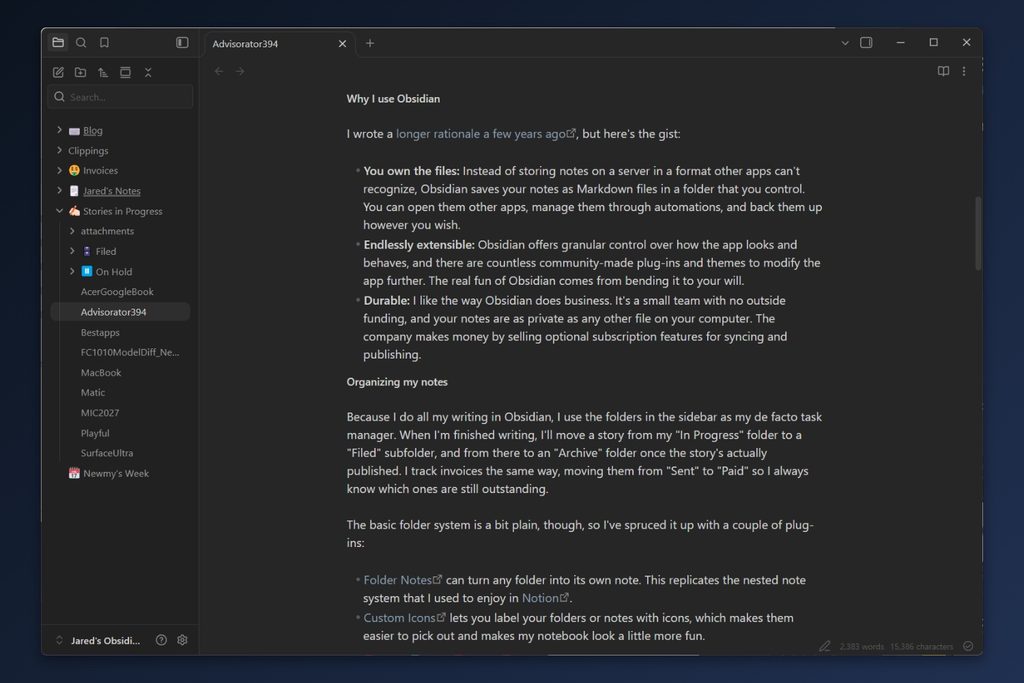
Hey there! I’m Jared Newman, a longtime tech journalist, and this is Advisorator, my weekly tech advice newsletter. Did someone share this newsletter with you? Sign up to get it every Tuesday.
You’re reading the free edition. Paying members get in-depth features each week, including this one:
Fair warning: This story will be a bit geekier than usual.
Last week, I wrote about why you should use a notetaking app and how to get more out of them. Now, I’m going to dive into my own notetaking setup with Obsidian.
I use Obsidian to capture any kind of text that’s worth keeping over the long haul, including story drafts, my weekly agenda, ideas, invoice records, and even the names of people I need to remember. While it’s more complicated than apps like Apple Notes and Google Keep, it also offers a level of freedom and flexibility that basic notetaking apps can’t touch.
Keep reading this story with a paid membership. The free newsletter continues below.
News in brief
More Apple stuff: Apple’s been rattling off a series of product launches this week, leading up to something bigger (reportedly a touchscreen MacBook) tomorrow. Here’s what we’ve got so far:
- New iPad Mini: OLED screen (but still 60 Hz), faster processor with Siri AI support, thinner and lighter. It’s $100 pricier than the previous model at $699.
- M6 MacBook Pro and 24-inch iMac: Faster all around, same same prices as before.
Tomorrow’s news will come via news conference instead of just press releases, so presumably it’ll be more substantial.
T-Mobile’s plan overhaul: T-Mobile is replacing its main wireless plans with “T-Mix” plans, which let you choose between various perks such as free Netflix, DoorDash DashPass, and YouTube Premium. The number perks you get varies by plan, but here’s the real kicker: To keep getting discounts on new phones, you’ll have to sacrifice some perks.
This all seems unnecessarily complicated to me, but at least existing customers will get to keep their plans. I’ll dig deeper into the new plans soon and will update my wireless plan picker accordingly.
More notable news and reads:
- Why I’m holding off on an iPhone Duo.
- Google Chrome will now warn you when a website “doesn’t seem right,” even if it’s not confident enough to call it malicious. (You’ll need “Enhanced Safe Browsing” enabled.)
- Spotify makes it harder to share a Family Plan with people who don’t live with you.
- Got a kid with an iPhone? Make sure they don’t get suspended for texting spam.
- PCWorld has a helpful explainer on the PHP flaws wreaking havoc on websites.
- Prepare for home screen confusion as Apple Music is getting a new logo.
- Amazon rebrands its e-book subscription service to Kindle+ and adds AI-narrated audiobooks.
- Here’s a 6K remake of the Windows XP wallpaper with punchier colors.
Tip of the week
Google’s broken privacy promise: For years, Google promised not to use your Gmail or Google Photos data for targeted advertising. Now it’s given itself a loophole.
Google’s newly-updated privacy policy says it will target ads based on your emails, photos, and Google Drive data “if you choose to make data from these services available to other Google services that support personalized ads.” In other words, if you use Google’s AI features with your personal data—for instance, to pull information from your emails or photos while using Google Search or Gemini—those queries are now fair game for targeting. I saw this coming a few months ago; now Google’s made it official.
Here’s what you can do about it:
- Option 1: Turn off Google’s ad targeting. While signed into your Google acount, head to this page. Select the “Personalized ads” drop-down, then select “Turn off personalized ads.”
- Option 2: Cut off Google’s AI from your personal data. Head to this page and make sure “Google Workspace” and “Google Photos” are disconnected.
- Option 3: Start weaning yourself off Google. I’m still working on it, though I’ve managed to replace Google Search at least.
Try this app
Nearby Wikipedia pages: Local Wikipedia is a free website that lists all the places near you (or any other location) that are notable enough to have their own Wikipedia pages.
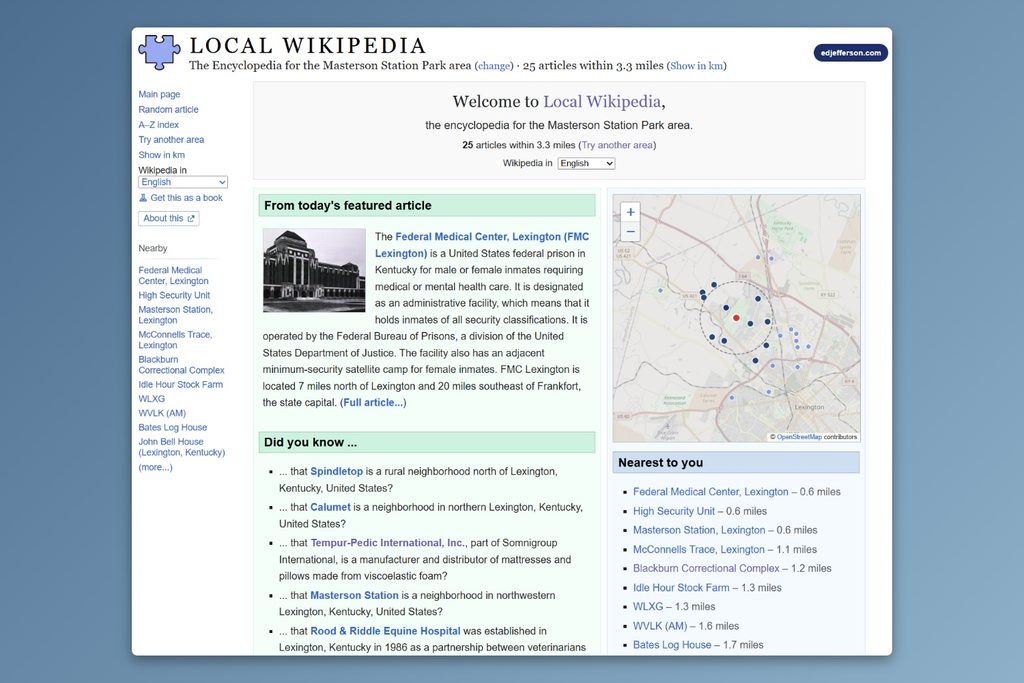
Use it while traveling to look up local landmarks, or learn a few new things about your own neck of the woods. (Via Web Curios)
Spend wisely
This section of the newsletter may include affiliate links, which earn me a commission if you wind up purchasing something.
Some notable deals today:
- Print labels from your phone for $8 with code P2H4N16Y.
- UGreen’s 2-in-1 foldable charger (iPhone and earbuds) for $30.
- Best Buy’s 10W MagSafe-style charging puck is still on clearance for $3.
- Iniu’s faster 15W Qi2 charging puck is on sale for $10. (Discount appears at checkout, may be for select customers only.)
- CMF By Nothing wireless noise-cancelling headphones hit a new low at $55.
- Costco members: Apple Watch Series 11 cellular for $350 (42mm, gray and silver only).
- Woot is currently holding a clearance sale on older Amazon devices, with an extra 30% off the listed price with promo code DEVICES30.
Consider an Advisorator membership!
You’ll get weekly feature stories, like the one I wrote this week on my Obsidian setup, plus access to my member forum and all my online tech tutorials. I’ll help you become a more confident tech user and hopefully save you some money along the way. Join us!
That’s all for now. Catch you next week.
– Jared
Did someone share this newsletter with you? Sign up to get it every Tuesday.