
Take better notes

How to use a notes app
Plus: Apple’s smart home push, a tiny Office alternative, and a faster way to type your email address
 Jared Newman |
Hey there! I’m Jared Newman, a longtime tech journalist, and this is Advisorator, my weekly tech advice newsletter. Did someone share this newsletter with you? Sign up to get it every Tuesday.
You’re reading the free edition. Paying members get in-depth features each week, including this one:
A couple weeks ago, I asked Advisorator members to post their dumbest questions in my Tech Buds forum. Those questions ended up being so smart that I now have story ideas to last me for weeks.
I’m going to start by tackling the topic of notes. If you’re not already using an app to take notes, you should be. And even if you’re already a prolific digital notetaker, you may still have room for improvement.
So here’s a primer on what to use for digital notes and how to do a better job taking them. While this guide is fairly basic, next week I’ll dive deeper into my own notetaking setup, which is more advanced.
The case for a notes app
No disrespect to pen and paper, which I still occasionally use myself, but a notes app has several advantages ..
Keep reading this story with a paid membership. The free newsletter continues below.
News in brief
Apple’s smart home push: After five years of rumors, Apple has released a smart display akin to Amazon’s Echo Show and Google’s Nest Hub.
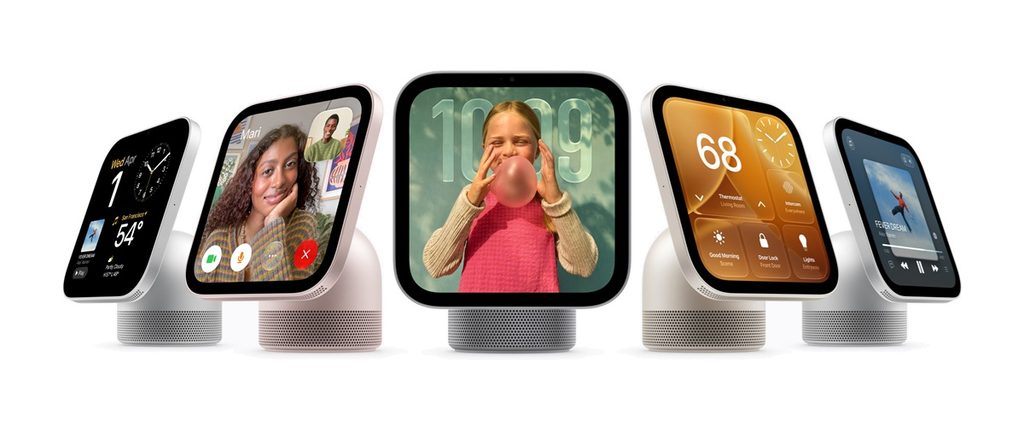
The $299 Homeview has a 7-inch square screen with either a tilting base (and integrated subwoofer) or wall mount. It cycles through bits of information like the time and weather, and you can use it to play music, control smart home devices, check your messages, and so on. It uses face recognition and nearby phone detection to personalize the experience based on who’s using it. Being able to fling a recipe from your phone sounds especially useful.
I still think the killer application for these devices is photos, as one of Google’s smart displays has won a space on our kitchen countertop for over eight years just by stirring up fond family memories. Homeview will have photo frame features, provided you use iCloud Photos, though it’s unclear how prominent they’ll be.
Also on the Apple smart home front: Co-branded cameras, thermostats, and sensors from LG and Schneider, a second-gen HomePod Mini with support for Siri’s new AI features, and the new Apple TV box that I covered in Cord Cutter Weekly.
More notable news and reads:
- Apple calls iPhone Duo demand “extraordinary” as shipping estimates slip to January.
- Microsoft says Windows should feel 20% faster now.
- Google adds a slew of anti-scam text features on Android phones.
- Amazon wants to record your conversations with its new Bee devices.
- No idea if CMF’s new milk carton-shaped speakers sound any good, but they are cute-looking.
- Fairphone’s new wireless earbuds sound better than the original and still have replaceable batteries.
- iOS 27 is reportedly a lot better at blocking websites from tracking you.
- Another Apple event is happening next week, this time with a “Pro” theme.
Tip of the week
In another forum question, Joseph asks if there’s a faster way to type your email address. The trick is to use text shortcuts, so you can write something like “@@” and have it automatically expand to your full address:
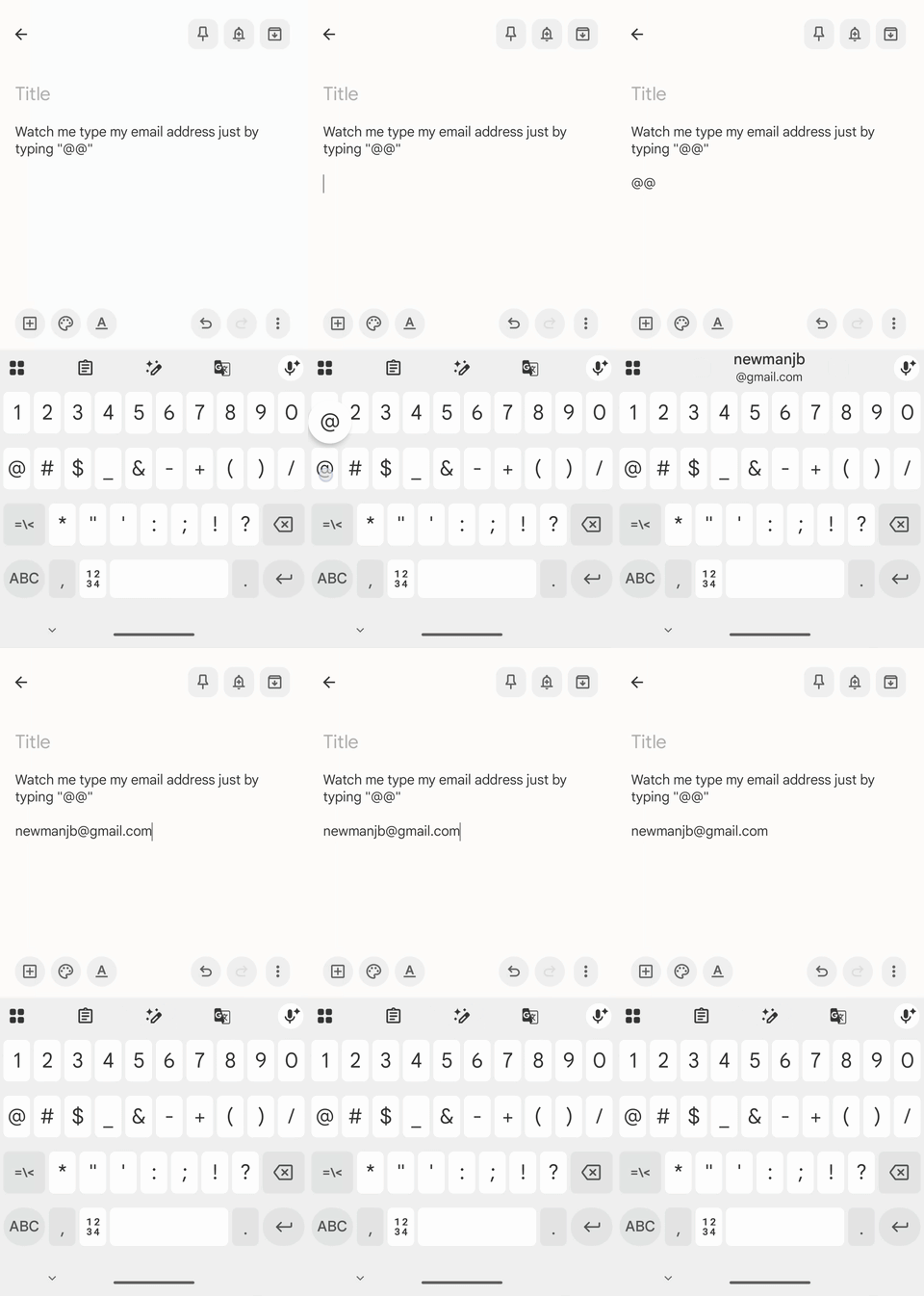
Here’s how to set this up:
- iPhone/iPad: Head to Settings > General > Keyboard > Text Replacement. Hit the + button, type your email under “Phrase” and your preferred shortcut under “Shortcut.”
- Mac: Head to System Settings > Keyboard and select “Text Replacements.” Hit the + button, type your email under ” Phrase” and your preferred shortcut under “Shortcut.”
- Android (with Gboard): In the keyboard, tap the square icons and head to Settings > Dictionary > English. Hit the + button, type your email in the first line and your preferred shortcut under “Shortcut.”
Windows lacks a built-in text expander. I’ve previously recommended Beeftext as a lightweight free option, though it hasn’t been updated in several years. Nowadays I use Raycast, which offers a broader suite of keyboard-based functionality.
Try this app
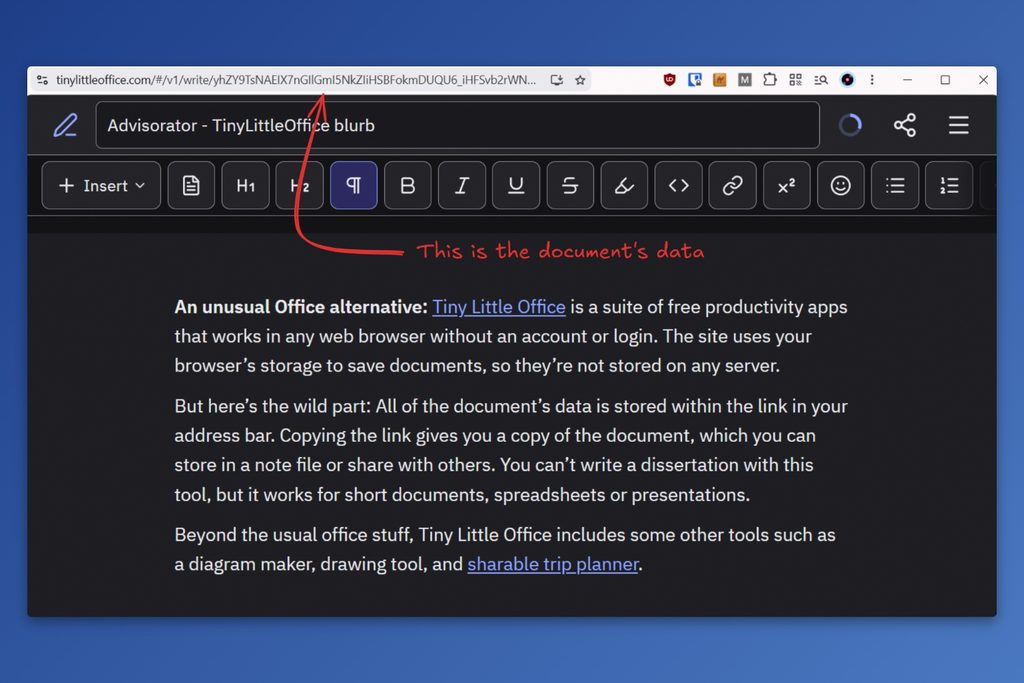
A little Office alternative: Tiny Little Office is a suite of free productivity apps that works in any web browser without an account or login. Instead of storing documents on a server somewhere, the site saves them to your browser’s on-device storage.
But here’s the wild part: All of the document’s data is encoded into the link in your address bar. Copying the link gives you a copy of the document, which you can store in a note file or share with others (like this one). This inherently limits how long each document can be, but it works for short essays, spreadsheets or presentations.
Beyond the usual office stuff, Tiny Little Office includes some other tools such as a diagram maker, drawing tool, and sharable trip planner. You can read more about how it works here.
Spend wisely
This section of the newsletter may include affiliate links, which earn me a commission if you wind up purchasing something.
Best Buy is currently offering $5 in rewards credit if you join its free “Best Buy Gamers” program. You’ll have to sign in with a free My Best Buy account, then add a user name on this page.
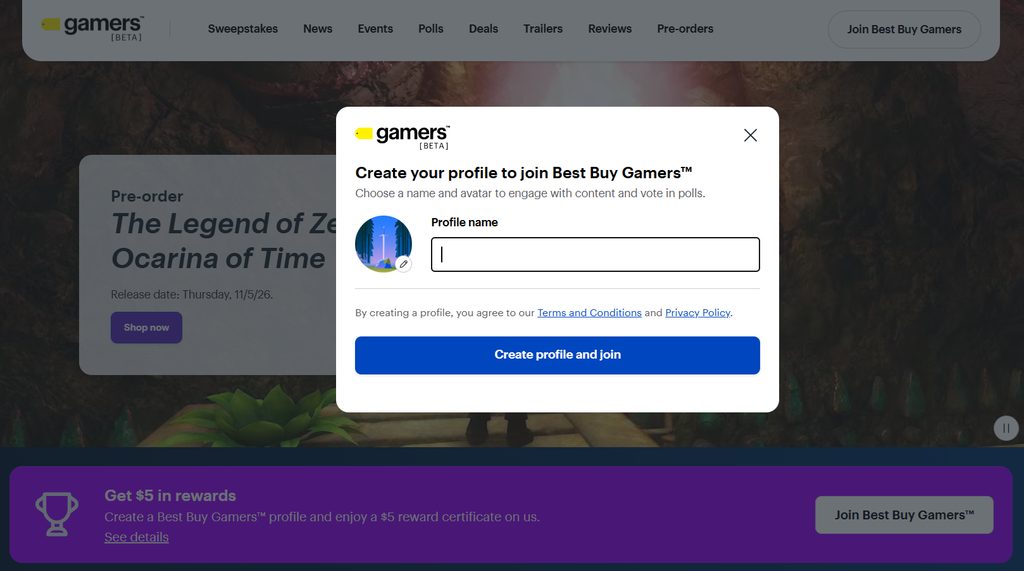
It’s open to the first 200,000 sign-ups, so I’m not sure how long it’ll last. Make sure you see the message about the $5 credit on the sign-up page before moving forward.
Other notable deals:
- Insignia 45W compact charger and 6-foot USB-C cable for $11.
- Best Buy 10W MagSafe-compatible charger for $4.
- Ugreen 130W car charger and 3.3-foot USB-C cable for $22.47.
- iPhone 16 for $540 “Grade A” refurbished with a one-year warranty. (New Woot customers can save an extra $15 with code WELCOME15.)
- New Visible customers: Six months of the standard plan for $75 total (reg. $25/mo).
- New US Mobile customers: Six months of Unlimited Starter for $10 per month (reg. $25/mo) with code FBF10, or Unlimited Premium for $20 per month (reg. $44/mo) with code FBF20.
- Apple’s M6 Mac Mini drops to $779, which is $120 off the list price.
Consider an Advisorator membership!
You’ll get weekly feature stories, like the one I wrote this week on taking digital notes, plus access to the member forum I mentioned earlier and all my online tech tutorials. I’ll help you become a more confident tech user and hopefully save you some money along the way. Join us!
That’s all for now. Catch you next week.
– Jared
Did someone share this newsletter with you? Sign up to get it every Tuesday.