
Advisorator Free: Free e-books and a better browser

Tip of the moment: Get more out of Libby

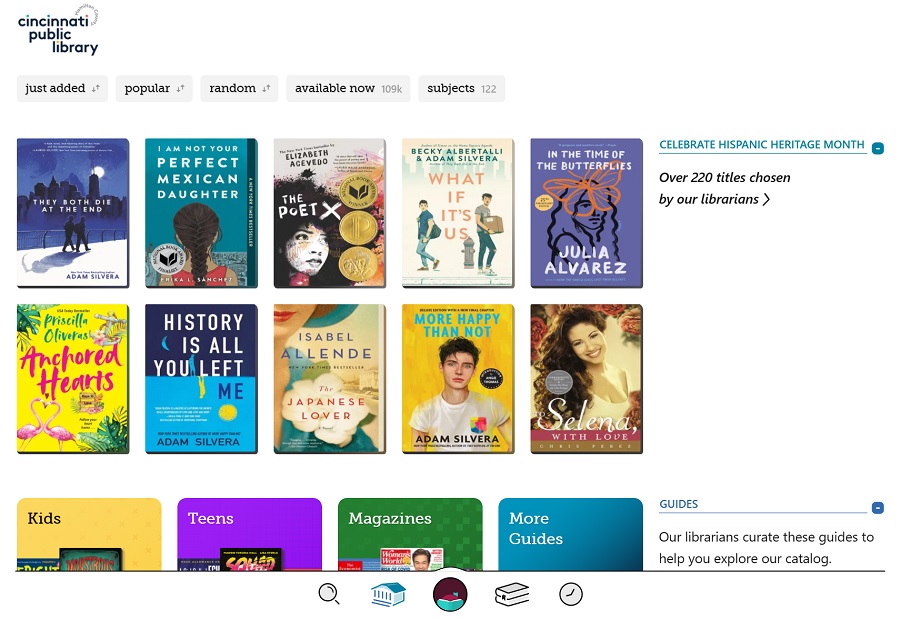
Hey folks, glad to be back with a new free edition of Advisorator! Here are some quick tips I think you’ll appreciate:
As part of my never-ending attempts to spend less time on social media, I’ve been trying to read more books lately, and Libby has been a huge help. The free app lets you borrow e-books and audiobooks from your local library, and you can optionally read them through Amazon’s Kindle e-readers and mobile apps as well. All you need is a library card.
Libby’s been around for a while—it’s a more user-friendly version of what used to be known as OverDrive—so I’m guessing a bunch of you know about it already. But whether you’re a new Libby user or not, here are some tips to make it even more useful:
- Use the web version: If you’re at a computer or just don’t want to install another mobile app, head to libbyapp.com for a version that works in any web browser.
- Save your search options: On the search results page, tap the “Preferences” button to change your default search filters. Use this to avoid seeing audiobooks, for instance, or to only show books that are available to borrow.
- Name your devices: In Amazon’s Kindle app, head to More > Settings > Device Name, and give your phone or tablet a recognizable name. That way, you can more easily send books to the correct device after borrowing them.
- Find in-demand books: Not sure what to read next? Tap the search bar, then hit the “skip the line” filter button. This will display any non-reservable copies of popular books that your library has available, so you can check them out without sitting on a waitlist.
- Return books early: Once you’re done reading, help out your fellow librarygoers by releasing the book from your collection. Hit the book icon in the Libby app, select “Manage Loan,” then select “Return Early.”
Bonus tip: A big update for Vivaldi
At long last, I’ve switched to Vivaldi as my default desktop web browser, unseating Microsoft Edge after an admirable 18-month run. No disrespect to Microsoft’s browser, but Vivaldi’s advanced tab management tricks make it a better fit for me. I’m especially enjoying one-click access to recently-closed pages, the Ctrl-E shortcut that searches both your open tabs and history, and the ability to group tabs into “stacks” that can sit one on top of another.
The impetus for my switch was an update last week that added proper web app support, matching a similar feature of Chrome and Edge. Now, you can right-click on any tab, select “Create shortcut,” then check “Open as window,” and the site will launch in its own freestanding window via an icon on your desktop or dock. I rely on this feature for sites like Gmail, Notion, Raindrop, and Google Keep, treating them just like any other desktop app, so I couldn’t switch to Vivaldi without it.
For more details on Vivaldi’s feature, check out my recent Fast Company feature, or just give the browser a try yourself.
The latest from PCWorld
Even at its list price of $70 per year, a personal subscription to Microsoft 365—or Office 365, as it used to be called—is one of the better deals in tech.
That subscription gets you full access to Microsoft’s Office suite along with 1TB of OneDrive cloud storage. I’ve been a mostly satisfied subscriber for years, partly for the Office software, though mainly to access my photos, documents, and personal music library from any device.
But part of that satisfaction comes from never paying full price in the first place. Instead, I’ve made a point of buying Office 365 discount codes on eBay, using them to renew my subscription in one-year increments. These codes are often on sale for as little as $45, and have been readily available every time I’ve checked. (.)
For more details on how to never pay full price for Office 365, check out the full story on PCWorld.
Spend wisely
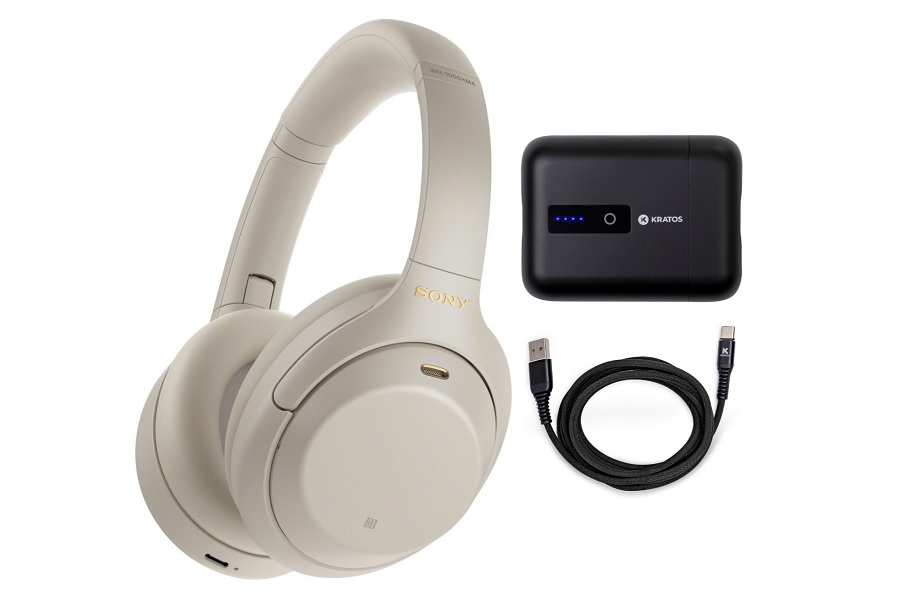
Sony’s WH-1000XM4 wireless headphones are widely regarded as being among the best you can get. (Read the stellar reviews over at CNet, The Verge, and TechRadar.) Focus Camera is currently selling them for $248, which is $102 off the original price, and it’s bundling them with accessories to boot. Get the headphones with a battery pack, a headphone hanger, or a secondary set of in-ear wireless headphones.
Thanks for reading!
If you enjoyed these quick tips, I think you’ll love the paid version of Advisorator. In recent weeks, I’ve written about forbidden iPhone apps, Amazon devices to avoid, how to love your printer again, and the best ways to protect your online accounts. Sign up for a free trial, and you’ll instantly get access to those issues in the online archives, plus you’ll get brand new newsletters from yours truly every Tuesday. Thanks for checking it out!
Until next time,
Jared