Extra antivirus is still overkill


Antivirus revisited

Plus: YouTube Downloader for Mac, classic Android (and iPhone) tips, and free live concert streams.

Hey there! I’m Jared Newman, a longtime tech journalist, and you’re reading the free edition of Advisorator, my weekly tech advice newsletter. Did someone share this newsletter with you? Sign up to get it every Tuesday.

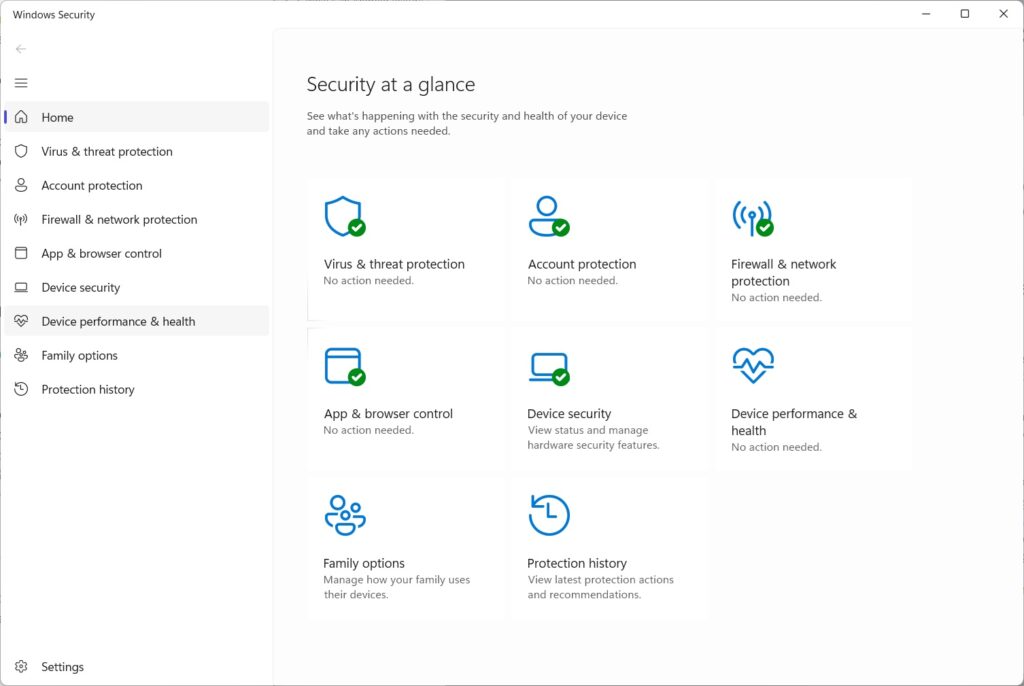
In last week’s newsletter, I briefly mentioned Microsoft’s claim that you don’t need to pay for Windows antivirus, echoing something I’ve been saying for years.

Not everyone agrees.

Writing for PCMag, antivirus reviewer Neil Rubenking implored readers not to rely solely on Microsoft’s built-in virus protections. Pointing to his decades of antivirus testing, he argues that Microsoft Defender doesn’t sufficiently protect against phishing attacks and online scams. He also took issue with Microsoft’s interface, limited features, and lack of protections on mobile devices. (He’s recommended Mac antivirus for similar reasons.)

All of which feels like a reason to revisit the topic in greater depth. While Rubenking makes some valid points about what Microsoft’s missing, most folks don’t need to lard on extra antivirus to make up for it …

The rest of this week’s feature story is for Advisorator’s paying members. Sign up to get weekly features, online resources, and access to my friendly Tech Buds forum. Get started here →


Newmy’s YouTube Downloader: Now on Mac!

One more little thing for Advisorator’s paying members: I’ve finally completed the Mac version of Newmy’s YouTube Downloader.

Just like the Windows version, this is a lightweight program that runs on your computer and connects to a bookmarklet in your web browser. Use it to quickly download an offline copy of the video you’re watching (with an option to save just an audio file instead) without leaving the current page.

Learn more about Advisorator membership here, then head to the Newmy’s YouTube Downloader page for installation links and instructions.


News in brief

Cheapest Mac Mini no more: Apple appears to have discontinued the $599 Mac Mini with 256 GB of storage. It’s sold out at all major retailers and shows up as “unavailable” on Apple’s website. That leaves the $799 model with 512 GB of storage as the cheapest option for an Apple desktop.

Once again, you can probably blame AI. Data centers are eating up most of the computer industry’s memory production, and the Mac Mini has become unexpectedly popular among AI enthusiasts wanting to run large language models locally. While Apple hasn’t confirmed the $599 Mac Mini’s demise, it may be prioritizing production of pricier models given the supply constraints.

Other notable news and reads:


Tip(s) of the week

Setting up split-screen on a Pixel phone.

Classic Android (and iPhone tips): I recently came across this Reddit thread on useful Android features that most folks don’t know about. While I’ve heard of most of them—that’s my job, after all—it’s a great refresher either way. Some highlights (with iPhone equivalents in parenthesis when applicable):

  • Swipe left or right on the keyboard’s space bar to move the text selector. (On iPhone, long-press the space bar, then drag and drop the cursor.)
  • In Google Messages, schedule a text to send later by long-pressing the Send button. (On iPhone, hit the + button and select “Send Later.”)
  • Double-tap the power button to quickly open the camera. (The Camera Control button on some newer iPhones does the same.)
  • Open two apps in split-screen by heading to the Recents menu, tapping or long-pressing on the app name, then selecting Split Screen. (Per one commenter, showing this to iPhone users was like “monkeys discovering fire for the first time.”)

Naturally I had to contribute one of my own: Point your camera at a piece of paper until you see a document scanning button, which crops the page automatically. Or, use the scan feature in the free Files by Google app to save pages in PDF form. (On iPhone, open the Files app, hit “…” and select “Scan Documents.”)


Try these apps

The best live concert app: I’ve previously recommended Relisten as a way to stream live concert recordings (hundreds of thousands of them) for free on an iPhone. But I missed that the same app arrived on Android last year. If you’re a fan of Phish, Grateful Dead, or anything tangentially jammy, it’s a must-download.

Feline procrastination protection: Cat Gatekeeper is a free browser extension that limits your social media by having a giant cat cover up your screen when you use a site for too long. Just decide which websites to limit, how long you’ll have before the cat saunters in, and how much time away is required before you can use the site again.

The blocking only seems to work in a single browser tab, so it’s easily circumvented, but just knowing you’re on the cat clock can be effective in its own way. While other social media blocking extensions abound, this one’s a bit more fun.


Spend wisely

This section of the newsletter may include affiliate links, which earn me a commission if you wind up purchasing something.

Some notable deals I’m seeing this morning:


Thanks for reading!

If you enjoy this newsletter and want to continue sharpening your tech knowledge, please think about becoming a paying member. You’ll get my weekly in-depth feature stories (like this week’s on paid antivirus), plus helpful online resources and access to my friendly Tech Buds forum.

Until next week,
Jared


Did someone share this newsletter with you? Sign up to get it every Tuesday.

Thanks for subscribing.
