
Get some Google storage back

How I freed up Google storage space
Plus: Apple’s next updates, Google’s speech-to-text app, and searching without AI.
 Jared Newman |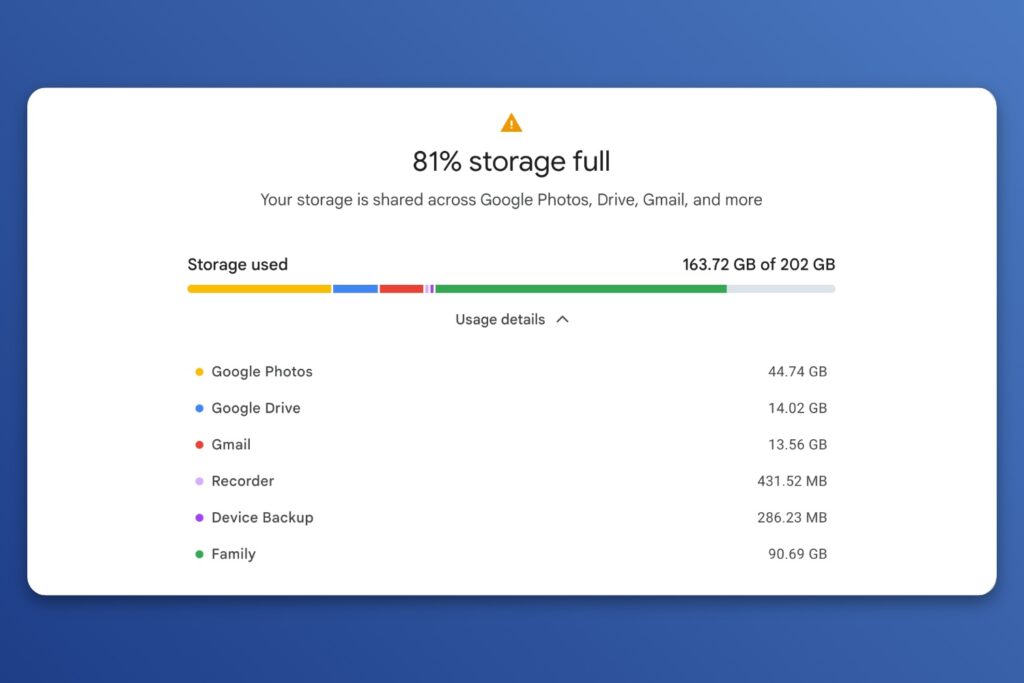
Hey there! I’m Jared Newman, a longtime tech journalist, and you’re reading the free edition of Advisorator, my weekly tech advice newsletter. Did someone share this newsletter with you? Sign up to get it every Tuesday.
After writing about freeing up your phone’s storage space last week, and about reclaiming Mac or PC storage the week before, I’ve got one more entry in the series.
This time, it’s a guide to getting your Google storage back.
Remember when Google said you’d never have to file or delete a message in Gmail because of how much free storage you get? Or when it promised that you could save “a lifetime of memories … for free” in Google Photos? Times change, Google breaks promises, and now you have to periodically figure out what’s really worth saving.
My guide walks through the most efficient ways to clear out clutter in Gmail, Google Photos, and Google Drive, so you can stave off whatever paid tier Google is pushing you toward.
Get your Google storage back →
(And for the iCloud users among us, here’s a column from the archives on what to do when your iCloud storage runs low.)
This guide is exclusively for Advisorator members. Sign up for $5 per month or $50 per year to get more in-depth advice each week, including guides and feature stories not included in the free edition. Learn more here.
News in brief
Spotify closes the gift card loophole: Sadly, Best Buy has stopped selling its $99 one-year Spotify Individual gift cards. I’d been recommending these cards as a way to save $57 annually over Spotify’s regular $13 per month price, but it seems that Spotify has caught on. (Thanks to Danita B. for pointing this out.)
On the bright side, I’ve noticed that Spotify is getting more aggressive with comeback deals on my lapsed accounts. (It keeps offering me two months for $7, for instance.) It also has a hidden “Basic” tier without audiobooks that becomes available when you attempt to cancel. These are part of the many ways you can save money on streaming music, even if one of the best loopholes is now closed.
More notable news and reads:
- AT&T starts selling $3 data day passes for cellular iPads, even for non-AT&T customers.
- AMD’s plan to bring laptop prices back down: Pack them with processors from 2019.
- Logitech’s new travel mouse folds up like a flip phone.
- Now you can lock your Windows PC remotely from your phone.
- Microsoft launches a no-AI extension for Bing. The downside: It sets your default search engine to Bing. (See other no-AI options in last week’s newsletter.)
Tip of the week
Prepare for Google privacy changes: If, like me, you recently got an email from Google about changes to its privacy settings, here’s what you need to know:
- Google wants to use more than just your text-based searches to train its AI models. It now plans to use images you submit through Google Lens, audio from voice searches, and the dialog you feed into Google Translate.
- Google also wants to start personalizing the AI answers you get while searching, based on things like past searches, your location, and the media described above.
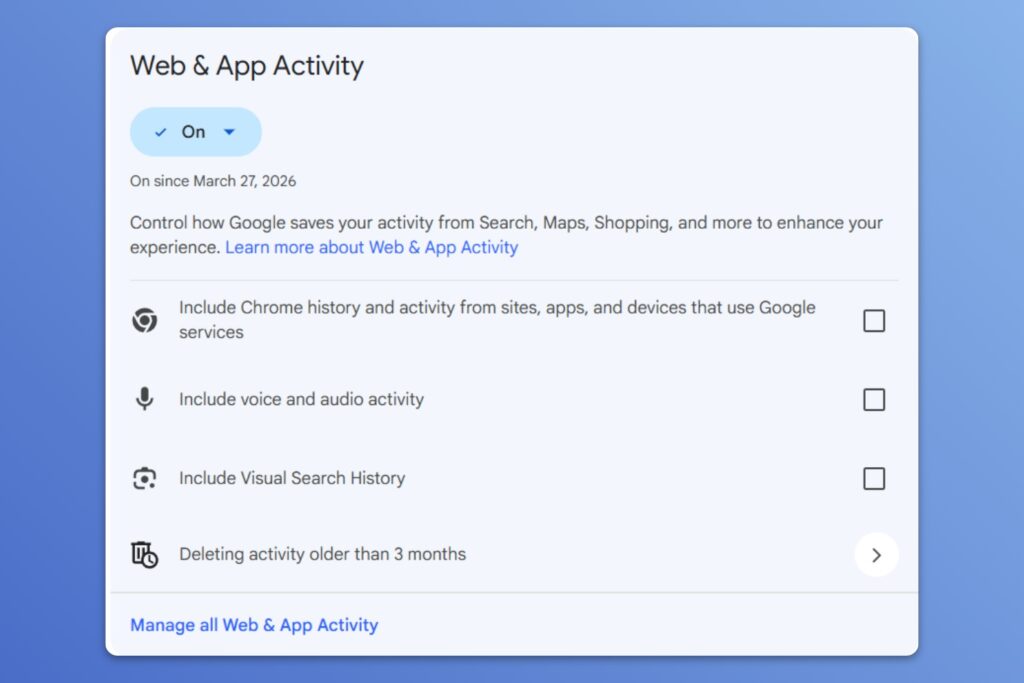
To prepare for these changes, Google is reshuffling its privacy settings. You’ll still be able to control whether Google keeps a record of your past searches, but it’ll be handled through a new “Search Services History” menu instead of the current “Web & App Activity menu.” This will also include sub-settings for image searches and voice snippets, which are saved to your history and used for AI training by default.
Meanwhile, a “Personalized Recommendations” menu will control whether Google can tailor ads and search results based on your past searches. A similar “Search Personalization” menu exists for this already, but it sounds like the new setting will govern AI answers as well.
What can you do about it? To make things more confusing, Google hasn’t widely rolled out the new menus yet. For now, you can tweak some existing Google privacy settings, and they’ll eventually carry over to the new menus:
- Head to Google’s Web & App Activity menu and disable “Include voice and audio activity” and “Include Visual Search History.” (You can also turn Web & App Activity off entirely, though this will stop you from being able to look up past web and location searches.)
- Head to Google’s Search Personalization menu and turn off “Personalize Search” if you don’t want past searches to factor into future AI answers.
You wouldn’t be wrong to find all of this exhausting. This is one reason I’m trying to reduce my usage of Google services to begin with.
Try this app
AI music detector: The streaming music service Deezer has launched a free tool that shows how much AI-generated music is in your playlists, and it doesn’t just work with Deezer. You can connect to other services like Spotify, Apple Music, and YouTube Music, and it’ll show what percentage of songs in your library were made with AI. (Deezer says the tell is in “specific artifacts in the audio signals.”)
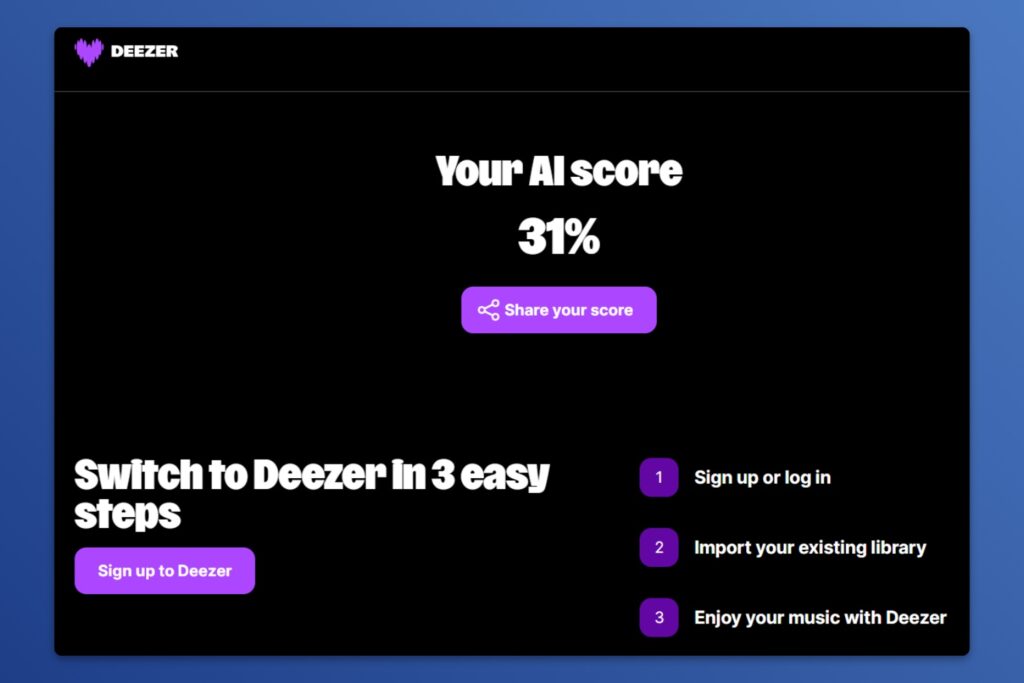
Unfortunately, the tool won’t tell you which specific songs or playlists are affected, so it’s no help in weeding out AI music. It mostly just serves as an eye-opener and an overt ad for Deezer, which unlike its rivals has been trying to screen AI tracks from its recommendations.
An anti-recommendation: A new app called Pool provides what sounds like a useful service: It analyzes all your screenshots, sorts them into categories, and can figure out where the image originally came from. It’s been picking up press coverage from the likes of TechCrunch and The Verge.
But then I looked at Pool’s privacy policy, and, oof. The app needs access to your entire camera roll to function as advertised, and it sends all those images off to AI providers like Google and Anthropic for analysis. While Pool promises not to train AI on your data, trusting an unproven startup with ongoing access to all your photos and videos feels like too big of a liability relative to the benefits of better screenshot sorting. I’m avoiding this kind of app until the data can be processed on-device.
Spend wisely
This section of the newsletter may include affiliate links, which earn me a commission if you wind up purchasing something.
Apple’s AirPods Pro 3 have fallen to a new low of $169 via Walmart. That’s $30 less than the typical sale price, and $10 less than Amazon’s current price. (So if you jumped on the Amazon deal alert I sent last week, you may want to return and re-order.)
Other notable deals:
- Nothing CMF Buds 2 wireless earbuds drop to record-low $23 (or $24.50 in green or orange).
- The neat-looking Nothing Ear wireless buds are also down to a new low at $73.
- Clever gadget idea from Sharge: 5,000 mAh power bank that’s also a phone camera grip and shutter button, on sale for $20.
- Record-lows on Amazon’s Echo Dot Max ($65), Echo Show 8 ($124), and Echo Studio ($174).
- Marshall’s Acton III Bluetooth speaker looks like a little guitar amp and is on sale for a record-low $180.
- New low for Bose’s QuietComfort Ultra headphones, now down to $379.
- Beats iPhone 16 or iPhone 16 Plus cases on sale for $10 in black, blue, or purple.
Thanks for reading!
If you enjoy this newsletter and want to contribute to its ongoing viability, please consider becoming a paying member. You’ll get in-depth guides like my new one on freeing up Google storage, plus weekly feature columns, online archives, and access to my Tech Buds forum.
Until next week,
Jared
Did someone share this newsletter with you? Sign up to get it every Tuesday.