
Help with picking a phone plan

I made a tool to help you pick a phone plan
Plus: Apple’s new headphones, quick iPhone app settings, and an adorable Windows music player
 Jared Newman |
 Hey there! I’m Jared Newman, a longtime tech journalist, and you’re reading the free edition of Advisorator, my weekly tech advice newsletter. Did someone share this newsletter with you? Sign up to get it every Tuesday.
Over the Advisorator website, my guide to picking a phone plan just got its biggest update ever.
For more than five years now, I’ve maintained a huge chart comparing every unlimited data plan from AT&T, T-Mobile, and Verizon. Now, I’m using that data to power an interactive wireless plan picker:
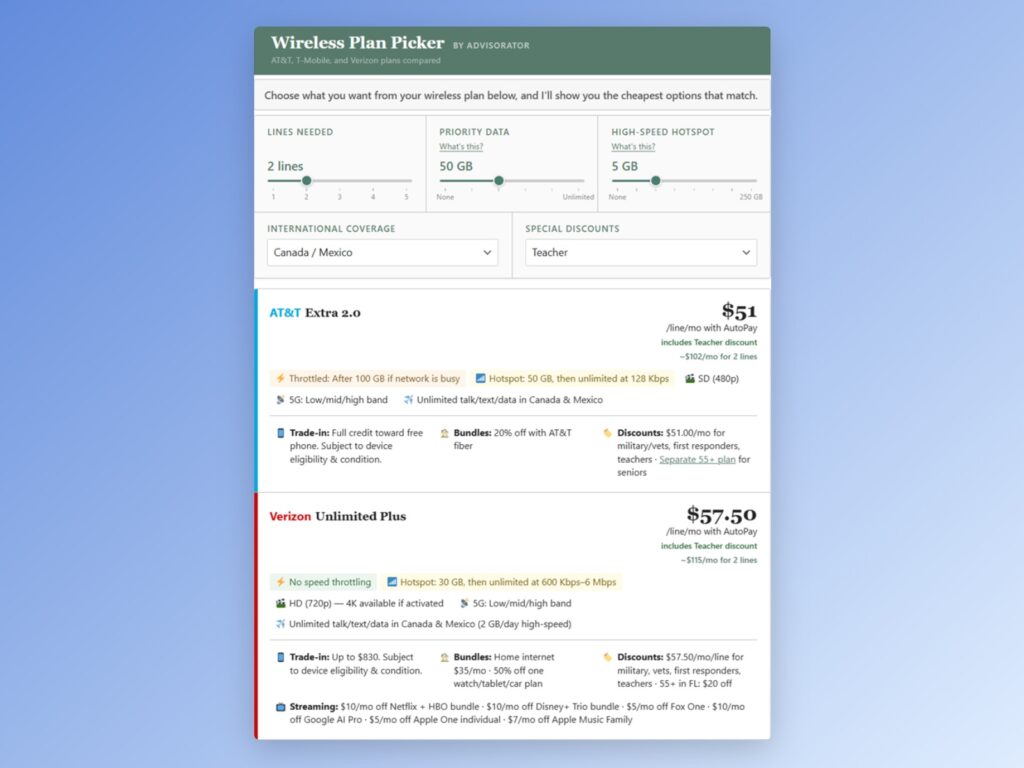
Just choose your number of lines and how much data you want, and you’ll get a list of wireless plans that match. You can even compare special pricing for seniors, military/vets, teachers, and first responders.
Meanwhile, I’ve set up a separate tool for figuring out how much credit you’ll get toward a new phone when trading in your old one. The carriers don’t make this information easy to find, but I spent hours digging it up and building an easy way to view trade-in values across different carriers and plans.
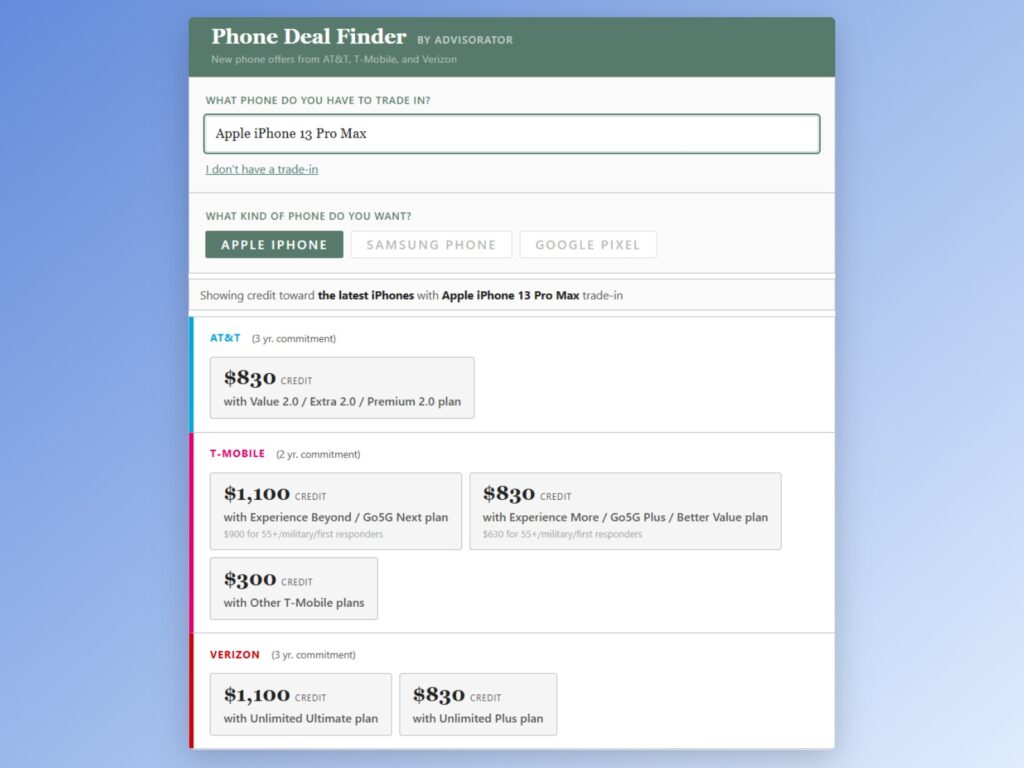
Both resources, along with the underlying datasets I used to make them, are available exclusively for Advisorator’s paying members.
Get help picking a phone plan →
How I built it
Full disclosure: I relied entirely on Anthropic’s Claude to supply the interactivity. I didn’t touch any of the underlying HTML or JavaScript myself.
That said, the process of building these tools required a great degree of human care:
- My wireless plan comparison chart is something I’ve been maintaining and updating by hand since late 2020.
- To build a dataset for trade-in values, I had to dig through smartphone purchase pages for each of the major carriers, looking for the fine print that outlines what every phone is worth depending on which plan you have.
- I spent hours testing, tweaking, and refining the tools to ensure helpfulness and accuracy.
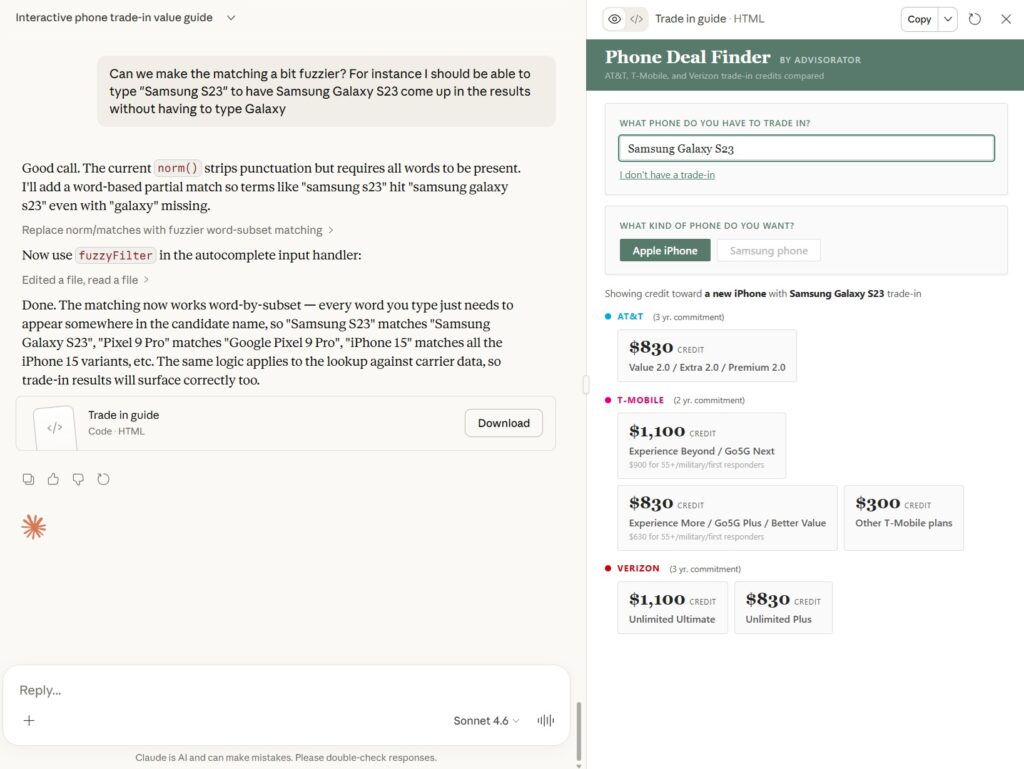
While I continue to treat AI with some wariness, it can be pretty useful when it’s combining technical automation with actual human expertise. I wouldn’t have been able to build these resources on my own without AI, but I also don’t think AI would be able to build this on its own, either. (Or, if it did, the results would be a lot worse.)
To check out my guide to picking a phone plan and these new interactive tools, become an Advisorator member. It’s just $5 per month, and you’ll get my full newsletter every week along with all the helpful guides I publish on my website. Hit the button below to get started.
News in brief
AT&T’s new plans: My impetus for updating all my wireless plan info this week is that AT&T is overhauling its wireless plans again. A quick breakdown:
- Value 2.0 ($50/mo. for one line): 5 GB high-speed data, 3 GB hotspot data, unlimited use in Canada and Mexico.
- Extra 2.0 ($70/mo. for one line): 100 GB high-speed data, 50 GB hotspot data, unlimited use in Canada and Mexico.
- Premium 2.0 ($90/mo. for one line): Unlimited high-speed data, 100 GB hotspot data, unlimited use in Canada, Mexico, and 20 LatAm countries.
The Value and Extra plans are a little cheaper than their predecessors for four or fewer lines, while the new Premium plan is a little pricier. (For five lines, the price is actually higher in all cases.) More importantly, the Value plan now qualifies for phone discounts in exchange for a three-year agreement.
More notable news and reads:
- Apple’s AirPods Max 2 headphones have a newer chip for features like adaptive audio and voice isolation.
- Gemini on Google Home speakers is supposedly getting more accurate and reliable.
- Facebook starts showing warnings for suspicious friend requests.
- Alexa+ gets a “sassy” mode that will swear and make fun of you.
- Why don’t iPhone alarms and timers ring on your Apple Watch? There’s a hidden setting you need to enable.
- Digg is already shutting down again. (If this means nothing to you, you didn’t miss anything.)
Tip of the week
Quick iPhone app settings: Via the Hulry newsletter, here’s a brilliant iOS Shortcut that jumps directly to the system settings menu for the app you’re currently using:
- Head to this page on your iOS device and select “Get Shortcut” to install it.
- While using an app, say “Hey Siri, App Shortcut.”
- Optional: Add the shortcut to Control Center for quicker access.
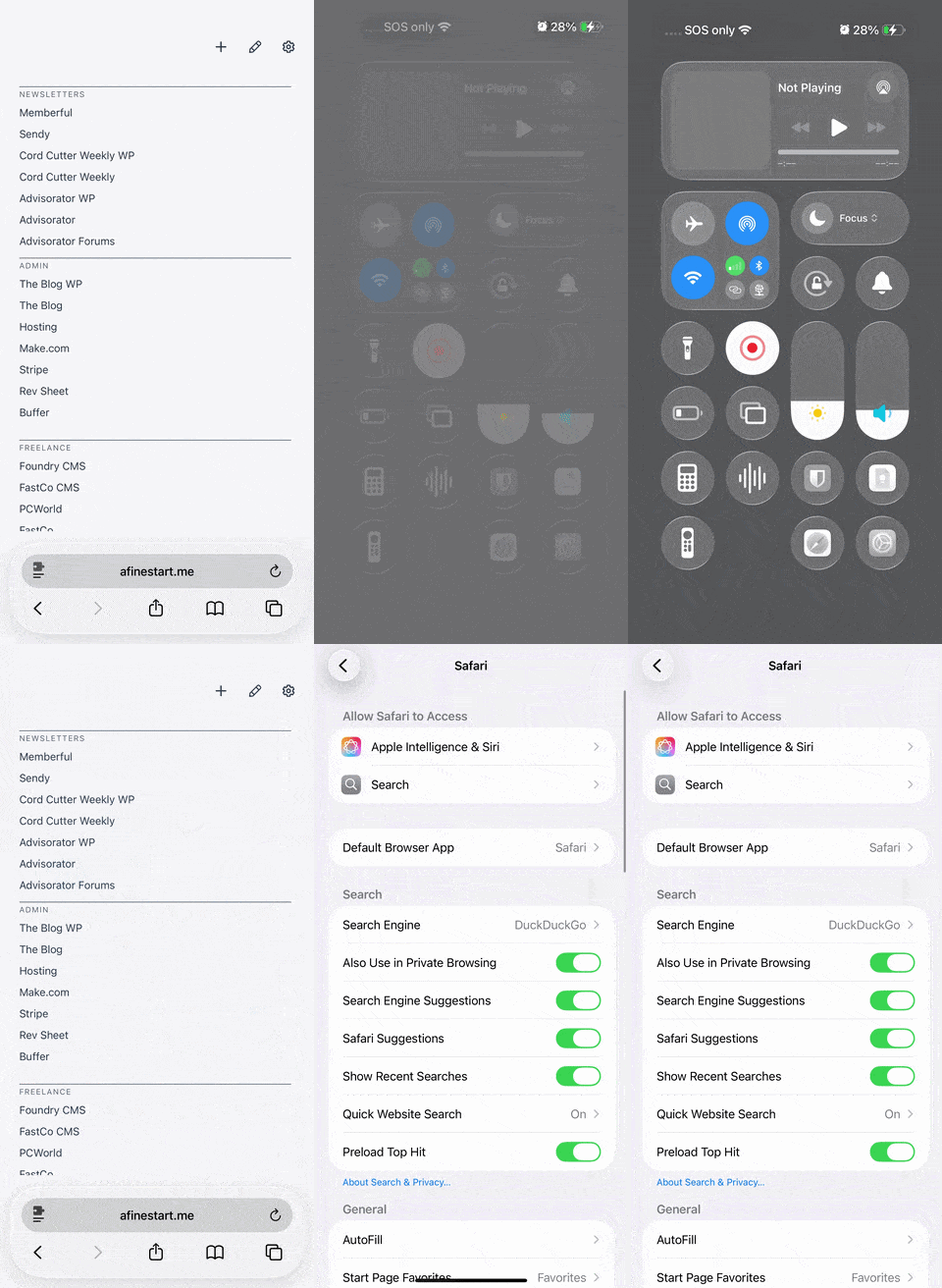
This is especially useful for Apple apps such as Safari, Notes, and Messages, since all of their options are managed through the iOS Settings menu. For other apps, the shortcut still makes it easier to manage things like notifications and permissions.
What about Android? Just long-press the app’s home screen icon and select “App Info” to quickly access its system settings—no convoluted shortcuts necessary.
Try these apps
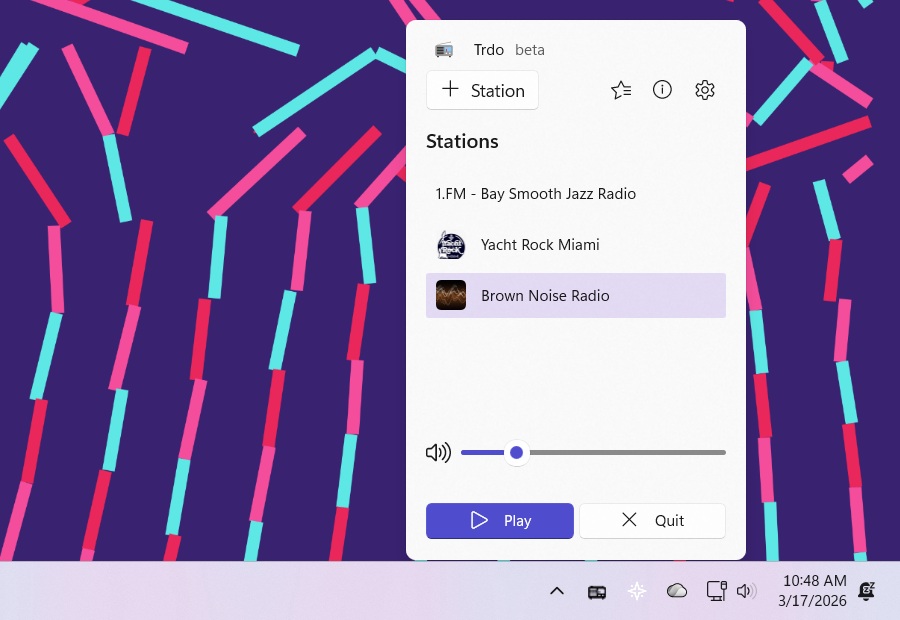
Tiny Internet radio player: Trdo is a delightful little Windows app for playing free Internet radio stations from around the world. The player lives inside the Windows tray on the right side of the taskbar, and you can right-click the icon to select a station. After picking a station, you can just click the player icon to toggle the radio on or off. I’m mostly using this just to play ambient noise with minimal friction, though you know I can’t resist the occasional foray into yacht rock.
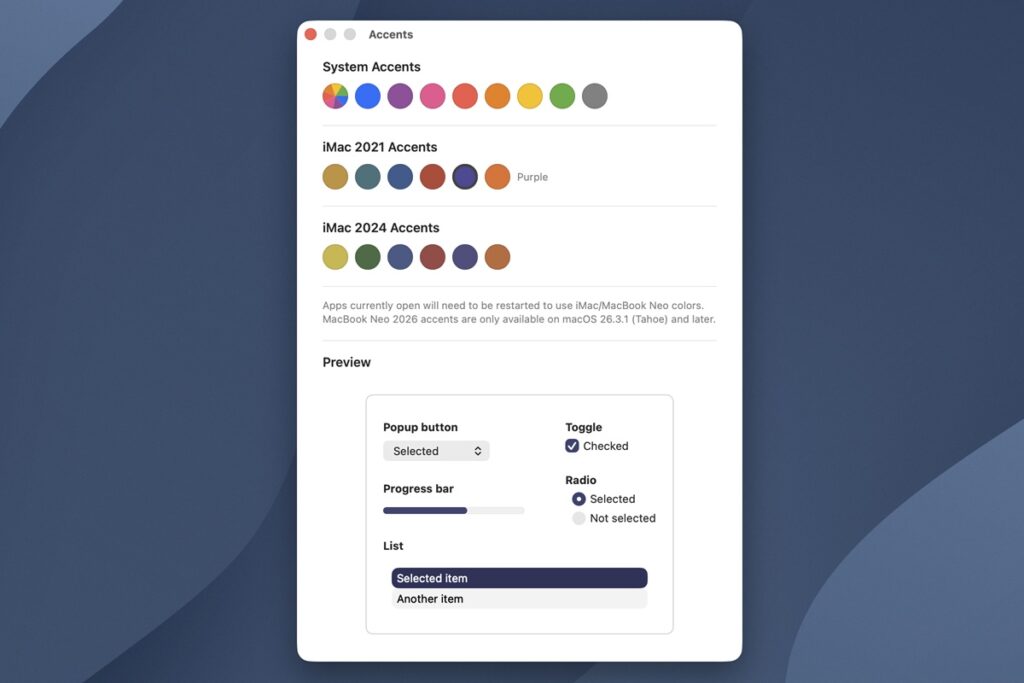
More Mac accents: MacOS lets you choose the accent colors in things like selection boxes and drop-down menus (under Apple > System Preferences > General). But if you buy an iMac or MacBook Neo, you get extra accents that match the color of the hardware. Accents is a free app that unlocks those menu colors on any Mac. Maybe it’ll make things feel new enough to keep you from making any unnecessary upgrades. (Via 9to5Mac)
Spend wisely
This section of the newsletter may include affiliate links, which earn me a commission if you wind up purchasing something. You can read about this recent change here.
Here’s what I’m seeing for notable deals this morning:
- First-gen AirTags now down to $59 for a four-pack at Staples. (Requires a free Staples account to see the offer.)
- Logitech’s ergonomic keyboard with palm rest hits its lowest price since 2024 at $52.49.
- Apple Watch Series 9 cellular in stainless steel (41mm) for $249 at Woot.
- New low for Apple Watch Ultra 2, now down to $499.
- Also: Various deals on the fancy titanium Apple Watch Series 10 models, starting at $399 for 42mm and $449 for 46mm.
- Sonos Arc SL soundbar for $379 refurbished.
- Mint Mobile: Pixel 10 for $299 when bundled with a one-year prepaid unlimited plan (also half-off at $180).
- Amazon clears out the 15-inch M4 MacBook Air (512 GB storage, 24 GB RAM) for $1,300, which is $300 off (and $350 less than the M5 model).
Think about an Advisorator membership!
Become a paying member to get the full newsletter every week, plus helpful online resources like the wireless plan picking tools I mentioned earlier. Hit the button below to get started.
Thanks for reading! Catch you next week.
Until then,
Jared
Did someone share this newsletter with you? Sign up to get it every Tuesday.