
How to actually use a password manager

Password managers revisited
Plus: Google’s new pixels, stopping spam calls, and a 90s nostalgia trip
 Jared Newman |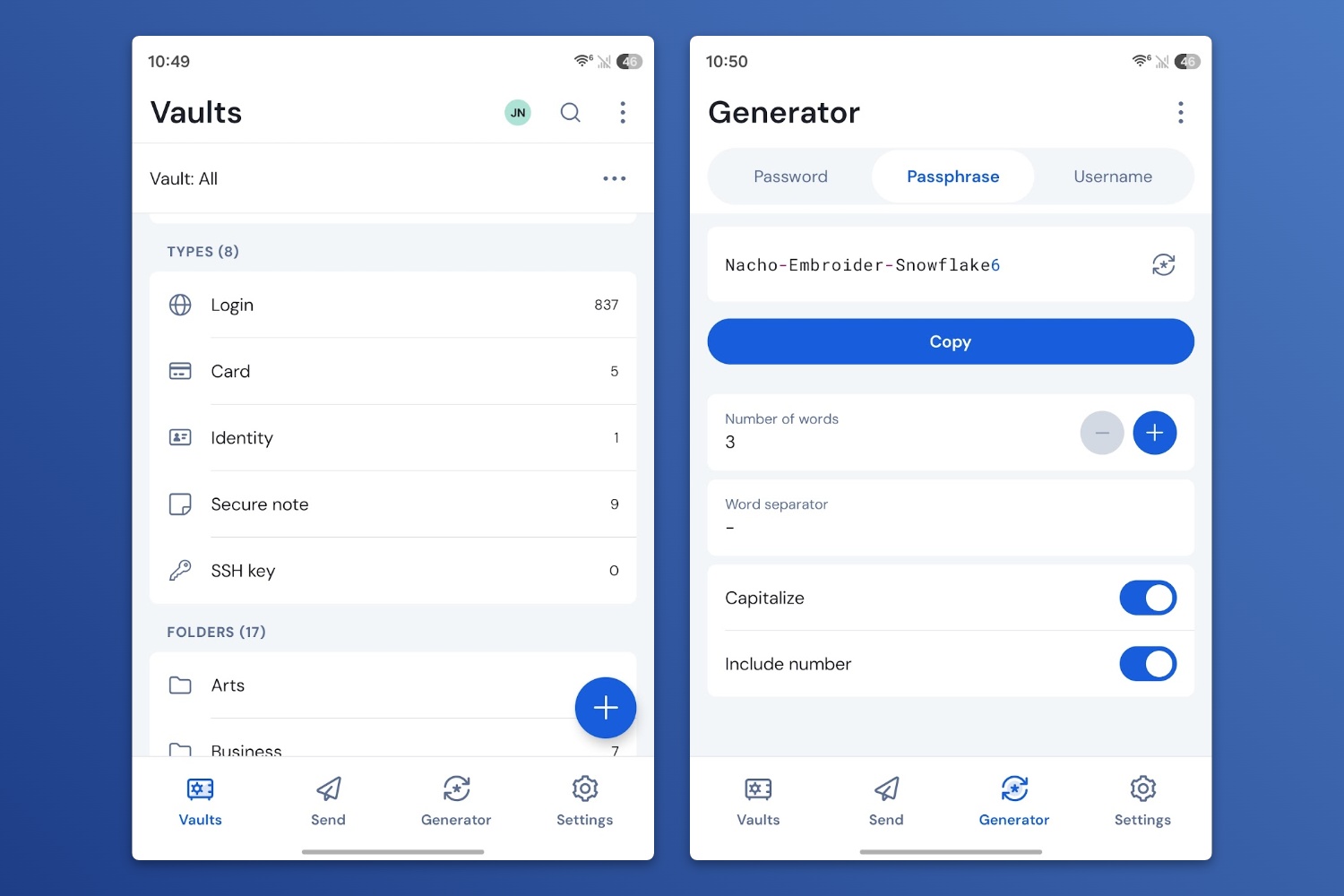
Last week, I asked Advisorator’s forum members to tell me about their biggest tech annoyances, and I’m not surprised at how often password managers came up.
Password managers are supposed to make your online accounts more secure and easier to access, but they can also cause problems. Getting started can be a hassle, and it’s too easy to end up with separate lists of passwords in different places. The arrival of passkeys only adds more complication.
Over at the Advisorator website, I’ve completely rewritten my guide to using a password manager with these frustrations in mind. I think it’ll bring clarity to where your passwords are stored now, how to get them all into one place, and how to get the password manager habit to stick if you’re not using one already.
My guide to password management is exclusively for Advisorator’s paying members, who get my full weekly newsletter and all my online tech tutorials. You can still get 25% off your first year for a limited time. Learn more here.
News in brief

Google’s new Pixels: Last week, Google announced the Pixel 11, Pixel 11 Pro, Pixel 11 Pro XL, and Pixel 11 Pro Fold, and if you look at the spec sheets I just linked to, you’ll see only minor upgrades from the Pixel 10 series. The cameras let in more light, wireless charging is faster, and the displays are more durable, but the biggest difference is that all except the Pro Fold cost $100 more, and the Pro XL starts with less RAM at 12 GB. Blame AI data centers. (You do at least get 256 GB of base storage with the Pixel 11 and 11 Pro now.)
There are a few notable new features, though, especially on the camera front: A “Magic Capture” mode records a video and automatically creates photo and video highlights, and a “Camera Looks” setting lets you dial back the ultra-processed effect that’s so common in smartphone photography. The Pro phones also have a new way of stabilizing videos.
Google also announced a Pixel Watch 5 that can detect breathing emergencies and a Pixel Tag that looks like an answer to Apple’s AirTags. The latter is one of a few Android-compatible item finders with ultra wideband support, enabling a precision finding mode that guides you directly to your item. (Motorola’s Moto Tags and Samsung’s SmartTags also support this, though the latter only works with Samsung phones. Google’s will support any phone with ultra wideband.)
Other notable news and reads:
- The latest Windows update may help apps load faster, especially on weaker PCs.
- uBlock Origin’s developers give up on trying to block Facebook ads.
- Rumor mill: Don’t expect a new regular iPhone this year, only higher-end Pro models.
- Claude’s invisible watermarks will attempt to rat out AI writing.
- Spotify will start labeling AI-generated music and blocking it from recommendations next month.
- Video: Rich DeMuro makes the case for having a secret family passcode to fend off AI voice cloning scams.
Call screening: Now for Samsung phones, too
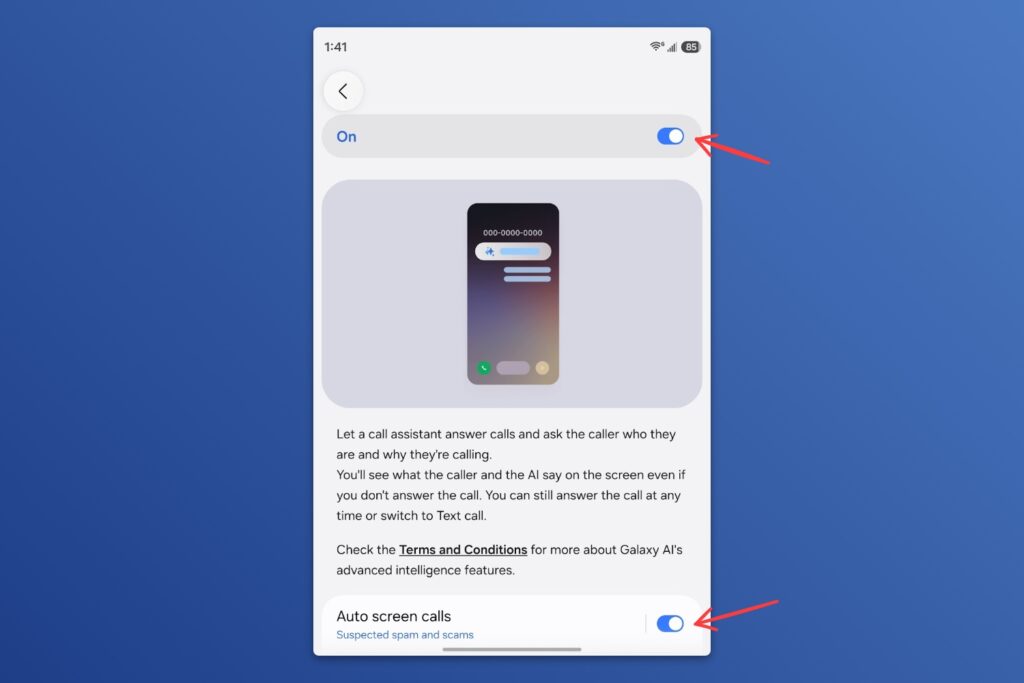
Samsung has finally caught up to Google and Apple with a call screening feature, which makes potential spammers say why they’re calling before your phone rings. Usually they’ll just hang up without responding, which makes call screening one of the best features you can have on a phone today.
Call screening arrived with Samsung’s One UI 8.5 update earlier this year, and I noticed it while testing Samsung’s Galaxy Fold8 phone, but you’ll need to enable it manually:
- Open Samsung’s Phone app.
- Head to Settings > Call Screening.
- Toggle the on switch at the top, then turn on “Auto screen calls.”
- Tap the “Auto screen” text to choose to screen just suspected spam or all unknown callers.
Here’s a refresher on call screening for other phones:
- Pixel phones: Open Google’s Phone app, tap the menu button and head to Settings > Call Screen. Turn on “Automatic Call Screen” and choose your level of blocking.
- iPhones: Head to Settings > Apps > Phone. Under the “Screen Unknown Callers” heading, select “Ask Reason for Calling.” (This will screen all numbers that aren’t in your contacts list.)
I’ve also added Samsung’s call screening feature to my ultimate guide to stopping spam for Advisorator members.
Try these apps
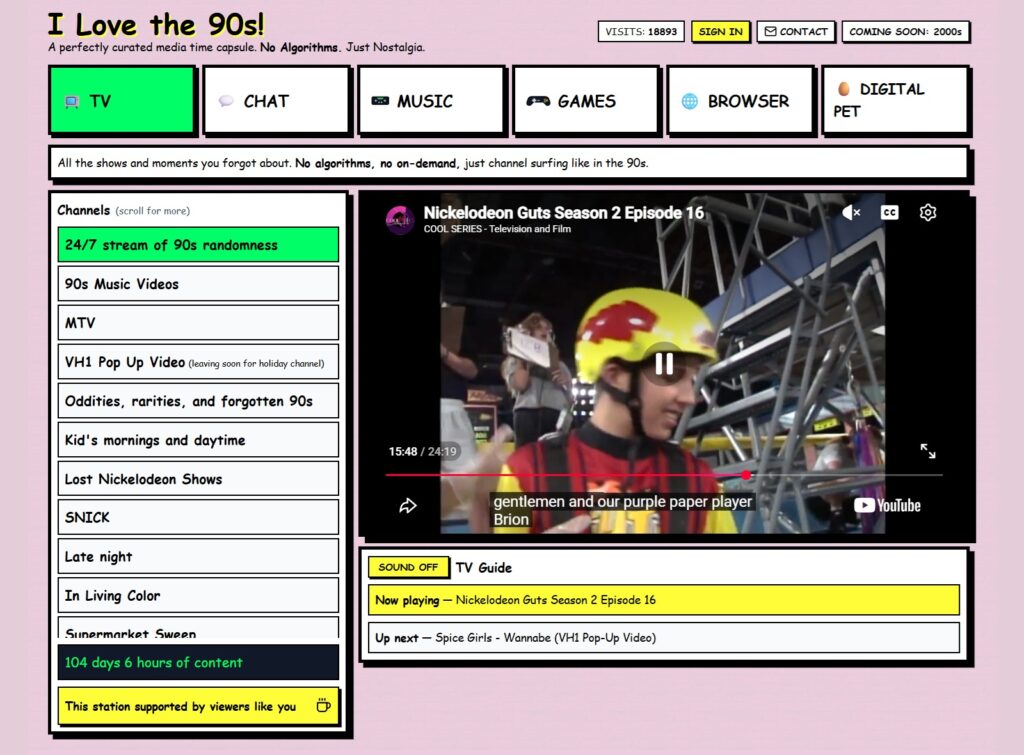
90s nostalgia trip: I Love the 90s is a fun site for reliving my childhood years. In one cute interface, it aggregates 90s videos from YouTube, 90s-themed internet radio stations, a selection of emulated Genesis/SNES games, and an early internet browser (via snapshots from the Wayback Machine). It makes for a nice complement to the BingeBuster site I wrote about in Cord Cutter Weekly last Friday. Supposedly a 2000s version is coming soon.
Apple Watch face maker: Harry McCracken, my editor at Fast Company, made a free web app called Mooseface for building your own custom Apple Watch faces. You can set a background image, customize the clock, add complications, and more. When you’re finished, you’ll get a downloadable .watchface file. Open it from the Files app on an iPhone to add it to your watch.
Spend wisely

This section of the newsletter may include affiliate links, which earn me a commission if you wind up purchasing something.
The keyboard I use every day, 8BitDo’s NES-themed Retro Mechanical Keyboard, is on sale for $70, which is about $20 off the street price. I bought it a couple years ago, mostly for the Nintendo vibes, but I quickly came to appreciate its programmable shortcut keys (which I use to take screenshots and extract text from images), convenient volume knob, and variety of connectivity options. Grab it here.
Other notable deals:
- Marshall’s plug-in Stanmore III Bluetooth home speaker hits a new low at $200. (Now I’m wishing every speaker had dedicated bass and treble knobs like this.)
- Second-gen AirTag returns to $24, or $20 open-box.
- AirPods Pro 3 are still selling for $190.
- Refurbished MacBook Neos are back in the Apple Store for $599, $100 less than buying new.
- Today only: Samsung Galaxy Book4 Edge (Snapdragon X Elite CPU, 16-inch OLED, 512 GB storage, 16 GB RAM) for $700, or $680 open-box.
Think about paying for Advisorator!
I’m keeping my membership sale going for a couple more weeks. If you dig my approach to tech journalism and want access to in-depth guides like the new one on password management, you can save 25% off your first year through the link below.
That’s all for now. Catch you next week.
– Jared
Did someone share this newsletter with you? Sign up to get it every Tuesday.