
6/25/2024: AirPods tips

Tip of the week: Helpful AirPods settings tweaks
Plus: A Spotify price drop and three months of free e-books
 Jared Newman |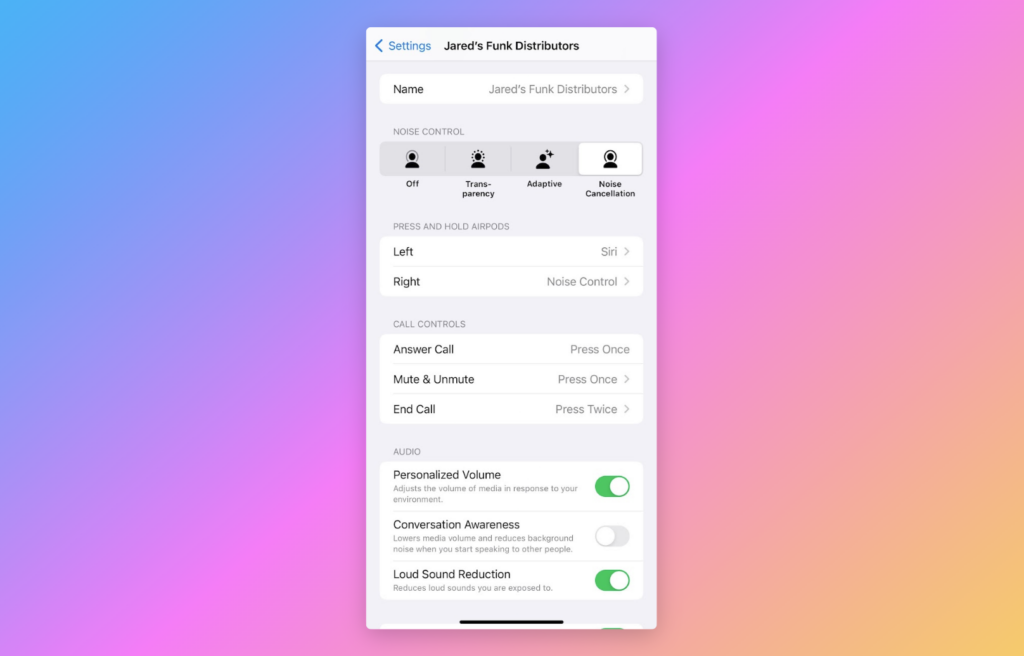
Hey there! I’m Jared Newman, a veteran tech journalist, and this is the free edition of Advisorator, my weekly tech advice newsletter. If someone shared this newsletter with you, consider signing up to get it every Tuesday. Thanks for reading!
The following is an excerpt from my just-published ultimate AirPods guide.
The AirPods settings menu is full of useful ways to customize your earbuds. While connected, head to Settings > AirPods (just below your user name), then look for these notable options:
Pick a name: Especially if you’re in a home with multiple AirPods floating around, rename yours to something more recognizable than just “AirPods.”
Map your stems: From the AirPods settings menu, use the “Press and hold AirPods” section to change what your AirPods Pro do when squeezing the stems. You can map a stem to Siri or choose which noise cancellation modes to cycle through.
On 1st- and 2nd-gen AirPods, you’ll see “Double-Tap on AirPod” options instead. Mapping a double-tap to Play/Pause to either earbud will disable single-tap control entirely—useful if you tend to trigger it by accident.
Check your fit: If you’re not sure which ear tips to use with the AirPods Pro, scroll to the bottom of the AirPods Settings menu and select “Ear Tip Fit Test.” You’ll hear a short audio sample, which will determine whether your selected tips are forming a good seal.
Disable Conversational Awareness: This ballyhooed second-gen AirPods Pro feature automatically switches to Transparency mode after you start talking. It’s laggy, doesn’t turn on when someone’s talking to you, and often kicks in when I’m mowing the lawn for some reason, so I just turned it off entirely.
Disable auto-connect: One of my biggest pet peeves with AirPods is how they automatically switch between devices. This often stops the audio on my iPhone, and instead treats me to the sound of whatever Netflix show my kids are watching on my iPad. You can disable this from the AirPods settings menu by tapping “Connect to this iPhone/iPad,” then selecting “When Last Connected.” You can always manually connect to your AirPods in Control Center by hitting the AirPlay icon, then selecting your AirPods from the device list.
For more ways to make the most of your AirPods, check out my ultimate AirPods guide, part of a newly-expanded collection of resources for paid subscribers. Start a free trial membership to read it.
News in brief
Spotify price drop: After raising streaming music prices by $1 per month a few weeks ago, Spotify has added another plan at the old $11 per month price, albeit without 15 hours of monthly audiobook listening. There’s also an audiobook-free family plan at $17 per month instead of $20 per month. As 9to5Google notes, you can’t get these plans as a new subscriber. The only way to find them is to downgrade from an existing subscription.
Proton photo backups: Proton Drive is becoming a more viable Google Photos alternative with automatic photo and video backups, which arrived on iOS last week and on Android in December. Proton says albums and automatic categorization are also in the works, but didn’t give a timeline. I love the idea of jumping in with a more privacy-centric Google Photos competitor like this—and I’m already paying for Proton Mail—but would need face recognition and automatic partner sharing to consider a switch in earnest.
More catch-up:
- AT&T raises prices on several older plans, by $10 per month for individuals or $20 per month for families.
- Reuters reports that Amazon may charge $5 to $10 per month for a generative AI version of Alexa, but some rumored features already exist in the current version.
- Apple’s forthcoming AI features will require an iPhone 15 Pro or newer. (Here’s a rundown of what those features are.)
- The U.S. government is banning sales of Kaspersky antivirus next month, citing security concerns.
- Neat gadget idea: An Android tablet that’s also a Bluetooth speaker.
- I’m in the New York Times! Here’s my Wirecutter story on the best USB-C cables.
Try this app
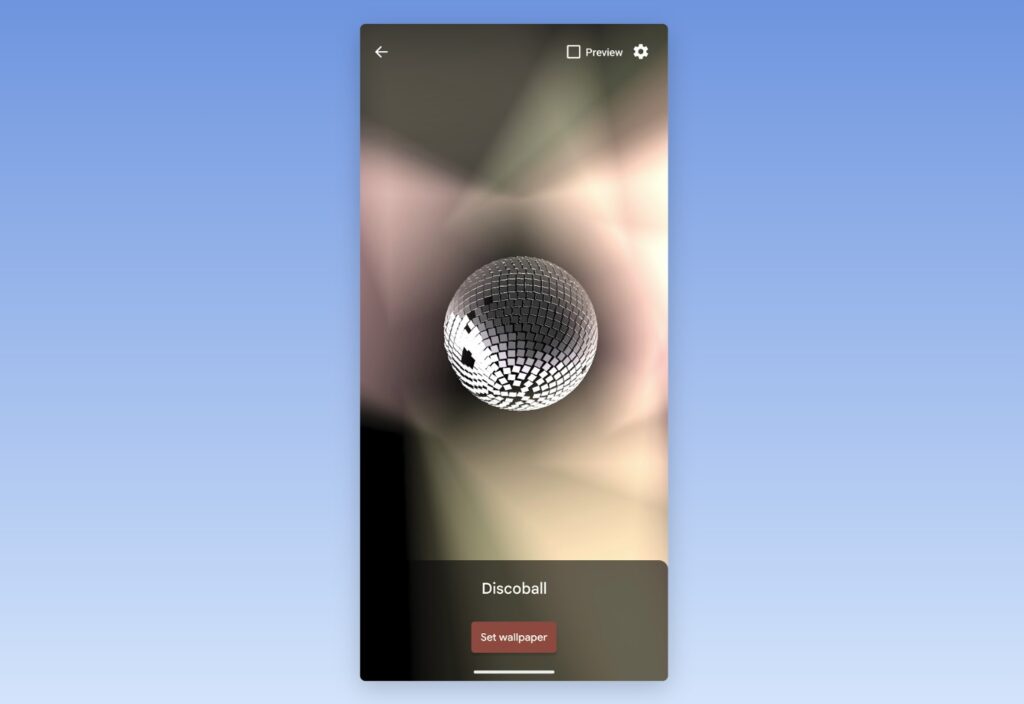
Vintage screensavers reborn: XScreenSaver is a collection of screensavers that originally shipped on Linux computers in the early 1990s. One of the original creators, Jamie Zawinski, has bundled them up into a free Android app, so you can set them as animated wallpapers for your lock screen or home screen. If nothing else, you should at least read the privacy policy.
Spend wisely

Amazon Prime members can currently get three free months of Kindle Unlimited, which offers millions of e-books to read in the Kindle app or on Kindle e-readers. The service normally costs $12 per month, so you might as well check off your summer reading list on Amazon’s dime instead.
To avoid being auto-billed after your three months are up, click the “Manage your membership” link near the top of the page, click the “Cancel membership” button, and follow the prompts to complete the cancellation. You’ll still get the full three-month subscription at no cost.
Thanks for reading!
Apologies if you had any trouble reading last week’s newsletter. I’m working through some formatting issues on mobile devices with my newsletter setup and have reverted to a less troublesome font in the meantime.
Got tech questions for me? Just reply to this email to get in touch.
Until next week,
Jared