
11/14/2023: Keep those batteries healthy

Battery health tips
Plus: A weird new wearable, Mint alternatives, and the new Apple Watch for less


Having recently purchased a new phone, I’ve become mildly obsessed about preserving its battery life.
I’m not talking about getting it to last longer on a charge—that’s something I’ve covered already—but rather maintaining its ability to hold a charge over time. Lithium ion batteries degrade much faster as their charge level approaches 100%, and that can eventually lead to both shorter battery life and a drop in performance. Instead of doing a full charge every day, I’ve been limiting my maximum battery level to around 85% until I actually need the extra juice.
Most phones, tablets, and laptops have some ability to set battery charging limits, either with built-in settings or third-party workarounds. They’re worth looking into if you want to keep up your battery health over the long haul.
Need to know
Humane’s weird wearable: One of the most overhyped gadgets in recent memory will soon be up for pre-order. For $699—plus a $24 per month data plan—the Humane AI Pin clips onto your clothing, responds to voice queries, and has a laser projector that beams a smartwatch-like interface onto your palm. It also has a camera that can take photos and do some other things, like tracking what you’ve eaten.
Unlike a smartwatch, the Humane AI Pin is supposed to replace your phone rather than supplement it. But history is full of attempts to save you from your phone, and they never take off because smartphones are pretty darned useful, and it’s hard to be part of modern society without one.
Anyway, Ron Amadeo has a helpful rundown of the device’s features—with plenty of healthy skepticism throughout. John Gruber’s summary is even more succinct: “I sincerely hope I’m wrong, but this sounds like the Quibi of AI gadgets.”
Bitwarden’s passkey support: Bitwarden is the latest password manager to support passwordless logins, also known as passkeys. By creating a passkey for an app or website, you can log in using just your device’s face recognition, fingerprint reader, or PIN code. That means you don’t have to bother setting up an actual password or risk it being stolen in a phishing attack. Other password managers that have added passkey support include 1Password, Dashlane, and Enpass.
While Apple and Google can already create and manage passkeys within their respective ecosystems, password managers such as Bitwarden have the advantage of working across platforms. That means you can take your passkeys across iOS, Android, Windows, MacOS, and practically any web browser.
Or at least that’s idea. So far, the rollout of passkeys has been a total mess, with every app, website, and operating system handling things differently. To wit: Bitwarden currently lets you create passkeys on a computer, but won’t let you log in with them on your phone. I’ll be experimenting with passkeys more now that Bitwarden supports them, but will continue to treat the initiative with skepticism until it addresses some major shortcomings.
Tip of the moment
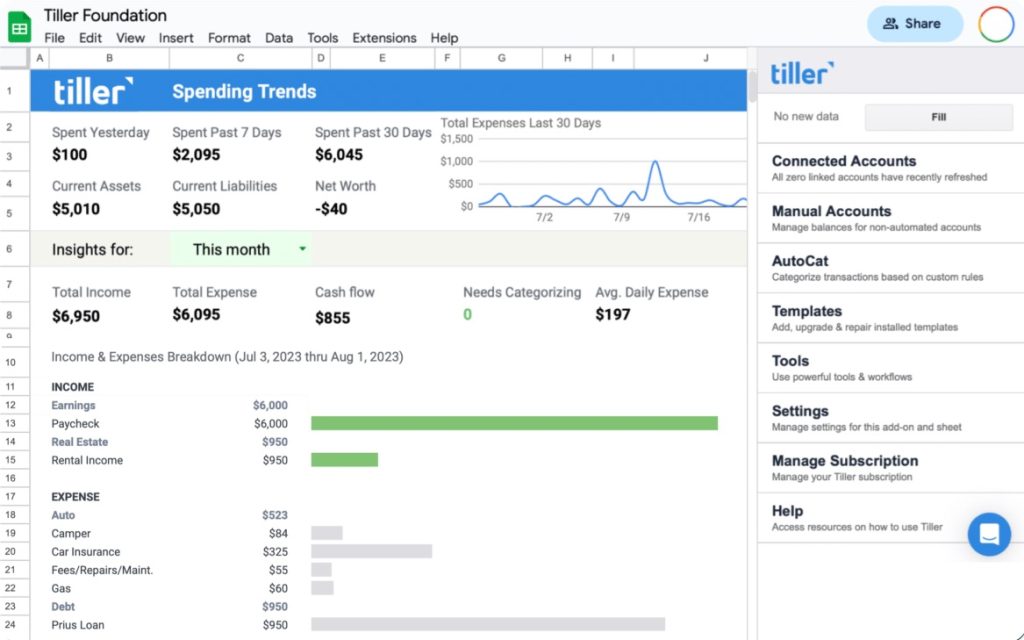
Mint alternatives: Last week, I asked what folks were using to track their finances instead of Mint, which is shutting down on January 1. I got a few helpful responses in return and thought they were worth sharing:
Michelle G. is using Tiller, which costs $79 per year after a 30-day trial:
Similar to Obsidian, you store your own data. Also similar, it’s crowdsourced for additional add-ons.
Dave B. digs Moneyspire, which is a $79 one-time purchase:
We share between 2 Macs. Works very well for us. Happy with support (what tiny amount I have needed).
Joseph C. endorses Empower, whose finance overview tools are based on the firm’s acquisition of Personal Capital a few years back. It offers these tools for free as a way of drumming up interest for its retirement planning services.
Empower has removed one or two nice features when they bought Personal Capital but, so far, remains usable.
Joseph also had another great suggestion: See if your bank or financial provider has its own budgeting tools. I checked Bank of America’s website, for instance, and was surprised to see a bunch of budgeting and overview options under its “Tools & Investing” tab, including the ability to pull in date from external accounts.
Need more alternatives? The Verge’s Barbara Krasnoff wrote a concise overview of various Mint competitors.
Now try this
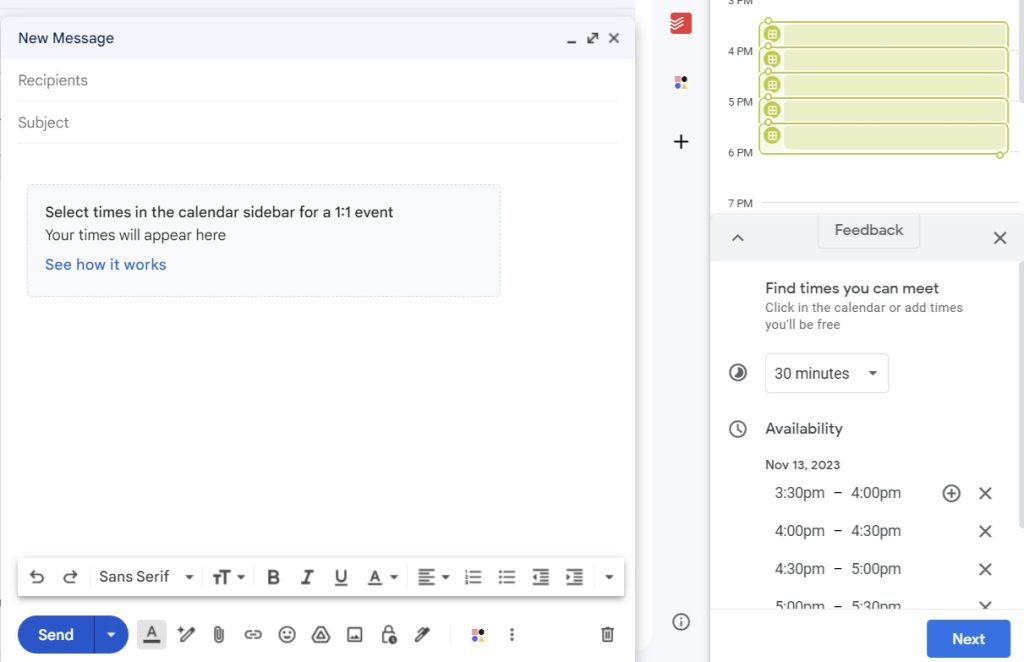
Gmail’s meeting scheduler: Google recently added a handy scheduling tool inside the Gmail website, so you can propose meeting times without a slew of back-and-forth messages.
To find it, click the ⋮ button at the bottom-left of Gmail’s compose window, then select Set up a time to meet > Offer times you’re free. Your calendar will appear in a sidebar, and you can click the times when you’re available. The recipient will then be able to click on a time to book the meeting. Note that this only works for 1:1 meetings, but you can always add more people to the event once the date and time is set.
Spotify’s audiobook perk: Got a Spotify Premium subscription? The service now includes 15 hours of audiobook listening per month at no extra charge, roughly equivalent to a couple of books per month. If you hit the 15-hour limit, Spotify sells 10-hour top-ups for $13 apiece. Between that and free audiobooks from your library—via either Hoopla or Libby—maybe you can drop your Audible subscription.
Further reading
- SiriusXM drops its streaming plan price to $10 per month, a buck less than before.
- Banks have started refunding victims of Zelle imposter scams.
- Here’s an interesting list of practical uses for ChatGPT.
- Whoops: An Android 14 bug wiped a bunch of Pixel users’ data.
- Rumor: Microsoft’s Copilot AI tool is heading to Windows 10, too.
Spend wisely
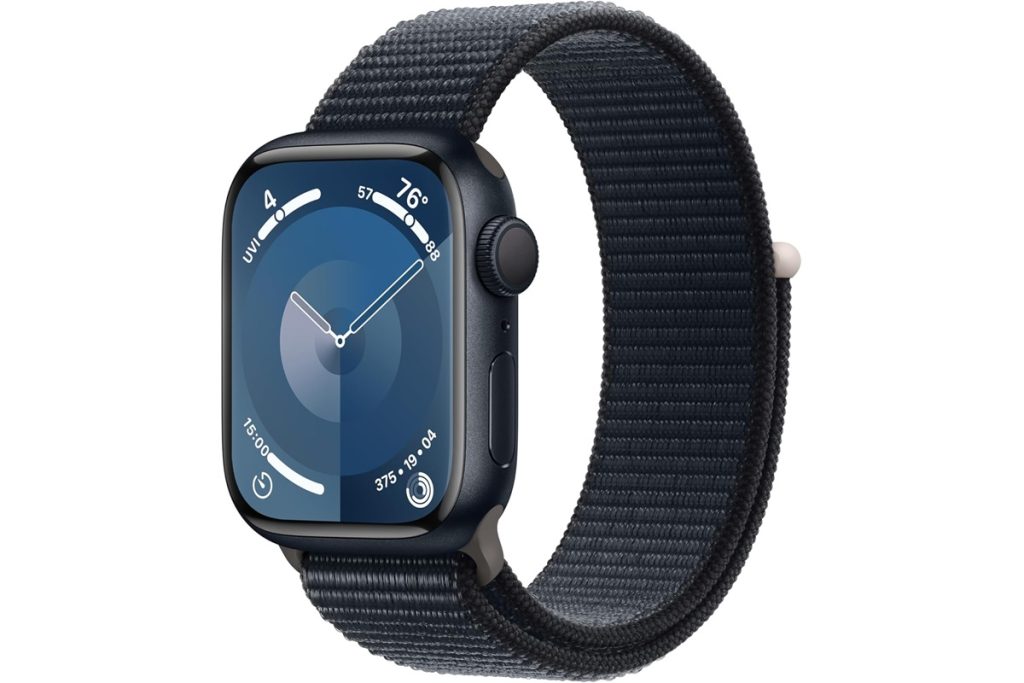
Like clockwork, the new Apple Watch Series 9 is on sale just a couple months after launch. Amazon has the 41mm model for $349 in various colors, or the 45mm model for $379. Both are $50 discounts.
Compared to earlier models, the Series 9 is faster and supports a unique double-tap gesture with your thumb and index finger. If you’re fine with stepping back a generation, you can also get the Series 8 for under $300. Never pay full price for an Apple Watch.
Thanks for reading!
With Black Friday coming up, I’m curious if you’ve got anything on your gadget shopping list. I’ll be compiling the best deals in next week’s newsletter, so let me know what you’d like to see! Advisorator subscribers can also drop into my Slack chat room to discuss and share deals with me and other friendly folks.
Until next week,
Jared