
5/23/2023: Apple’s best iPad is its least-loved

In praise of the iPad Mini
Plus: Verizon’s shake-up, a better touchscreen keyboard, and cheap music streaming

Hey folks, quick programming note: I’ll be on vacation for the next two weeks and taking a break from the regular newsletter. Not to worry, though; I’ve lined up some fun stuff to send out in my absence. Stay tuned!
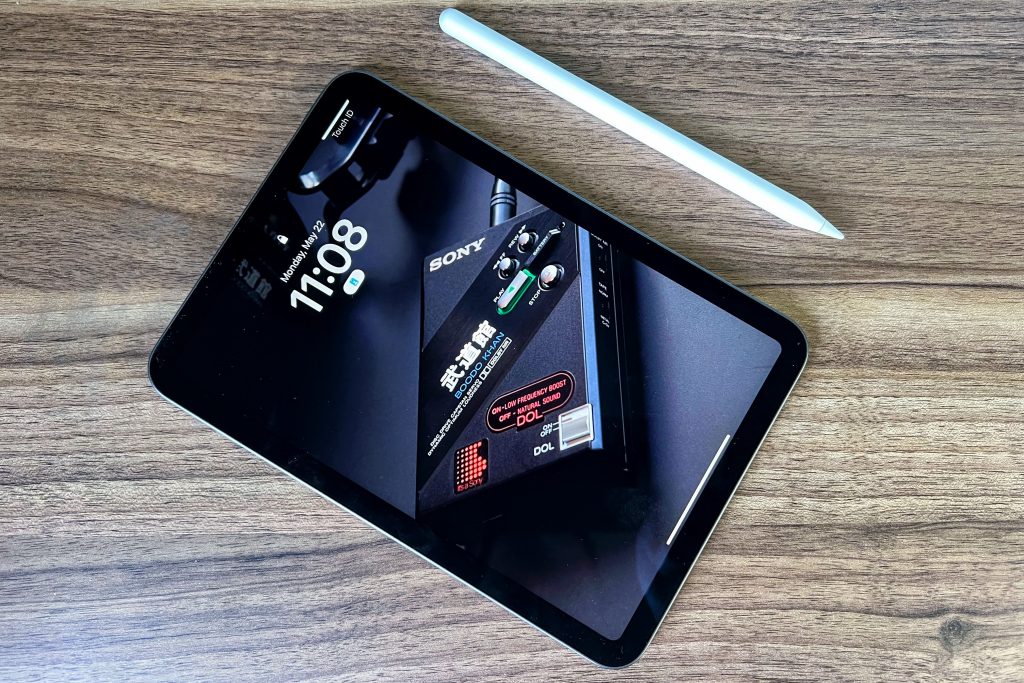
When you’re considering which iPad to buy, the iPad Mini is easy to overlook.
Apple’s own iPad product page lists it dead-last, and its small screen doesn’t fit with the idea of iPads as laptop replacements. At one point, Apple even had a three-and-a-half-year gap between new iPad Mini models, giving the impression of a neglected product.
But having recently purchased an iPad Mini for the first time in nearly a decade, I’m back to thinking that it’s Apple’s best tablet. While it’s less capable than its larger siblings—as evidenced in my iPad Decision Flowchart from last fall—it’s also the purest expression of what an iPad ought to be.
Need to know
Verizon’s wireless plan overhaul: Verizon is shaking up its unlimited data options, paring them from six plans down to just two:
- Unlimited Welcome costs $65 per month for one line, has no hotspot data, and slows you down if the network is congested.
- Unlimited Plus costs $80 per month for one line, with no throttling or data caps. It comes with 30 GB of high-speed hotspot use and supports Verizon’s fastest 5G speeds.
From there, users can add “perks” for $10 per month, including the Disney bundle, Walmart+ membership, and 100 GB of hotspot use. It’s a big change from Verizon’s old plans, which offered different sets of free perks at each tier. While those old plans are no longer available for new subscribers, existing customers can keep what they have.
For paid subscribers, I’ve added the new options in my data plan comparison guide so you can see if it’s worth switching.
Amazon’s new hardware: Amazon is releasing a new smart speaker called the Echo Pop, which is slimmer than the globe-shaped Echo Dot and has a lower list price of $40. The company’s also updating its 5-inch Echo Show smart display with a faster processor and better speakers, and releasing a new set of Alexa-enabled earbuds for $50.
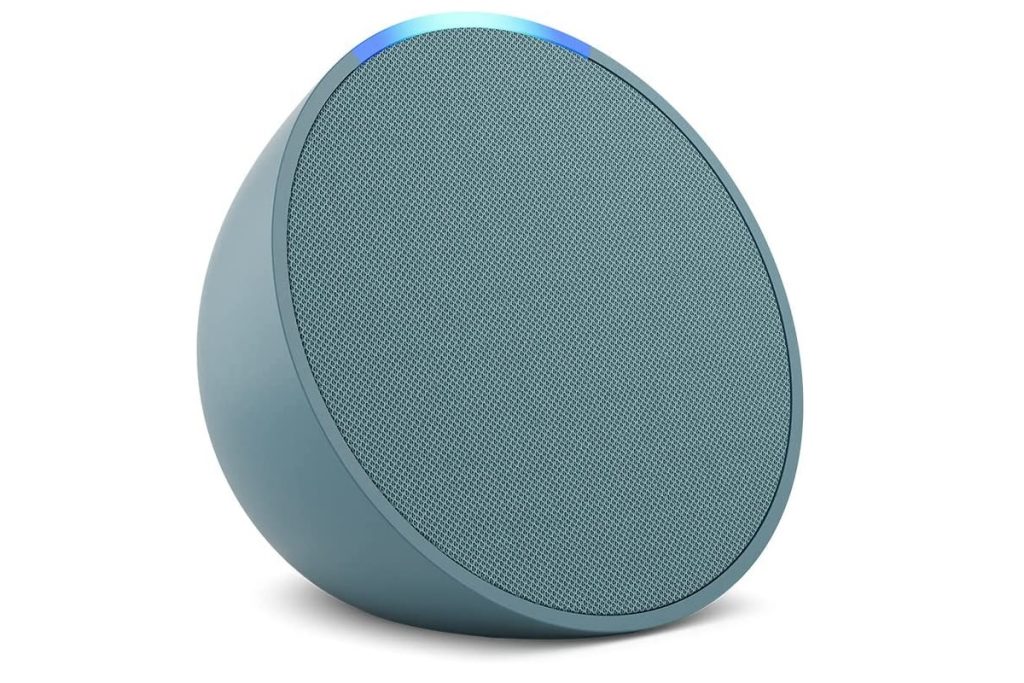
The actual hardware isn’t a huge deal, but amid rumors of Amazon gutting its Alexa division, it’s nice to see some signs of life. Alongside the new devices, the company says it’s working on bringing generative AI conversations to Alexa—akin to what you get with ChatGPT—though it’s unclear when this might happen.
Also: Amazon’s releasing the Fire Max 11, a $230 tablet that’s faster, brighter, and a little larger than previous Fire slates. It’s supposed to be for getting work done and has a fingerprint reader, but given the paucity of productivity apps in Amazon’s app store, most folks should steer clear.
The Google purge: Google is changing its policies on inactive accounts, and now says it may delete them after two years. The purges will begin in December, though Google says it will provide numerous warnings ahead of time, and YouTube videos won’t be affected, at least for now. (Google says the policy is security-related, but it’s clearly a cost-cutting move as well.)
This is mostly worth noting if you’ve stashed old files or emails in a secondary Google account that you don’t actively check. In that case, consider setting up a recovery number or email so you don’t miss any alerts about potential deletion. Simply logging in and reading an email once in a while should keep the account alive.
Tip of the moment
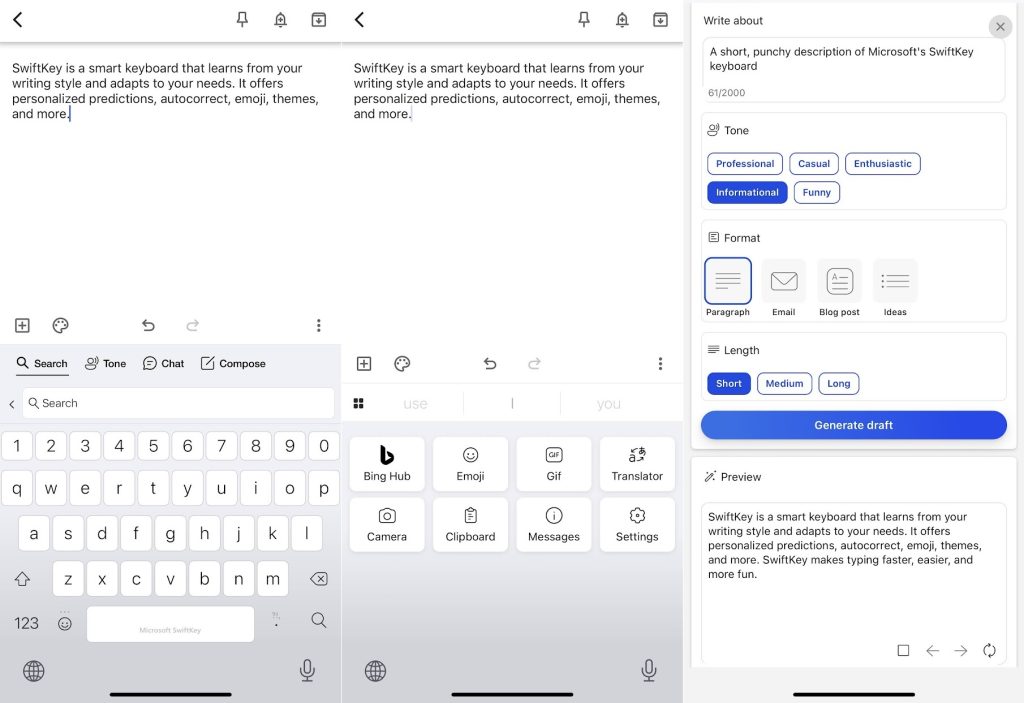
A better touchscreen keyboard: It’s been years since I’ve used Microsoft’s SwiftKey keyboard app in earnest, but I’ve been pleasantly surprised since installing it again on my iPhone and aforementioned iPad Mini.
My impetus was the lack of a dedicated number row on Apple’s built-in keyboard, which always irks me when switching back from Android devices. It turns out Swiftkey has a number row that you can enable in its settings, plus it supports swipe typing on the iPad. (Apple’s own keyboard only allows for swipes in the iPad’s “floating” keyboard mode, which I find useless.)
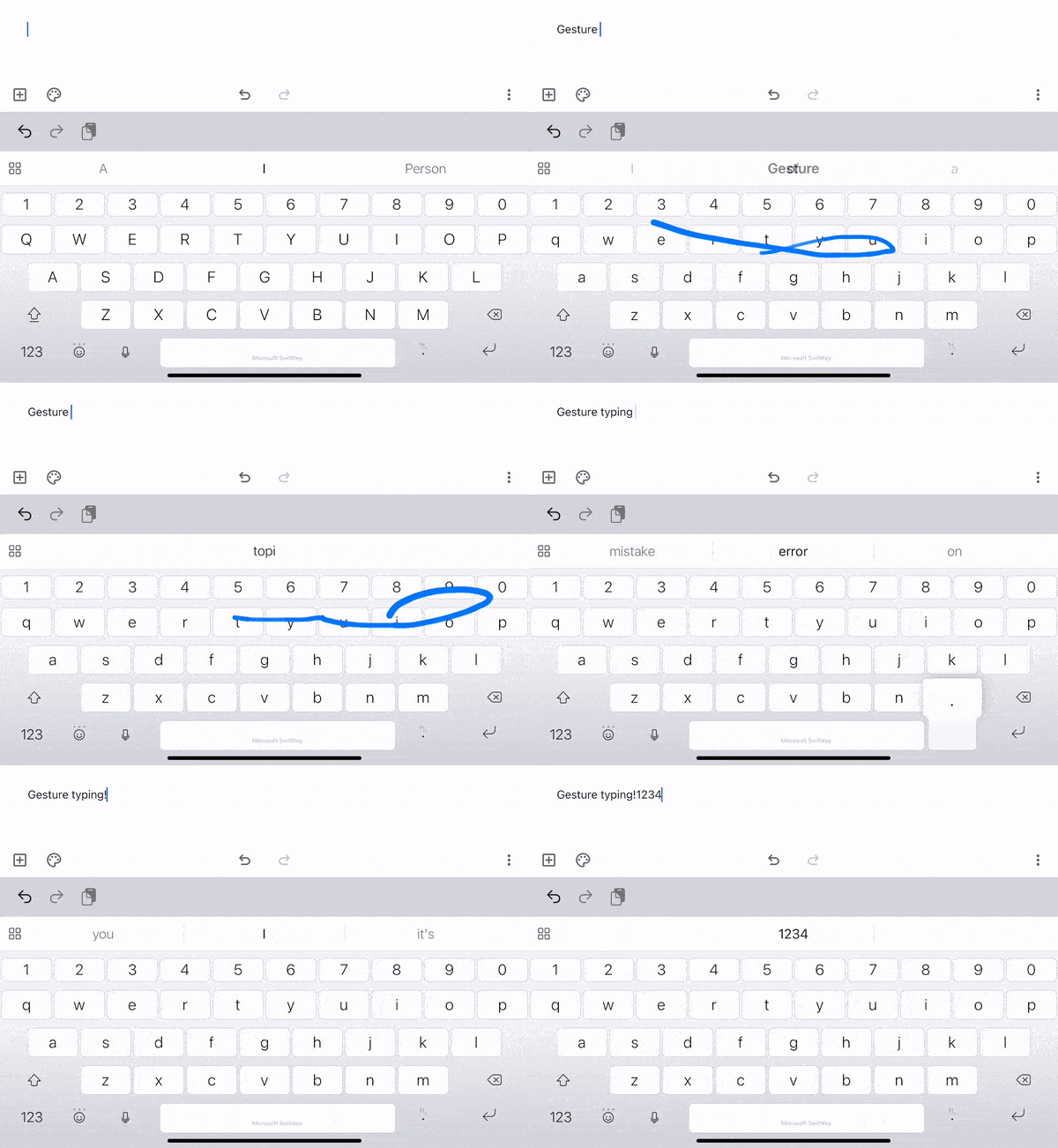
Last year, Microsoft almost discontinued SwiftKey’s iOS app, but then changed its mind and said it was investing heavily in the product. That’s evident in SwiftKey’s Bing integration, which offers ChatGPT-style text generation and tone correction directly inside the keyboard.
SwiftKey is available on both iOS and Android. Once installed, just follow the on-screen instructions to use it in place of your default keyboard. You can enable the number row from the app’s Settings menu.
Now try this
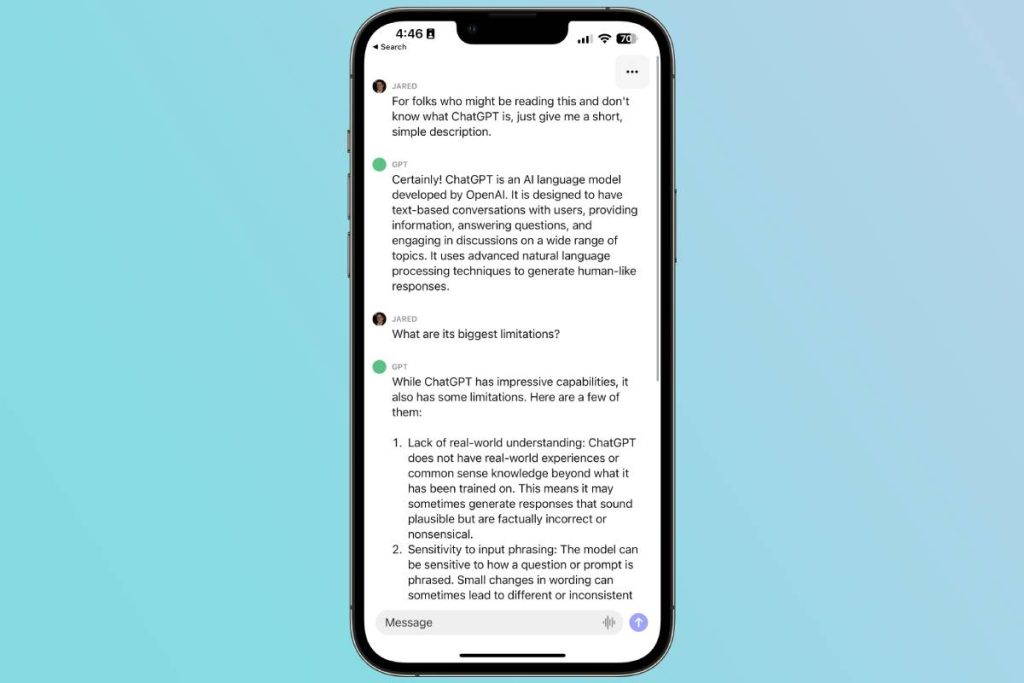
ChatGPT on iOS: ChatGPT has released an official iPhone app, so you can converse with the AI assistant without having to go through a web browser. While the app isn’t markedly different from the web version, it does have a speech-to-text button, and its mere existence will hopefully lead to fewer people getting scammed by imitators in the App Store. Android support is coming soon.
Around the web
- Neeva’s ad-free search engine is shutting down.
- Apple News adds a tab for sports in iOS 16.5.
- Apple Music and Apple Maps will help you find nearby concerts.
- The case for Mimestream, a $5 per month Gmail app for Mac users.
- I chatted with Simon Owens about the tools I use to make this newsletter.
- I also jumped on Rich DeMuro’s radio show to discuss passswordless logins and free Apple TV+. (Starts around 56:45. Thanks Rich!)
Spend wisely
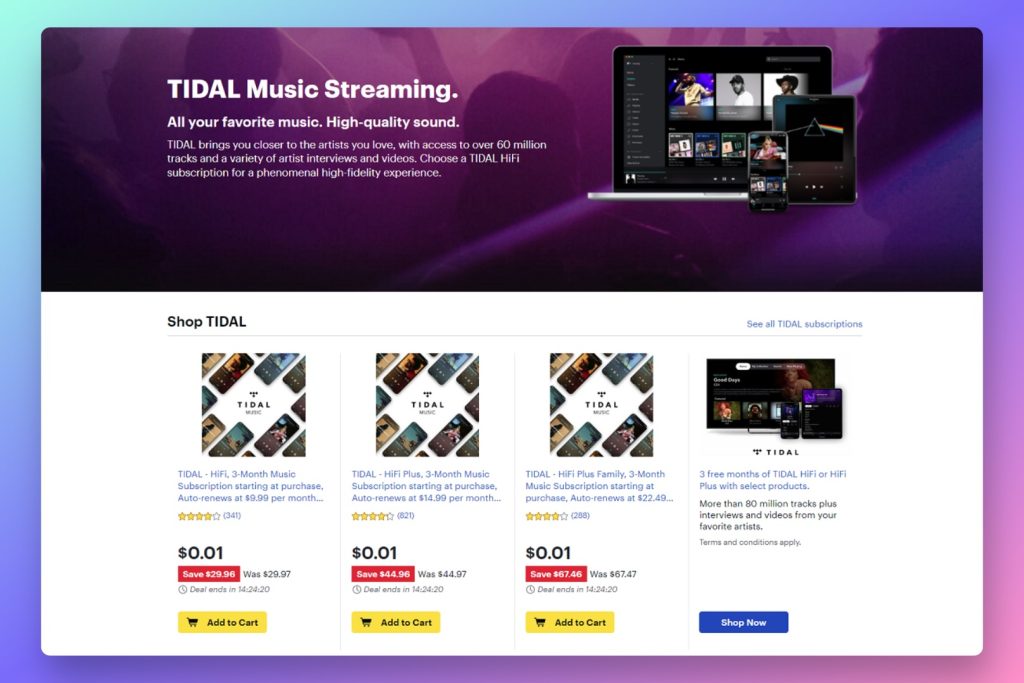
Cheap Tidal subscriptions are back at Best Buy after a brief absence, so you can get three months of the music streaming service for just one cent. These subscriptions are valid for both new and returning subscribers, and I’ve had no issues redeeming them multiple times on the same Tidal account.
Just note that subscriptions are managed through Best Buy, not Tidal, so you’ll have to cancel through Best Buy’s subscription portal. You can cancel immediately after signing up and still get the full three months.
This is one of several ways to get streaming music for free or cheap. I’ve got a roundup of other methods—adapted from a previous Advisorator column—over at TechHive.
Thanks for reading!
Got questions about anything you’ve read here or feedback on this newsletter? Just reply to this email to get in touch.
Until next week,
Jared