
4/18/2023: Apple and Google Pay, explained

Apple and Google Pay, explained
Plus: The “juice jacking” scare, the best movie break times, and shameless browser nostalgia


Hey folks! I’ve decided to shake things up a bit with the free edition of Advisorator. For at least the next few weeks, I’ll be sending along everything from the paid newsletter except the full feature column at the top and the full list of deals at the bottom.
Paid subscribers get an in-depth column every week, full newsletter archives, a growing list of online guides, and access to Advisorator’s Slack channel. If you enjoy what you’re reading, consider a free trial!
Yesterday morning, my wife did the previously unthinkable: She bought some milk at Kroger using Apple Pay.
The largest supermarket operator in the United States has long held out on supporting Apple’s and Google’s tap-to-pay systems, choosing to push its own clunky, QR code-based “Kroger Pay” system instead. Now, the company appears to be rolling out Apple Pay and Google Pay support with little fanfare, not just at Kroger proper, but at its other brands, which include Ralph’s, Fred Meyers, and many others.
This is great news for anyone who finds themselves at the checkout line without a wallet. (Not naming names here.) But it’s also a convenient excuse for me to walk through some ways to make the most of Apple Pay and Google Pay. With 90% of U.S. retailers supporting Apple Pay (and, by extension, Google Pay) even before Kroger’s support, now’s a fine time to brush up.
Need to know
The “juice jacking” scare: Last week, you might’ve seen a wave of stories about the perils of public USB charging stations. Based on an FBI warning, ABC News, NPR, the Los Angeles Times all reported that the charging ports you find at airports and hotels could be vectors for malware.
There’s just one problem: No one can point to any evidence that “juice jacking” has actually happened in the real world. And as Dan Goodin of Ars Technica points out, the FBI’s latest alert is just rehashing a three-year-old New York Times story, which itself traces back to a warning that was unpublished due to a lack of proof.
What to do then? Using your own charger with an actual outlet can’t hurt and may even charge your gadgets faster, but I wouldn’t fret too much if a public port is your only option. (See also: This thorough explainer by Houston Chronicle columnist and recent Advisorator contributor Dwight Silverman.)
Apple’s banking push: If you have an Apple Card, you can now set up a high-yield savings account to go with it. The account currently offers a 4.15% APY with no fees, and you can deposit money from either a linked bank account or your Apple Cash balance.
As Fortune notes, plenty of other savings accounts offer better rates, but stashing money with Apple may be more convenient than setting up a whole new bank account. (That said, the savings feature is a bit buried right now. You’ll find it in the Wallet app by selecting the Apple Card, hitting the “…” icon at the top-right, then selecting “Daily Cash” and looking for the Savings option.)
Tip of the moment
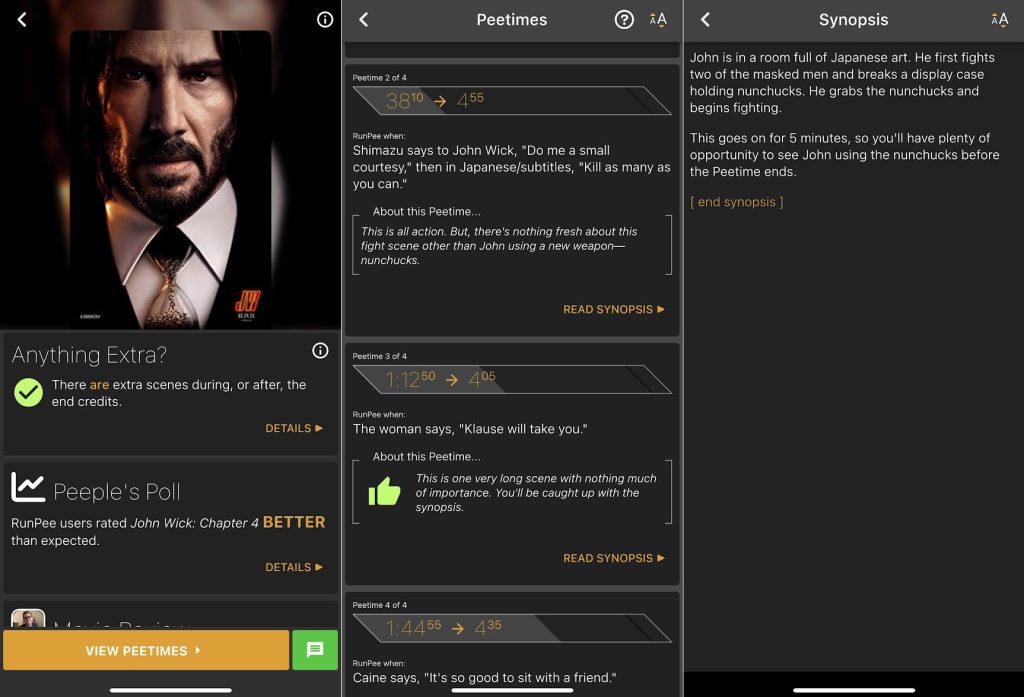
Take a movie break: Being a parent of youngish kids means seldom having time to sit through an entire (adult) movie in one sitting, so I recently started looking for an app or website that would suggest ideal break times.
The closest thing I found is an app whose primary purpose is different, but useful all the same. It’s called RunPee, and as the name implies, it suggests the best times for, ahem, relief during a movie. Each break time is labeled with dialog to watch out for, and clicking through reveals a synopsis of what you’ll miss. The app also tells you whether to stay through the credits for any extra scenes.
The RunPee app itself is free to install and lets you view one movie’s “PeeTime” for free. After that, you can unlock more movies by watching ads or paying for unlimited access. The paid option costs $1 per month or $48 for life, and it adds a timer function that can vibrate your phone when it’s time to go.
Now try this
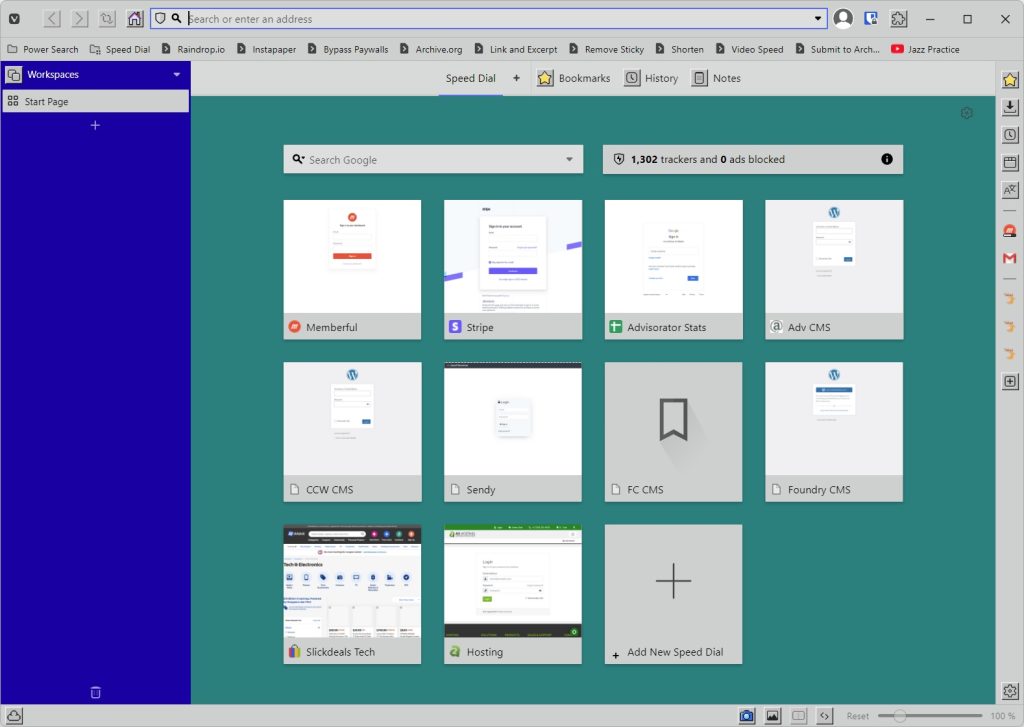
Shameless browser nostalgia: Though I recently switched away from Vivaldi for daily web browsing, today’s launch of custom theme icons might pull me back. Using Vivaldi’s theme gallery, it’s now possible to make your browser look like Windows 95 or adopt a more hand-drawn art style.
Vivaldi 6.0 also includes a new “Workspaces” feature that lets you switch between groups of tabs within a single window. Maybe that’s less exciting than dressing up your browser like a 30-year-old operating system, but it is more practical.
Bling up your notch: Notchmeister is a fun little app for newer MacBooks with camera cutouts, adding visual effects around your cursor when it slips underneath the notch. You try it on notchless Macs as well; the app will simply add a fake cutout to your screen to compensate.
Around the web
- By me: Winamp is back, but not like you remember.
- Spotify will shut down Heardle on May 5 “because it hates fun.”
- Apple product rumors are getting harder to believe.
- People are using AI to create fake songs with musicians’ voices.
- Ford commits to CarPlay and Android Auto (unlike GM).
- On Mastodon, a free lifehack from yours truly.
Spend wisely
Thinking of switching wireless carriers? Verizon sub-brand Visible has deals on both of its plans with coupon code SPRING, bringing the price to $25 per month for the main Visible plan and $35 per month for Visible+.
What’s the difference? Both include unlimited talk, text, data, and hotspot use, but the the cheaper plan will always deprioritize your connection if Verizon’s network is congested. With Visible+, you get 50 GB of high-priority data first, making it the better deal in my view. (Need help picking a data plan? I have a guide for that.)
Thanks for reading!
Got questions about anything you’ve read here or feedback on this format for the free newsletter? Just reply to this email to get in touch.
Until next week,
Jared