
Tip of the week: Get things done with these apps

Welcome to Advisorator’s Tip of the Week, helping you learn something new from the tech world every Tuesday.
Keeping with annual tradition, I’ve put together my usual mid-year productivity app roundup over at Fast Company. The list is a major undertaking, as I generally steer clear of well-known apps like Slack and Zoom in favor of hidden gems, all of which are either new or have received substantial updates over the past year.
If you’ve been reading Advisorator for a while, you may recognize some of the selections already. But here are a few I haven’t mentioned here yet:
- SignFree lets you digitally sign documents with just your mouse, trackpad, or touchscreen. It’s free with no sign-in required, and certainly beats having to print, sign, and scan.
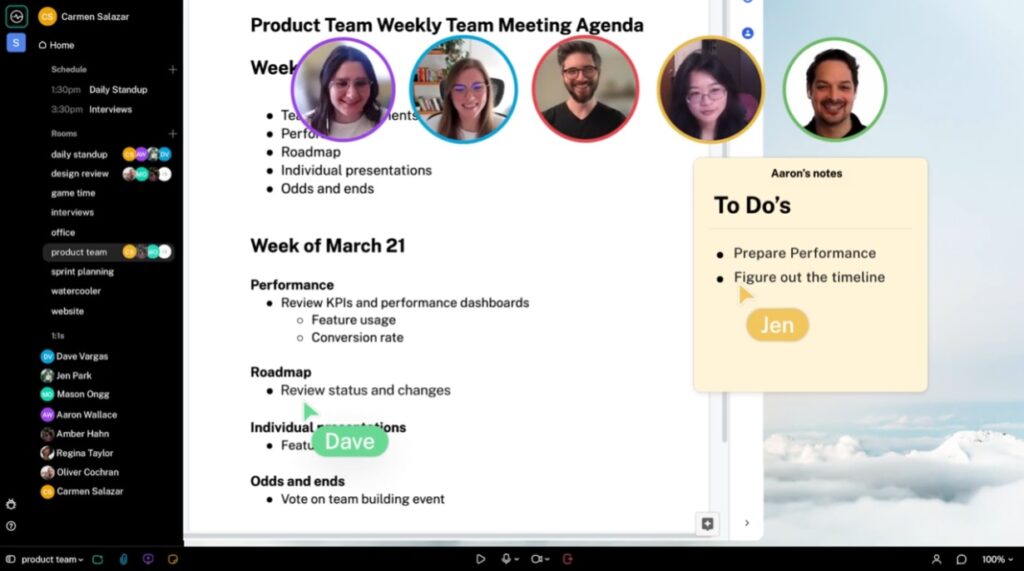
- Switchboard (pictured above) is a Zoom alternative in which anyone on the call can load a web page, post a sticky note, or share a file, with everything appearing on a big, shared canvas.
- Adobe Express lets you create slick-looking flyers, business cards, or social media posts with minimal effort. Just choose a template to start with, then use the drag-and drop interface to add, remove, or modify elements.
Check out the full story for even more new productivity tools to try.
Another neat newsletter: On a related note, I’ve been reading Jeremy Caplan’s free Wonder Tools newsletter for a while now, and I always learn something new from it. Jeremy focuses on highlighting useful productivity tools—I especially enjoyed his recent ambient noise app roundup—and he clearly puts a lot of thought into his recommendations. If you appreciate my occasional coverage of productivity apps, you should check out Wonder Tools as well.