
Tip of the week: A one-minute PC tune-up

Welcome to Advisorator’s Tip of the Week, helping you learn something new from the tech world every Tuesday.
Got a minute to spare? Let’s add some extra pep to your computer by preventing it from launching unnecessary apps at startup.
Slimming down your startup process will of course lead to faster boot times, but it can also help unclutter your taskbar or menu bar, while also freeing up processing power from programs you seldom use.
As I wrote recently, you don’t need expensive system cleaner apps to perform this brief bit of PC maintenance. All it takes is a quick trip to your Windows or Mac settings menu, where you can decide which apps to launch straight away:
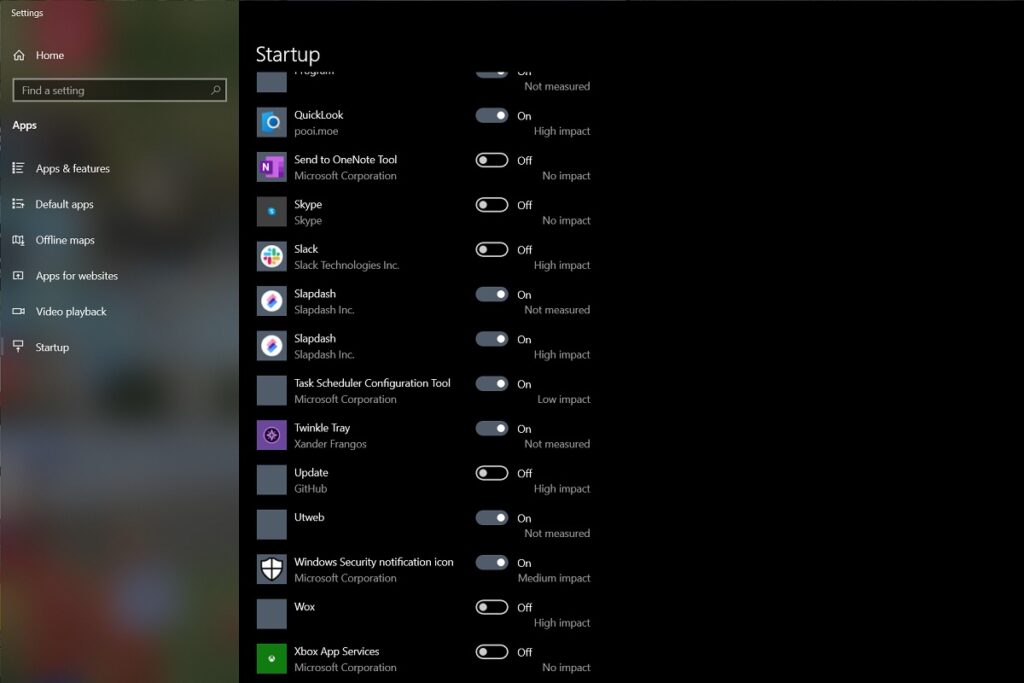
- In Windows 10 or 11: Head to Settings > Apps > Startup, then uncheck any apps you don’t need immediately need when your computer boots. Pay particular attention to those marked as “high impact.”
- In MacOS: Head to System Preferences > Users & Groups. Select your account from the left sidebar, then click the “Login Items” tab. For any apps you don’t want to run right away, hit the minus button. You can also right-right items in the dock, hover over “Options,” and uncheck “Open at Login” from there.
The next time you restart your computer, it should feel a whole lot leaner.