
Tip of the week: A calendar spam countermeasure

Welcome to Advisorator’s Tip of the Week, helping you learn something new from the tech world every Tuesday.
Google has added a new setting in Calendar to help keep spam invites from showing up on your agenda.
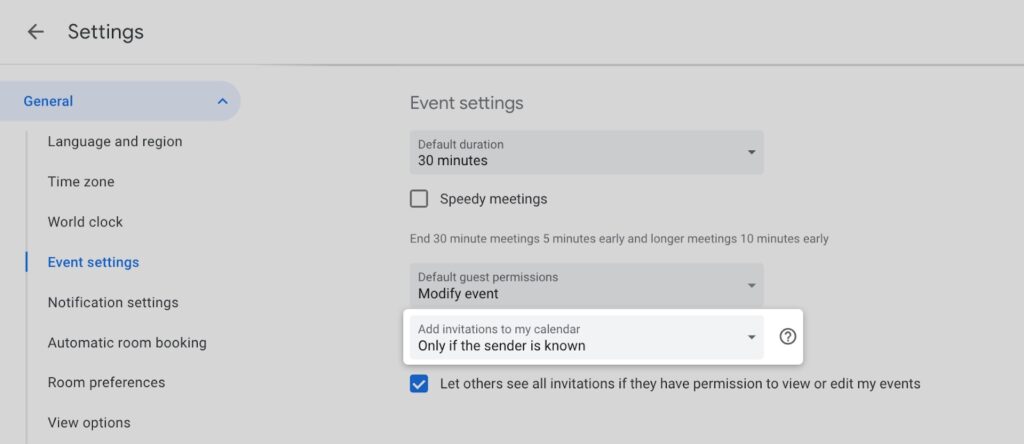
Just open the Google Calendar settings page and head to “Event settings,” then click “add invitations to my calendar” and select “Only if the sender is known.” With this setting, invites will only appear on the calendar when they come from someone you’ve interacted with or added to your contacts. (Google Workspace users will also see invites from anyone with the same company domain name.)
Google Calendar spam rose to prominence a few years ago, as scammers realized they could fill your agenda with the kind of bogus gift offers and malicious web links that you’d normally find in an email spam folder. While Google Calendar previously let you hide invites that you hadn’t already accepted via email, this new setting lets invites appear directly on the calendar if they come from a known source.
Spam is still an issue for iCloud Calendar as well, though Apple’s only defenses at present are to unsubscribe or report them as junk.