
Tip of the week: Awesome browser shortcuts


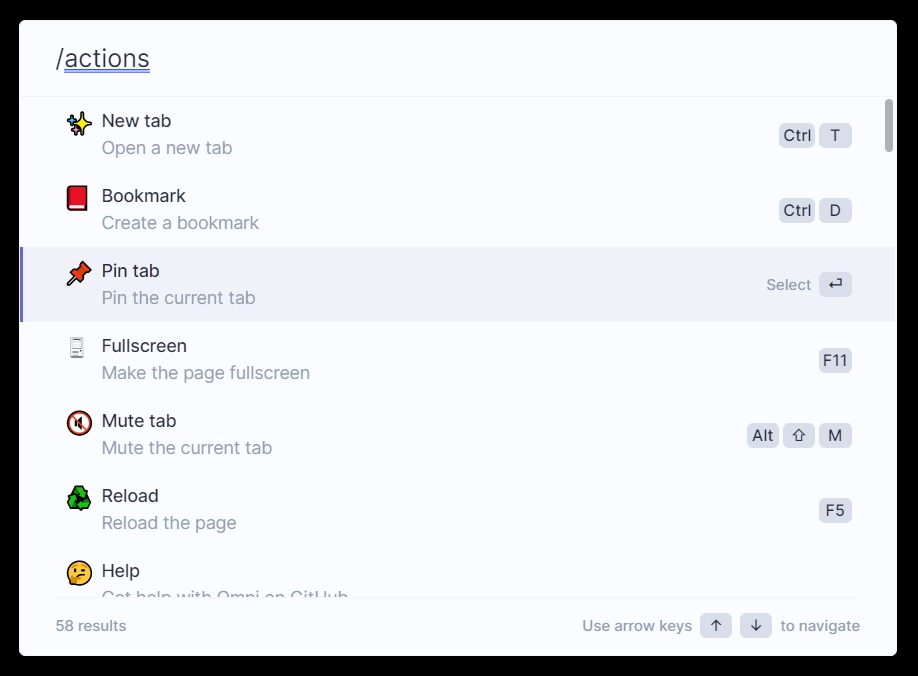
If you’re a fan of getting stuff done with keyboard shortcuts, check out Omni, a new Chrome and Firefox extension for quickly navigating by keyboard. (The Chrome version also works with other Chromium-based browsers, such as Microsoft Edge and Brave.)
Once installed, press Ctrl+Shift+K (or Cmd+Shift+K on a Mac) to bring up Omni’s action bar, then start typing to search through all your open browser tabs. Selecting a tab from the list will take you straight to it.
But Omni doesn’t stop there. Typing /h in the action bar lets you search your browsing history, and typing /b searches your bookmarks. You can also type /a to see master list of commands, including things like pinning a tab, creating a new Google Doc, or clearing your browser cache. Omni even helps you learn your browser’s built-in keyboard shortcuts by listing them in its search results.
I’ve previously recommended Hare for searching through browser tabs, and it still works well if a simple tab search tool is all you need. Chrome also has a built-in tab search tool, accessible by pressing Ctrl+Shift+A (or Cmd+Shift+A) on a Mac.
Still, I like that Omni packs more search tools and commands into one place, and it’s completely free with no sign-ins or creepy data collection. Give it a try and let me know what you think!
Hey folks, I’m currently holding a belated New Year’s sale on paid Advisorator subscriptions. Sign up this week to get your first year for $40 or your first three months for $9.
As a subscriber, you’ll receive the full Tuesday newsletter with in-depth features, extra tips, and deals on the latest tech. I’m also on hand for one-on-one tech advice whenever you need it, either via email or Advisorator’s live chat room on Slack.
Sign up during the sale period and you’ll still get a four-week free trial. I’ll also pass along the latest full newsletter, including a hype-free guide to 5G, details on AT&T’s fiber internet makeover, great deals on external storage, and more.
Thanks again for hearing me out and for reading! Get in touch with questions or comments by replying to this email.
Until next week,
Jared