
Tip of the week: Easier software updates

Tip of the week: Easier software updates

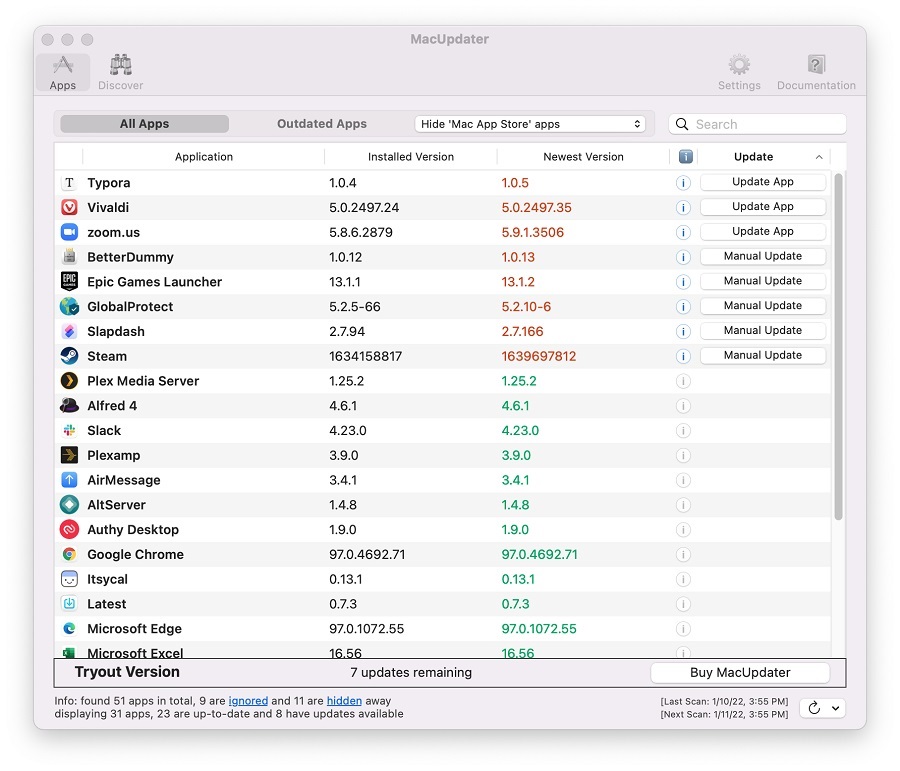
Updating your computer’s software is an important way to stay secure and avoid annoying bugs, but it’s not always easy if you’ve got dozens of programs installed. Here a couple ways to streamline the software update process:
Mac users should check out MacUpdater, which scans your apps for new versions and offers either a one-click update button or a web link for installing the latest version. The scanning component is free, though the software costs $15 if you want to use its auto-update feature for more than 10 apps. (You can also try a free alternative called Latest, but I found that it detected far fewer updates for my apps than MacUpdater.)
Of the Windows programs I tested, SUMo did the best job locating apps that need updating, but its actual update features are practically worthless. Instead of updating your apps automatically, SUMo merely directs you to a download page where you must install each one manually, and for that it requires a $30 license. You’re better off just using SUMo’s free scanning feature, then seeking out updates on your own.
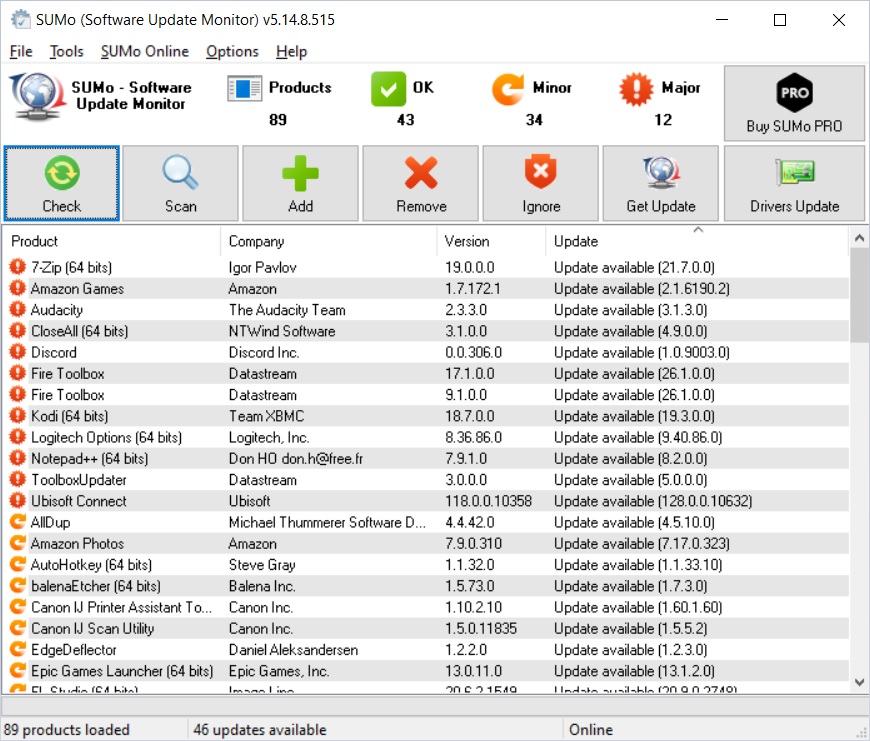
Alternatively, Patch My PC does a much better job auto-installing updates and is free to use, but much like Latest on the Mac, it did a worse job finding apps that need updating in the first place. If you’re a Windows user, the best option may be to use both programs in tandem.
Note that if you’re installed apps from the Mac App Store or Microsoft Store, easy update mechanisms are built right in. Just head to the “Updates” tab in the former or the “Library” tab in the latter to make sure you’ve got the latest apps.
The latest from PCWorld
Protect your email address, stop mobile apps from tracking you, set up a locked-down credit card and more with this list of privacy tools to try over at PCWorld. It’s based on a column I wrote for paid Advisorator subscribers back in mid-2020, now available to read for free.
As a reminder, paid subscribers get an expanded version of this newsletter every Tuesday. This week’s issue includes the tech to expect in 2022, a neat new subscription benefit for librarygoers, fun word games other than Wordle, an extremely cheap way to add voice control to your car stereo, and more. Sign up for a free trial, and I’ll send the latest newsletter your way!
Thanks again for reading! If you have any questions, comments, or feedback on what to cover next, just reply to this email.
Until next week,
Jared
You’re receiving this email because you signed up for free tips from Advisorator, Jared Newman’s weekly tech advice newsletter. Help spread the word about this newsletter, or click here to unsubscribe.