
AI is coming for your computer

Why AI wants to take over your desktop
Plus: Reclaiming Chrome storage, easier window dragging, and open-box tech savings
 Jared Newman |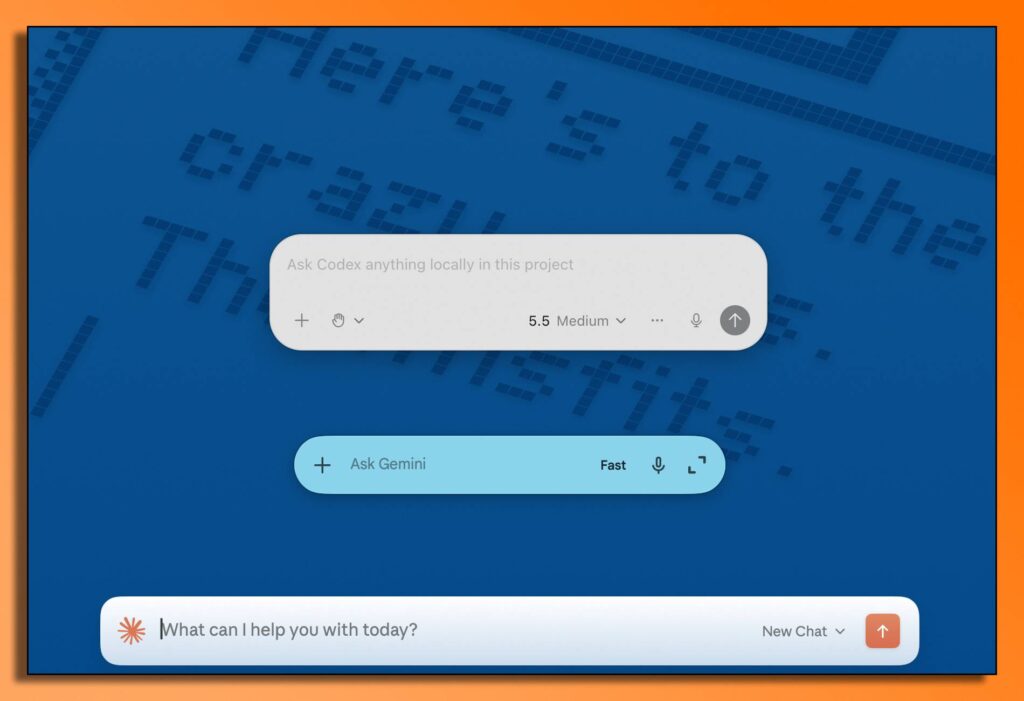
Hey there! I’m Jared Newman, a longtime tech journalist, and you’re reading the free edition of Advisorator, my weekly tech advice newsletter. Did someone share this newsletter with you? Sign up to get it every Tuesday.
AI companies really want a spot on your computer.
While you can always just use ChatGPT and other AI tools from a web browser, lately they’ve been pushing standalone apps for Windows PCs and Macs:
- Google launched a Gemini Mac app last month, along with a Gemini-infused Google app for Windows.
- OpenAI is pivoting its Codex app from a specialized tool for coders into a “super app” for all ChatGPT users.
- Anthropic’s Claude desktop app is the home for a new “Cowork” tool that can work directly with files on your computer.
While these desktop AI apps can be helpful, they’re also a way for AI companies to ingrain themselves more deeply into your life, in a way that brings some risk. You’ll likely hear a lot about these apps in the months ahead, so let’s walk through what they do differently from AI tools on the web, how you can use them, and why you might want to proceed with caution…
The rest of this week’s feature story is for Advisorator’s paying members. Sign up to get weekly features, online resources, and access to my friendly Tech Buds forum. Get started here →
News in brief
Google Photos’ desktop downgrade: From August 10 onward, the Google Drive desktop app will stop backing up images to Google Photos. If you want to back up images from a folder on your computer, you’ll have to set this up through the Google Photos website (press the + button, then select “Back up folders”). Unfortunately this means you’ll need to keep the Google Photos website open for automatic backups to work.
If you only back up images using the Google Photos app on your phone, this change doesn’t affect you, but it makes saving photos a bit less convenient if you’re say, transferring them to your computer from a digital camera.
Other notable news and reads:
- Over at FastCo, I wrote about Bose’s new smart speakers, which are refreshingly less smart now.
- Google will rename the Fitbit app to Google Health and launches a new $100 screenless Fitbit tracker.
- Remarkable releases a new $399 e-ink notepad (though I still prefer paper for this kind of thing.)
- The latest ChatGPT version supposedly has better accuracy and fewer obnoxious emojis.
- iPhone 15 Pro/Pro Max and iPhone 16 buyers are in line for a settlement after Apple never shipped the AI features it advertised.
- Fun little test: Can you hear the difference between MP3s and uncompressed audio?
Tip(s) of the week
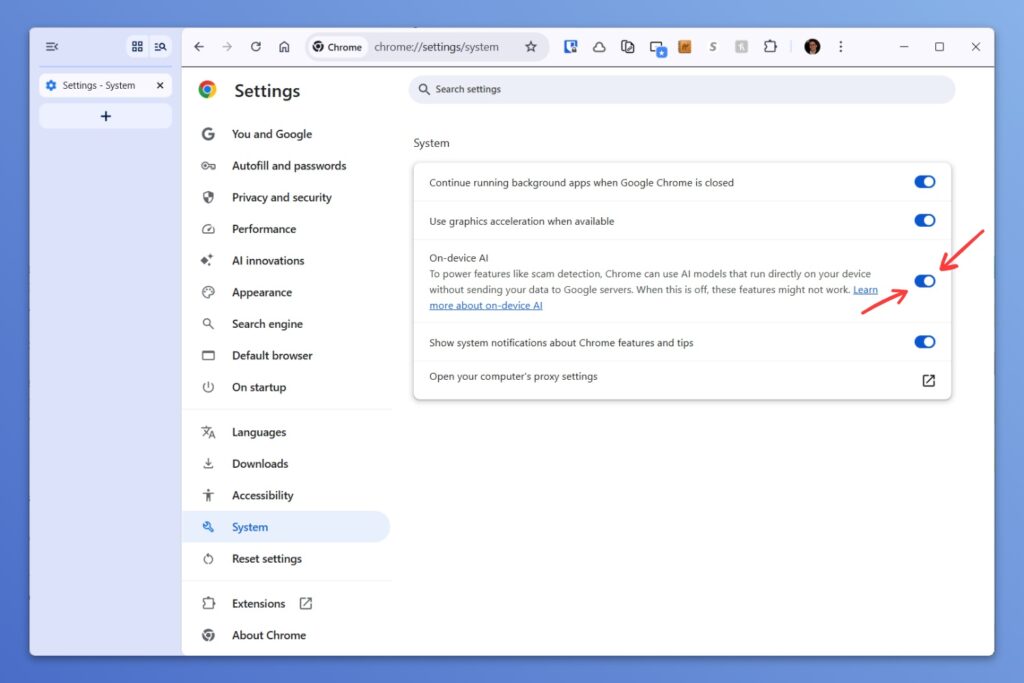
Get 4 GB back from Chrome: If your computer seems shorter on storage space than expected, it might be because of Google Chrome. When you enable certain AI features, such as writing assistance and the Enhanced Safe Browsing mode that monitors for phishing scams, the browser quietly installs a 4 GB large language model on your computer.
Google will automatically delete this file on its own if your computer seems short on space, so you might as well leave the features on if you have any interest in using them. (Per last week’s column, Enhanced Safe Browsing could be especially helpful.)
But if you just want the storage space back now, hit the ⋮ vertical dot icon in Chrome, head to Settings > System, then turn off “On-Device AI.”
(See also: Turning off Apple Intelligence on your iPhone or Mac to reclaim 7 GB of storage.)
Easier window dragging: Microsoft just added a useful new feature to its free PowerToys app, letting you drag a window by clicking any part of it while holding the Alt key.
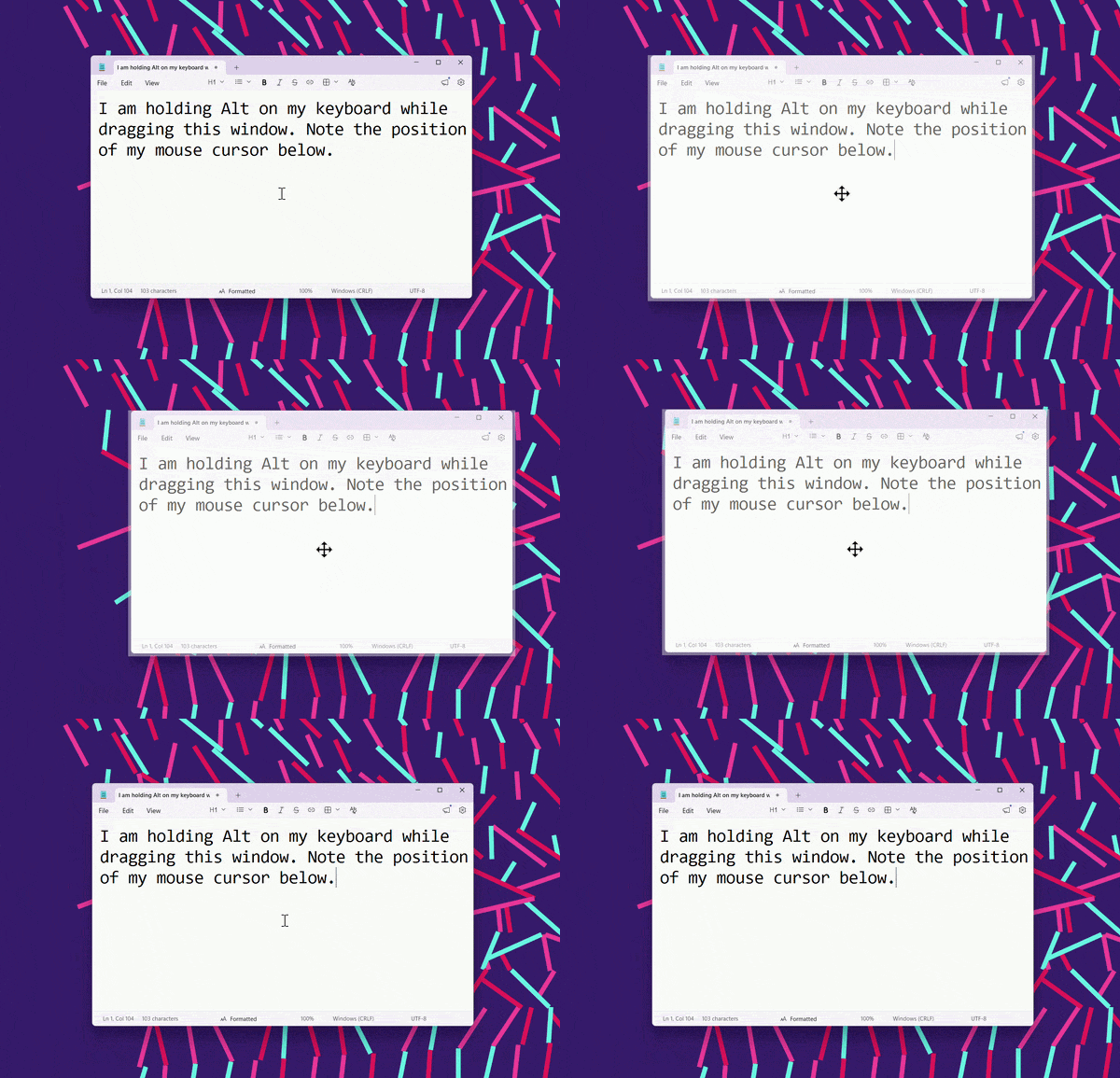
This comes in handy if the top window bar gets moved off the screen or you just don’t feel like dragging your cursor as much. (It’s inspired by a longstanding feature in Linux.) To enable the feature, open the PowerToys app, then head to Windowing & Layouts > Grab And Move.
Mac equivalent: Open a Terminal, type the following, and hit Enter:
defaults write -g NSWindowShouldDragOnGesture -bool true
Then, restart your computer. Now you can hold both Cmd and Ctrl simultaneously while clicking on any part of a window to drag it.
Try these apps
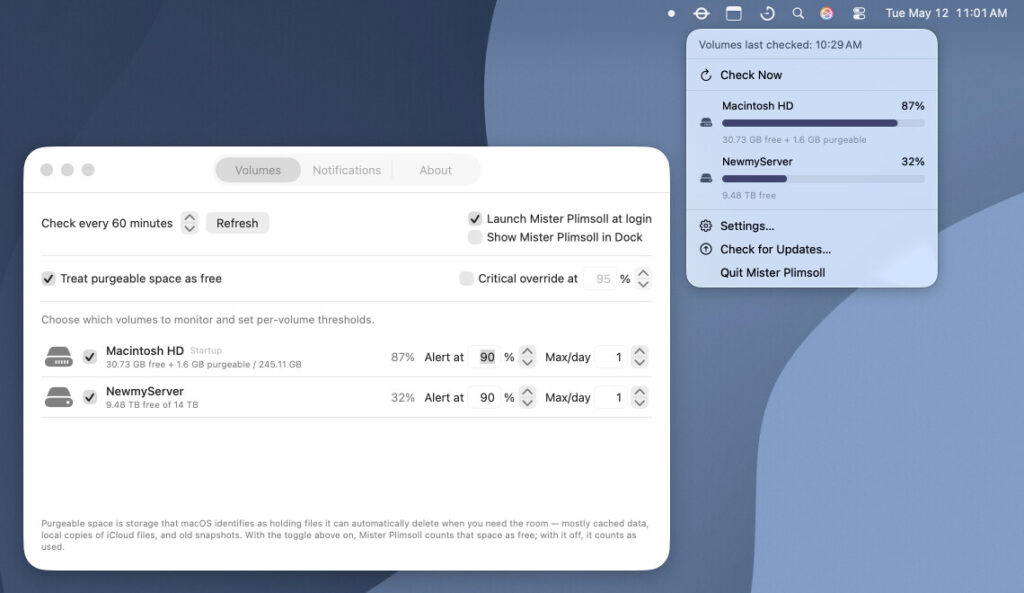
Mac storage alerts: Mister Plimsoll is a cool app from fellow tech journalist Glenn Fleishman for monitoring Mac disk space. You can click the menu bar icon to quickly check on all your storage drives, and you can set up alerts (via iMessage, email, or notification) for when free space falls below a certain threshold. It’s completely free with no ads or invasive data collection. I wish a Windows equivalent existed, but so far I’ve found nothing.
Newmy’s YouTube Downloader: In case you missed it last week, I’ve added Mac support to my YouTube downloader tool, joining the existing version for Windows. This allows you to click a button in your browser to quickly create an offline copy of the current video. You can also save audio-only files and download multiple videos from a single playlist. This is exclusively for Advisorator’s paying members, and you can learn more here.
Spend wisely
This section of the newsletter may include affiliate links, which earn me a commission if you wind up purchasing something.
The eBay seller VIPOutlet is currently having a big sale on open-box tech, with savings on Apple products, monitors, earbuds, and more. You can use the promo code TAKE8OFFSALE to take an extra 8% off the listed price.
Some highlights (with prices that factor in the above code):
- Walmart Onn 15-inch portable monitor for $34 open-box.
- AirPods Pro 2 for $121 open-box, or AirPods Pro 3 for $179 open-box.
- Apple Watch Series 10 for $203 open-box (42mm) or $214 open-box (46mm).
- Alternatively, Series 11 for $240 open-box (42mm) or $257 open-box (46mm).
One caveat with these deals: They only include a 90-day warranty, rather than the standard one year when buying new. Peruse the full deal list here.
Other notable deals not from eBay:
- Baseus 3.3-foot retractable USB-C cable for $6.65 with promo code 5K7Y7M7U.
- An assortment of OtterBox iPhone cases are on clearance, starting at $4.
- Turn your phone into a gaming system with the Razer Kishi V3 for $61 when you clip the on-page coupon.
- Get a basic 65-inch Onn Roku TV for $238.
- B&H takes $300 off the 14-inch M5 MacBook Pro (24 GB RAM, 512 GB storage), bringing the price to $1,499.
Thanks for reading!
If you enjoy this newsletter and want to continue sharpening your tech knowledge, please think about becoming a paying member. You’ll get my weekly in-depth feature stories (like this week’s on AI desktop apps), plus helpful online resources and access to my friendly Tech Buds forum.
Until next week,
Jared
Did someone share this newsletter with you? Sign up to get it every Tuesday.