
Newmy’s Photo Cleaner
 Jared Newman | Jared Newman | |
After failing to find the duplicate photo cleaner of my dreams, I decided to just make one myself.
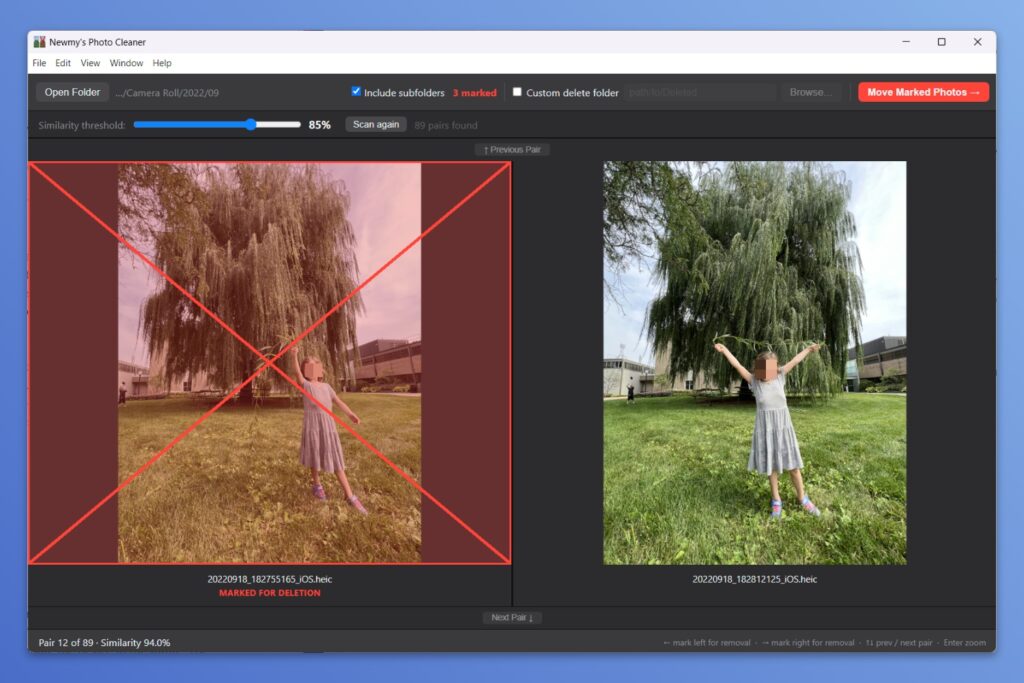
Newmy’s Photo Cleaner looks through any folder on your Windows PC or Apple silicon Mac to find similar-looking photos, then lets you sort through them all with keyboard shortcuts. It’s a super-fast way to unclutter your photo collection, and it works entirely offline.
Newmy’s Photo Cleaner is for Advisorator’s paying members, who also get my full weekly newsletter, in-depth online guides, and access to my friendly Tech Buds forum. Once you subscribe, the software will be yours to keep forever (even if you cancel).
Already a member? Sign in to access the downloads (or email me and I’ll send them to you).
Otherwise, learn more about subscribing, or choose a plan below. Note that the Mac version requires Apple silicon. Macs with Intel CPUs are not supported.
How it works
When you open Newmy’s Photo Cleaner, you’ll be prompted to pick a photo folder on your computer, with an option to include (or exclude) subfolders.
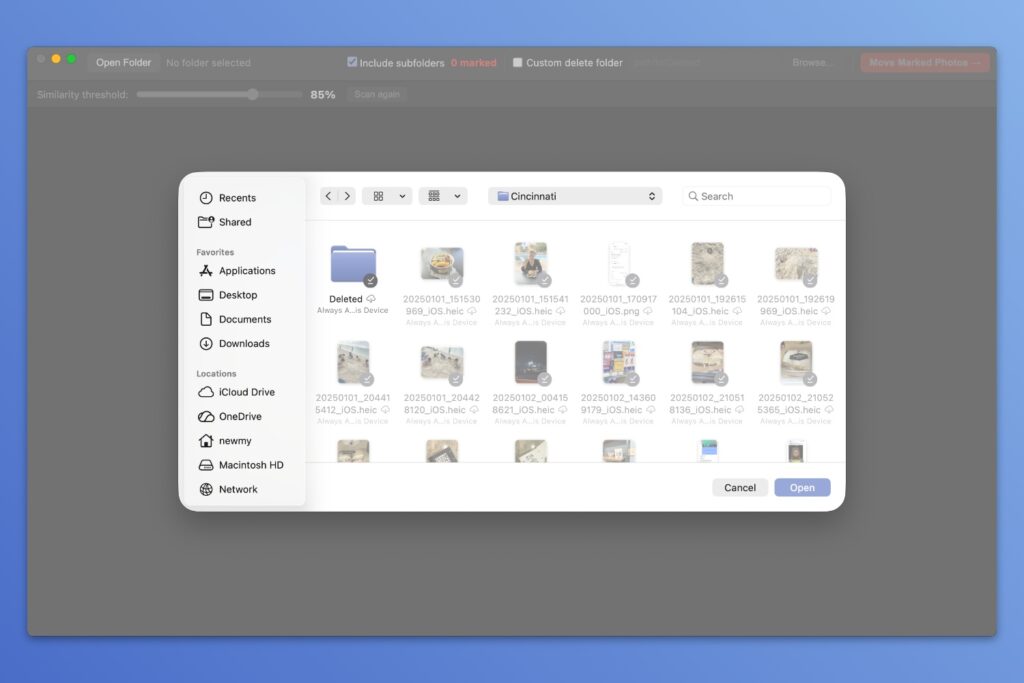
After picking a folder, click the “Scan Now” button, and the app will use on-device image recognition to find similar-looking photos. No photo data is ever uploaded anywhere as part of this process.
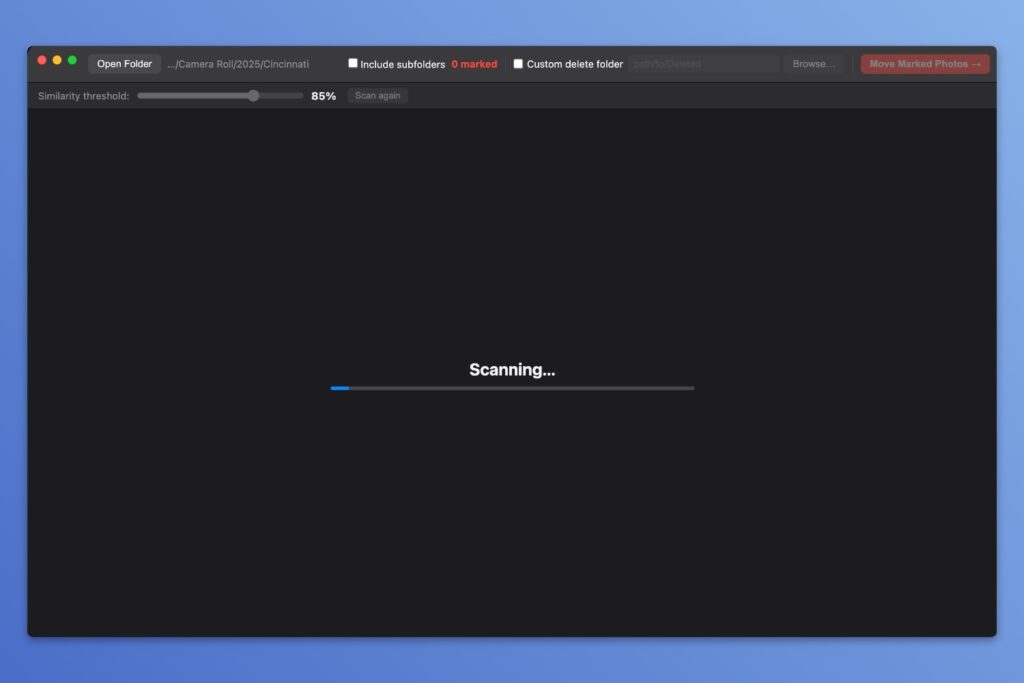
⚠️ Each scan can take several minutes, especially on lower-end PCs. You can let it scan in the background while doing other things on your computer.
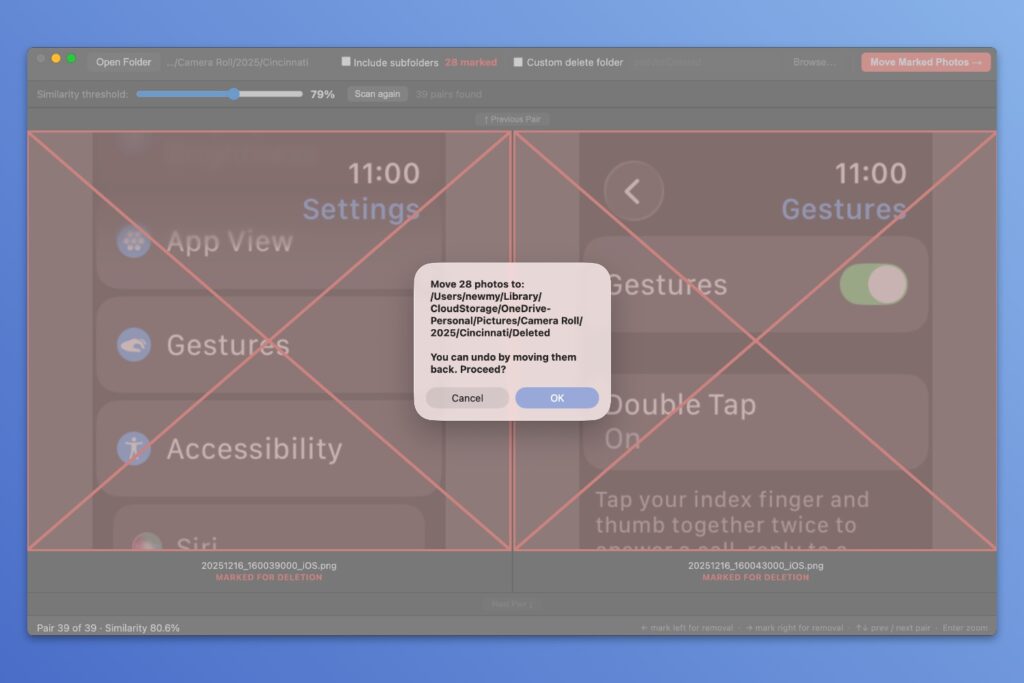
Once the scan is finished, you’ll see pairs of similar-looking photos and a count of how many matches were found. If you have too many matches (or not enough), you can use the “Similarity threshold” slider for a fast re-scan.
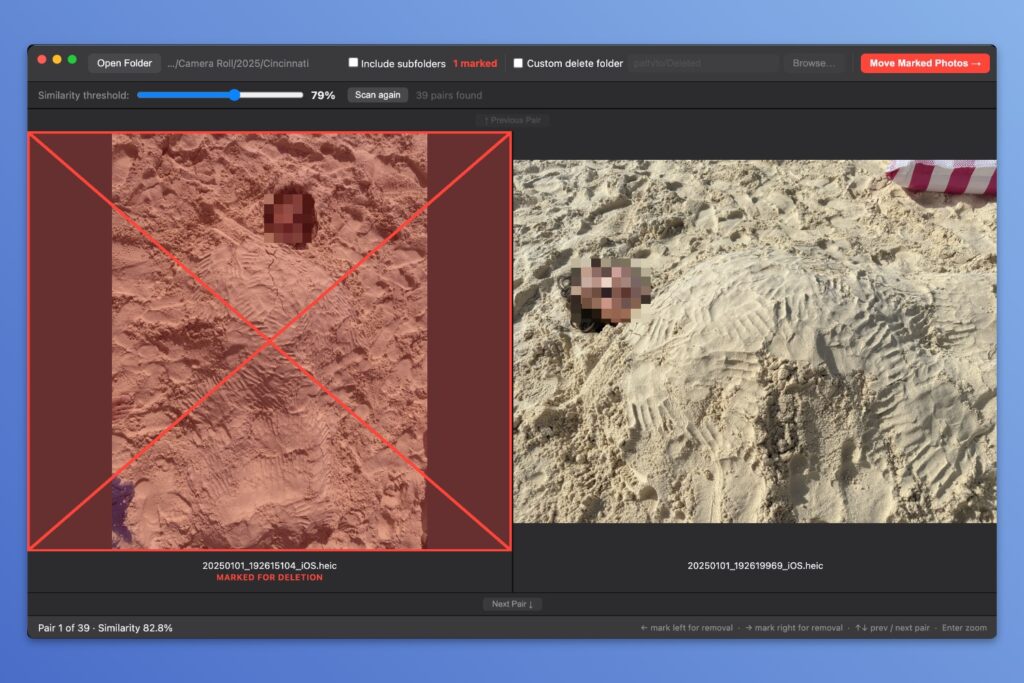
While you’re free to mark photos by clicking on them, the app is designed for quick sorting with keyboard shortcuts:
- Use left and right arrow keys to mark the left or right photo for deletion (as noted with a red X).
- Press Enter to zoom in on the photos.
- Press the up or down arrow keys to move between photo pairs.
Note that the same photo may appear more than once in comparisons with different photos. If you marked a photo for deletion already, it’ll have a red X over it when it comes up again.
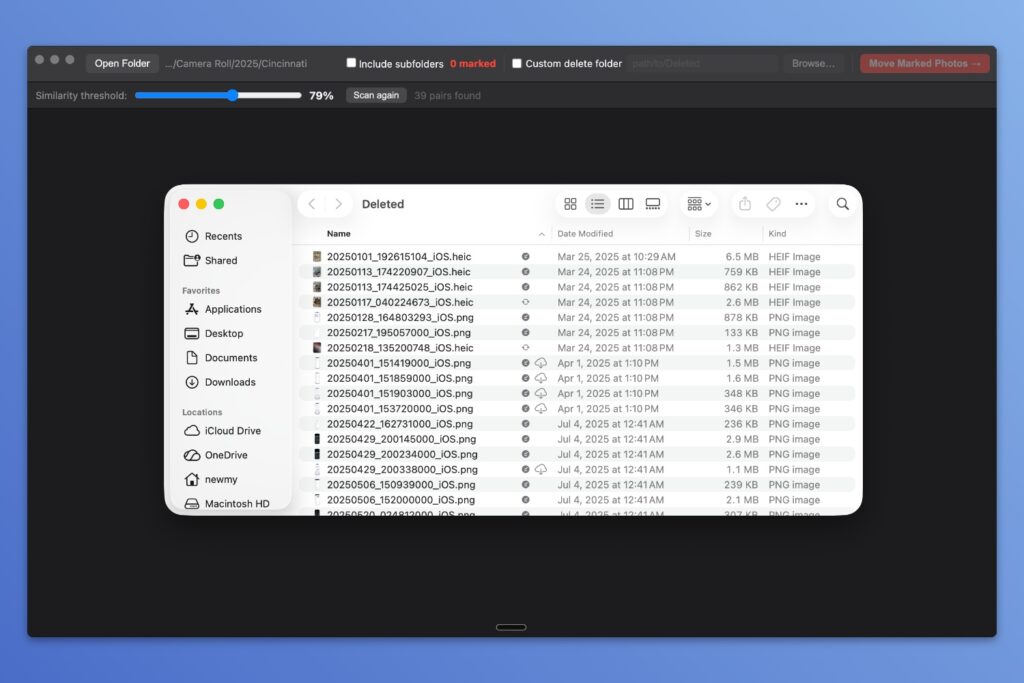
After sorting through all your photos, click the red “Move Marked Photos” button. This creates a new subfolder called “Deleted” and moves all marked photos into it. (There’s also a “Custom delete folder” option if you’d rather move the marked photos elsewhere.)
Newmy’s Photo Cleaner does not actually delete your photos. That’s by design, as I don’t want the software to erase anything by accident.
Instead, the app simply moves the photos you’ve marked to a separate folder on your computer, allowing you to give them one more look. You can use File Explorer (in Windows) or Finder (on a Mac) to delete them for good.
Who this is for
While I was inspired by other “Tinder for photos” apps like Clever Cleaner and Shutter Declutter, those apps are iPhone-only.
By contrast, Newmy’s Photo Cleaner is useful if your photos are sitting directly on your computer or an external storage drive. I’m using it to pare down the photos in my OneDrive folder, which in turn helps free up cloud storage space as well.
I’m also motivated by a desire to move away from Google Photos, which offers no help with cleaning up similar photos and no longer lets third-party apps help either. No surprise there, as the more storage you use, the more money Google makes. As I think about moving to self-hosting (possibly with Immich), it’ll be nice to have an easy way to free up space.
Before you install it
Full disclosure: Like my previous YouTube Downloader and Wireless Plan Picker, I used AI to create Newmy’s Photo Cleaner, in this case going back-and-forth with Claude Code until the app met my standards.
A few other disclaimers:
- The app only works with photos on your computer’s storage drive. You can’t use it to directly de-duplicate Google Photos or iCloud Photos.
- The app is for Windows PCs and Macs with Apple silicon. There’s no version for Intel-based Macs because I don’t have one to compile and test on.
- It’s experimental software, offered as-is. You should always have backups in place before messing around with your photo collection, especially when bulk sorting/deletion is involved.
Lastly, while Newmy’s Photo Cleaner works without a subscription (or even an internet connection), the download links are behind Advisorator’s paywall. You won’t lose access if you unsubscribe, but you may not be able to download the app (or any updates) in the future.
Important first launch note
Both Windows and MacOS will throw up some obstacles to installing Newmy’s Photo Cleaner. That’s because I’m not paying to be a registered developer and to secure the signing certificates that Microsoft and Apple require.
If you trust me enough to use the app anyway, here’s how to bypass the warnings:
Windows:
- Extract the entire ZIP file into its own folder on your computer, then run the .EXE file. It’s a portable app with no installation, so you can place the folder anywhere on your computer.
- When the “Windows protected your PC” message appears, click “More Info,” then select “Run Anyway.”
Mac:
- Run the DMG installer file and drag the app into your Applications folder.
- Open the Terminal app, then copy and paste the following:
xattr -cr "/Applications/Newmy's Photo Cleaner.app"
You’ll only have to perform the above steps once. Then you can run the apps normally.
Download Newmy’s Photo Cleaner
Newmy’s Photo Cleaner is for Advisorator’s paying members, who also get my full weekly newsletter, in-depth online guides, and access to my friendly Tech Buds forum. Once you subscribe, the software will be yours to keep forever (even if you cancel).
Already a member? Sign in to access the downloads (or email me and I’ll send them to you).
Otherwise, learn more about subscribing, or choose a plan below. Note that the Mac version requires Apple silicon. Macs with Intel CPUs are not supported.
Got questions? Send me an email or post in the Tech Buds forum. I hope this app helps declutter your photo collection like it is with mine.