
Why I just completely wiped my computer

The pure catharsis of a full factory reset
Plus: An easy privacy setting, fun photo tools, and Labor Day tech savings
 Jared Newman |
 Hey there! I’m Jared Newman, a longtime tech journalist, and you’re reading the free edition of Advisorator, my weekly tech advice newsletter. Did someone share this newsletter with you? Sign up to get it every Tuesday.
Last call for Advisorator’s membership sale
Hey folks, just a heads-up that my Advisorator membership sale ends this Sunday night. Sign up before then to get your first year for $37.50, which is 25% off the regular price.
You’re currently reading the free edition, which I do try to make as substantial as possible while also running a sustainable business. News, quick tips, app recommendations, and deals are all included in the newsletter you’re getting now.
For paying members, I typically write one in-depth feature or guide each week. These cover topics like using a password manager, opting out of unwanted emails, and running a home media server. I also run a community forum for answering questions, discussing the latest newsletters, and occasionally sharing some extra time-sensitive deals.
Your support means a ton and allows me to operate this newsletter without any advertisers or sponsored content. Pick a plan below to get started:
Thanks again for hearing me out. I promise to be less annoying about memberships after this week, at least for a while. Now, onto the newsletter.
News in brief
Meta settlement: The parent company of Facebook and Instagram has agreed to an $18 billion settlement and a slew of product changes after dozens of states accused the company of violating child privacy laws and allowing teens to get addicted. For teenage users, the changes will include two-hour time limits, warnings after 15 minutes of continual use, no notifications from midnight through 6 a.m., an optional non-algorithmic feed, and no more extreme makeup filters.
A portion of the fine and some additional changes (including a one-hour default time limit) are contingent on TikTok and YouTube agreeing to similar restrictions. They’ll likely follow along to avoid lawsuits of their own.
More notable news and reads:
- Over at Fast Company, I wrote about why the perfect foldable phone will never exist.
- Apple Maps now shows ads in its search results. You can’t turn them off.
- Apple will likely announce new iPhones (and maybe more) next Wednesday.
- Sony’s new OLED TVs aim to compete with cheaper options from LG and Samsung.
- Clever idea: Wyze’s new indoor camera has a physically-retracting lens for privacy.
- Ring’s new way of encrypting videos aims to limit what the company and law enforcement can access without your permission, while still offering cloud-based features such as smart alerts.
- Finally, a tech product price cut: The new $9 Apple Polishing Cloth is $10 cheaper than its predecessor.
Tip of the week
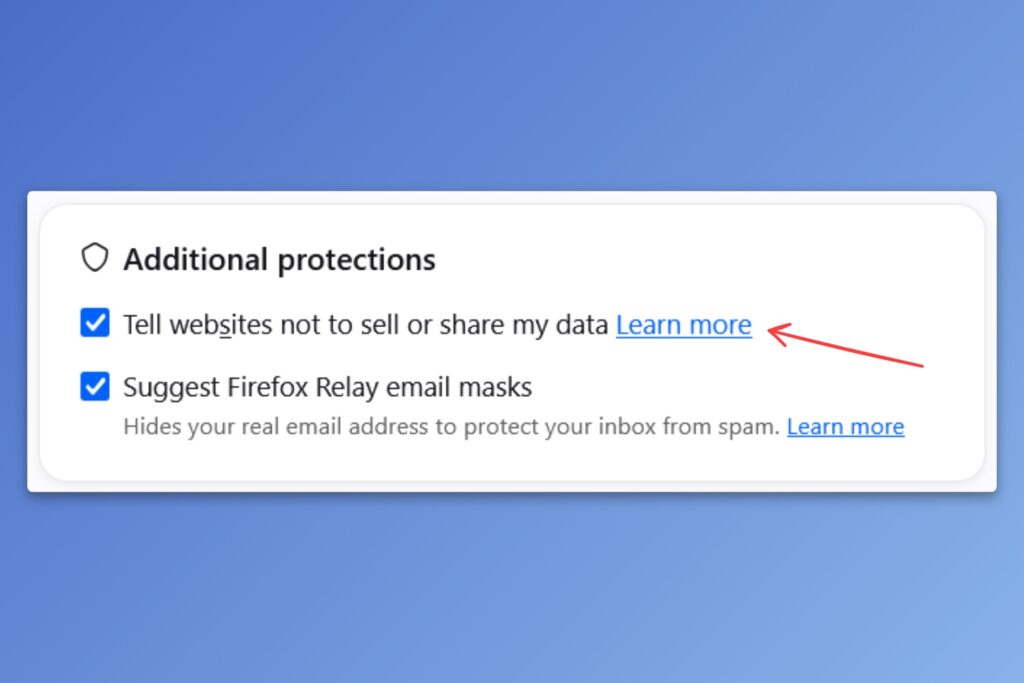
An easy privacy setting: Global Privacy Control (GPC) is a helpful browser setting that automatically tells sites not to sell or share your data for targeted ads. Unlike the failed “Do Not Track” endeavor from the 2010s, GPC has teeth, with several U.S. states now requiring websites to honor users’ opt-out requests. Even if you don’t live in one of these states, you’ll likely benefit as more sites err on the safe side by enabling GPC support for all visitors.
I recently enabled GPC in Helium, my current browser of choice, and then went to check on my AmEx card. It was quite satisfying see a little pop-up confirming that I’d opted out of data sharing just by visiting the site.
The easiest way to enable GPC is with a web browser that supports it:
- Firefox: See instructions to enable on desktop or the Android app.
- DuckDuckGo: Enabled by default on its desktop and mobile browsers.
- Brave: Enabled by default on its desktop and Android browsers.
- Helium: Available under Settings > Privacy and Security > Network and Security > Global Privacy Control.
If you prefer another browser like Chrome, the free Privacy Badger extension will automatically send GPC requests to websites on your behalf. (While Google has started experimenting with GPC support in Chrome, it may only offer the setting in places where the law requires it.)
Try these apps
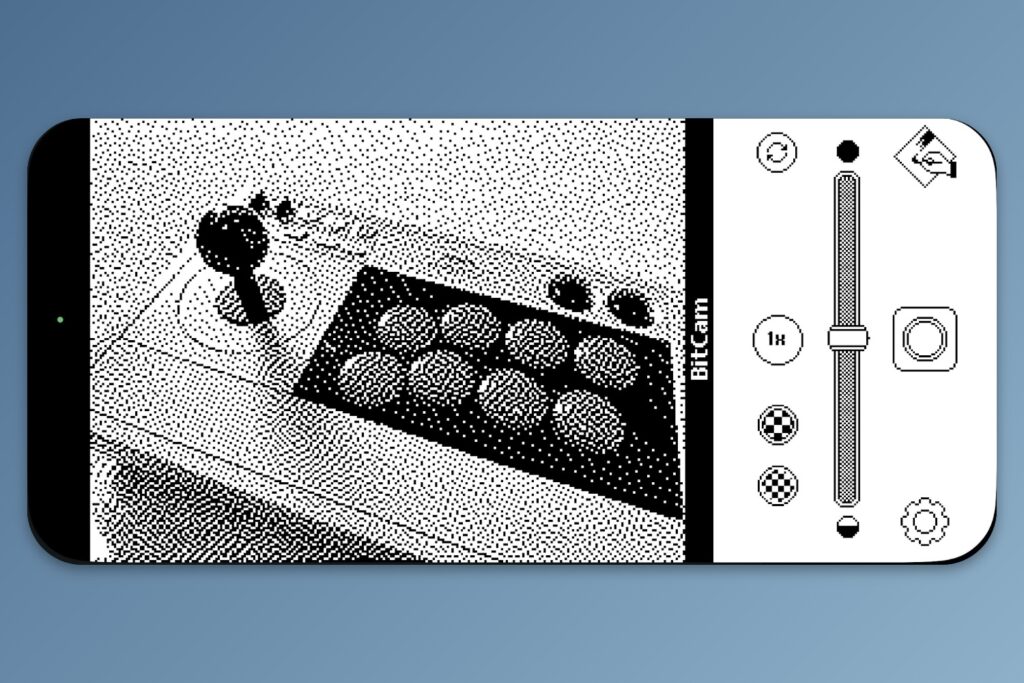
Fun iPhone photo tools: Heliographe is an independent developer of specialized iPhone photography apps. I’ve previously mentioned AgBR for black-and-white photos, and have now learned about BitCam for “one-bit” retro-style imagery, with an interface inspired by old Macs. Check out the full app collection here. (Via John Gruber)
Audio note transcription: Vibe is a free app for transcribing audio recordings into text, available for Windows, Mac, and Linux. Transcriptions use on-device speech-to-text models, so your recordings aren’t uploaded anywhere, and the app has some neat optional features like speaker labeling (though this can take a while on lower-end PCs). When a transcription is finished, you can click the play button next to any line to hear the corresponding audio. I’ve previously recommended Buzz, but Vibe works better and has a nicer presentation on Windows in particular. (Via friend-of-the-newsletter Jeremy Caplan.)
Spend wisely
This section of the newsletter may include affiliate links, which earn me a commission if you wind up purchasing something.
eBay’s doing another refurbished tech sale through Labor Day. Use the code LABORDAY20 to take an extra 20% off the listed price, including deals on phones, computer stuff, and smart home gear. Some highlights:
- Logitech MX Master 4 mouse for $75.
- Logitech MX Keys Mini wireless keyboard for $44.
- AOC 15-inch portable monitor for $36.
- Sony WH1000XM5/B wireless noise-cancelling headphones for $128.
- Samsung Galaxy S25 Ultra for $640 in “excellent” condition.
- iPhone 16 Pro for $690 in “excellent” condition.
- iPhone 17e for $478 in “excellent” condition.
Remember, you will need to use promo code LABORDAY20 at checkout to see the above prices.
Other notable non-eBay deals:
- Get a pair of 45W Baseus USB-C chargers and 3-foot USB-C cables for $18 with code RPZHSPBT.
- KTC’s 24-inch 1440p monitor, a Wirecutter pick, drops to $92 with code LDSF247.
- Apple Pencil USB-C for $55 used like-new. (Discount price appears at check-out.)
- Buy a $100 Google Play Store gift card, get a $15 Best Buy gift card.
- Nice discount on the new Pixel 11 Pro: $857 open-box.
- Amazon takes $20 off the new Mac Mini if you pre-order.
Why I just completely wiped my computer
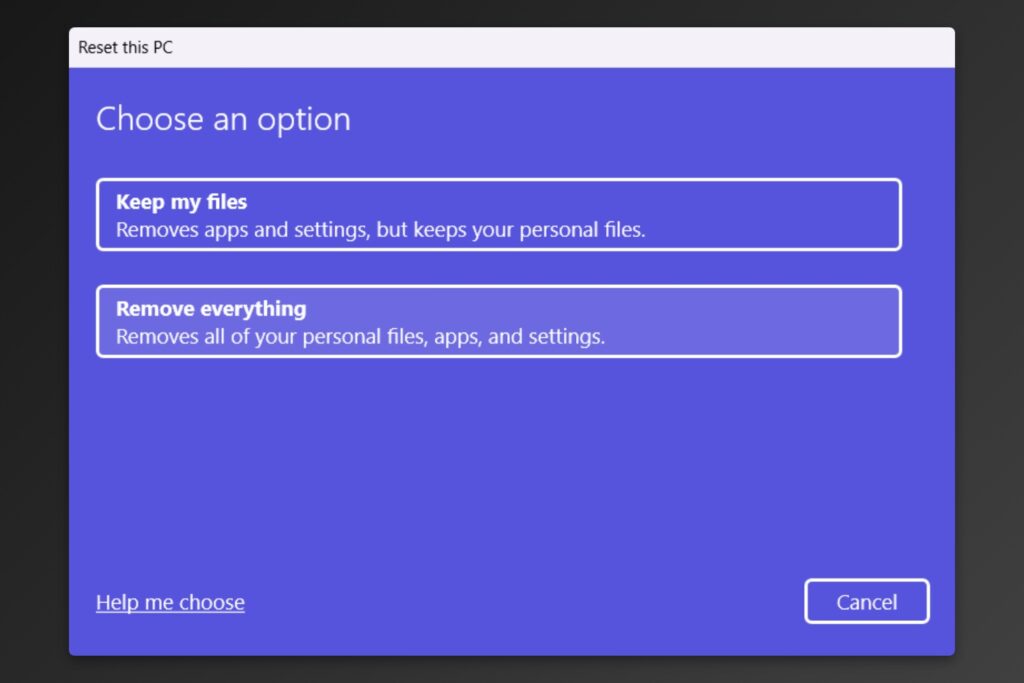
Every so often, I’ll get an email asking some version of these two questions:
- What’s the best software for migrating to a new PC?
- What’s the best cleaner software for a computer that’s not performing as expected.
Unfortunately, I am ill-qualified to answer these questions. That’s because whenever I’m setting up a new computer or trying to breathe new life into an old one, my preference is to just wipe the thing instead.
Keep reading this week’s feature story with an Advisorator membership. Annual subscriptions are 25% off if you sign up by Sunday. Thanks for your support!
That’s all for now. Catch you next week.
– Jared
Did someone share this newsletter with you? Sign up to get it every Tuesday.