

My 27 favorite Spotify tricks
Plus: Apple Music price hikes, AI writing detector, and a $30 portable monitor
 Jared Newman |
Hey there! I’m Jared Newman, a longtime tech journalist, and you’re reading the free edition of Advisorator, my weekly tech advice newsletter. Did someone share this newsletter with you? Sign up to get it every Tuesday.
On the occasions that I use a streaming music service instead of my own personal media server, I tend to gravitate toward Spotify.
While Spotify aggravates me in some ways—most notably, with its insistence on pushing podcasts and audiobooks—it’s also full of features that make listening to music more enjoyable. Some are easier to find than others, though.
A few months ago, I asked if folks would be interested in a big list of useful Spotify tips and got some encouraging responses, so that’s what I’m going to do now.
On the Advisorator website, I’ve listed out 27 of my favorite Spotify features. Below are a handful:
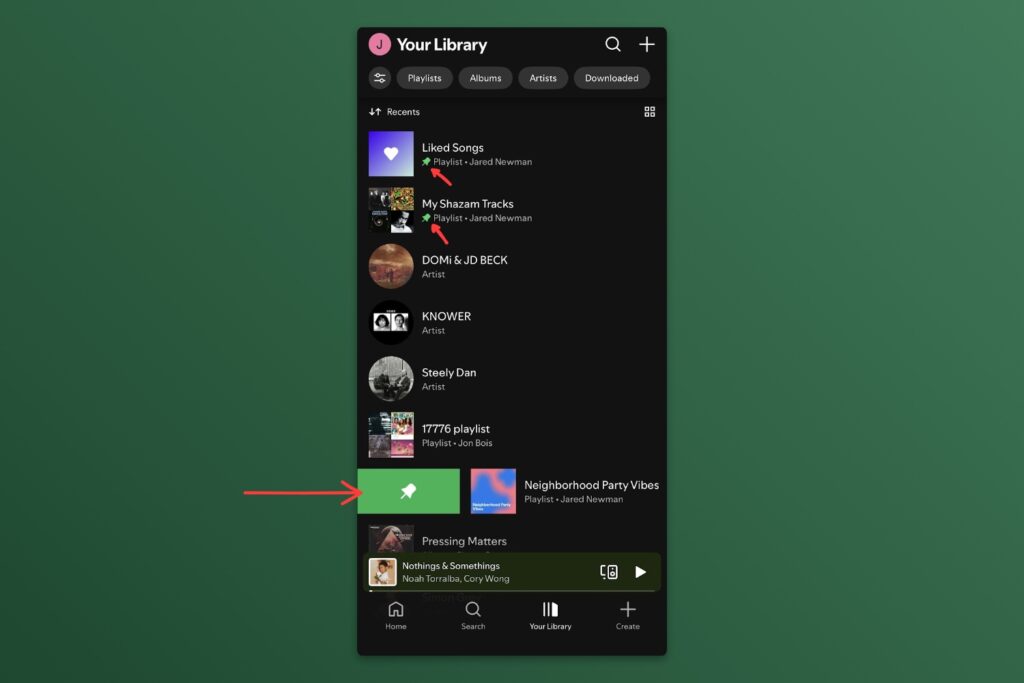
Pin playlists and artists: From the Your Library tab, swipe right on a playlist or artist to pin it top the list for quick access.
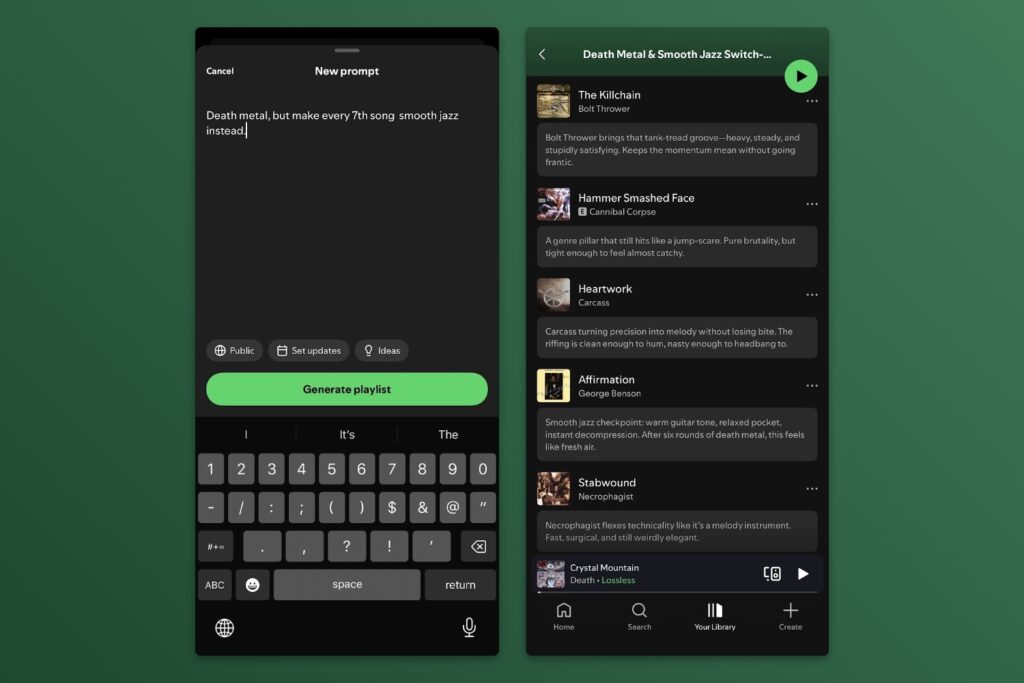
Describe a playlist: Tap the “Create” tab, select “Prompted Playlist,” then describe exactly what you’re looking for with natural language. AI will interpret your request and spit out a playlist.
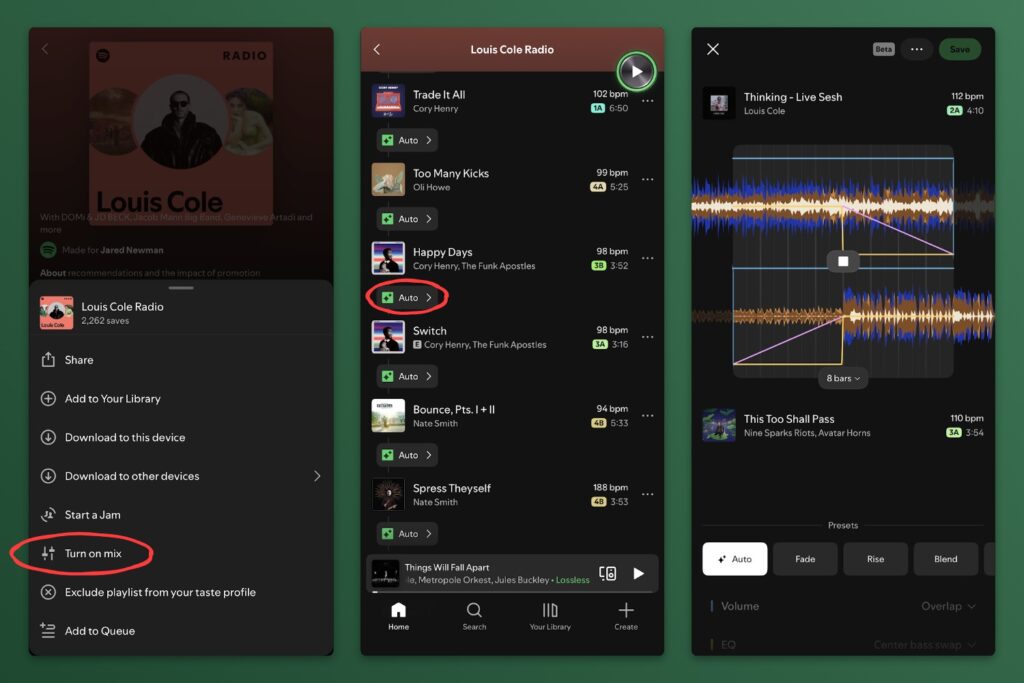
Live mixes: While viewing a playlist, tap the “…” button and select “Turn on mix.” This will attempt to match tracks by tempo and create continuous cross-fades between them, kind of like a live DJ.
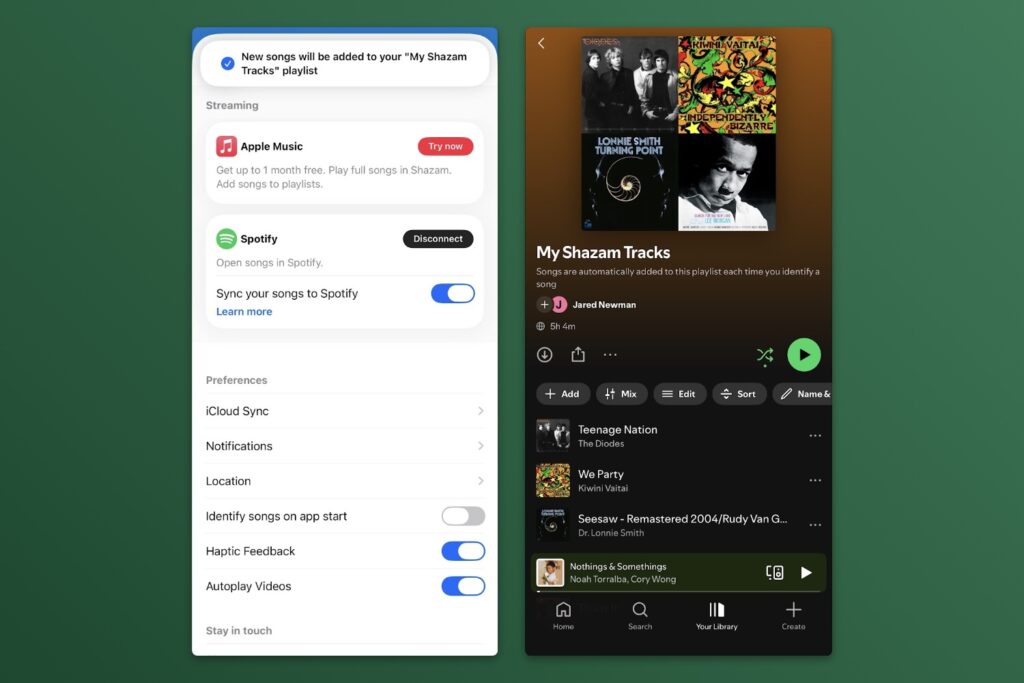
Sync your Shazams: You should be using Shazam to look up songs that you hear in the wild. If you do, Spotify can turn all the songs you’ve identified into one big playlist. In the Shazam app, tap the gear icon, hit “Connect” next to the Spotify logo, then turn on “Sync your songs to Spotify.” Look in your Spotify library for a new “My Shazam Tracks” playlist.
Unlisten to a song: If you wind up playing a song that you don’t want affecting your recommendations, tap the “…” button at the top-right of the music player, then select “Exclude this track from your taste profile.” (This also works for entire playlists.)
News in brief
Apple Music price hikes: Apple is raising prices on its streaming music service for the first time since 2022. The breakdown:
- Individual: $11 → $12/mo (or $109 → $119/yr)
- Family: $17 → $20/mo
- Apple One Family bundle: $26 → $28/mo
- Apple One Premier bundle: $38 → $40/mo
- Student: $6 → $7/mo (includes Apple TV)
Quick tip: If you’re still committed to an individual Apple Music plan, switching to annual billing can save you $25 per year. Head to iOS Settings > Your Name > Subscriptions > Apple Music, then select “See All Plans >” and look for the annual individual option.
I’ve updated my streaming music comparison chart and ways to save money accordingly.
Bad news for Android backups: Google is warning Android users that online device backups will soon count against their Google storage limit. That means messages, call history, and app data will dip into the same storage bucket used by Gmail, Google Photos, and Google Drive. To control what Google backs up from your Android phone, head to Settings > Google > Backup. You can also delete your backups from this page.
Check out my guide to freeing up Google storage if you need to get more space back.
Other notable news and reads:
- Samsung’s Freestyle+ projector is now available for $1,200. It can automatically straighten out the picture across curtains and wall corners, and was one of the neatest things I saw at CES.
- OnePlus will stop selling smartphones in the U.S. and Europe, but promises software updates for existing devices.
- Rumor: Apple might release an OLED iPad Mini this fall. (Still the most under-appreciated iPad).
- MLB to teams: No more using AI on iPads in the dugout.
- Over at Fast Company, I wrote about how to avoid AI in as many places as possible.
Try this app
AI detector: Pangram is a web tool for detecting whether text might be AI-generated. Lots of sites like this exist, but Pangram’s superior accuracy has put it at the center of various literary and journalism scandals. It’s still not foolproof and likely never will be, but could make for a useful starting point. (It scored this newsletter as 100% human-written, which is true!)
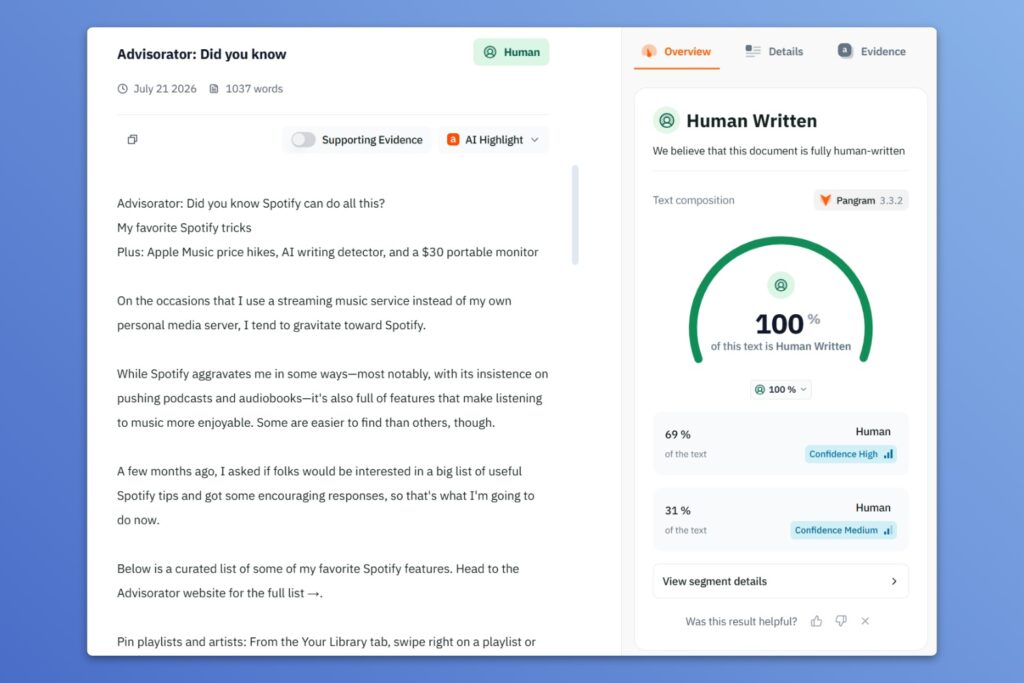
Using it requires a sign-up, and you must click the small 4 free scans per day link to bypass the paid plans and access the free version.
Distraction reducer: My latest bit for the Cool Tools newsletter is about Minded, a free browser extension and Android app that encourages you to pause before opening an addictive social media site or app. I’ve been using this to curb my time spent on the Yankees subreddit, which is mostly just full of unnecessary panic anyway. It’s completely free with no ads. Read my full writeup for details.
Spend wisely

This section of the newsletter may include affiliate links, which earn me a commission if you wind up purchasing something.
I’m a fan of portable monitors, and right now you can get one from AOC—a not entirely unrecognizable brand—for $30 refurbished with coupon code REFURBLOVE. The offer runs through July 26 and includes a two-year warranty.
This looks like pretty much every other basic 15-inch portable monitor out there, with a USB-C port for both video and data if your device supports it, or separate mini-HDMI and USB-C power ports if your device requires HDMI input instead. Grab it here.
Other notable deals:
- Just a basic wireless Logitech keyboard and mouse for $14.
- Second-gen AirTags return to $89 for a four-pack.
- Sony’s WH-1000XM6 noise-cancelling headphones for $230 refurbished with code REFURBLOVE. (Two-year warranty.)
- Sadly, $400 for an iPad now counts as a deal after Apple’s recent price hikes.
- Samsung Galaxy S25 Ultra for $850 unlocked, or $700 refurbished (choose “Excellent” condition).
Think about an Advisorator membership!
It’s just $5 per month or $50 per year to support my 100% human-written work and get more in-depth tech advice from me. Learn more here →
That’s all for this week. Thanks for reading!
Until next week,
Jared
Did someone share this newsletter with you? Sign up to get it every Tuesday.