
10/24/2023: Google’s passkey mess

Google goes passwordless
Plus: Apple’s new Pencil, Chromebook deals, and the best place for a USB-C cable


Back in May, I wrote about how the tech industry’s attempt to kill the password is a well-intentioned mess.
Five months later, it still is. Only now, it’s becoming harder to avoid as companies get more aggressive about pushing the password’s replacement, known as passkeys. The most notable example is Google, which declared a couple weeks ago that it’s making passkeys the default sign-in method for Google accounts, and has been nagging users to set up passkeys ever since.
I’m still convinced that the rush to go passwordless will create some near-term chaos—and Google’s approach does little to change that—but as passkeys start to become inevitable, you might as well get used to them.
Need to know

The OnePlus foldable: OnePlus has entered the foldable phone fray with the OnePlus Open, a $1,700 device that looks like a regular phone when closed and a small tablet when unfolded. Compared to Samsung’s Galaxy Z Fold5 and Google’s Pixel Fold, the Open has one notable attribute: The folding screen’s crease is barely noticeable.
Otherwise, reviewers have praised the Open’s overall shape, but there are camera complaints and durability concerns. Plus, OnePlus somehow managed to omit wireless charging from a $1,700 phone. I am so far loving the Fold5 that I recently picked up from Swappa (where like-new models now sell in the $1,150 range) and still think Samsung has the most refined foldable of the bunch. More on that soon.
Cheaper Apple Pencil: In early November, Apple will start selling a $79 Pencil that attaches magnetically to all flat-edged iPads—including the Air, Pro, Mini, and 10th-gen models—but has a USB-C charging port instead of wireless charging and isn’t pressure-sensitive like the $129 Pencil 2.
Aside from just being cheaper, the new Pencil addresses a deficiency with the 10th-gen iPad: It was only compatible with the original Apple Pencil, whose Lightning connector could plug directly into other iPads. Because the 10th-gen iPad has USB-C port instead, it needed a separate adapter to charge the Pencil. As Apple moves away from Lightning entirely, I wouldn’t be surprised if it finally discontinues the 9th-gen iPad within the next year now that it’s solved the 10th-gen’s Pencil dilemma.
(Meanwhile, I’m sort of tempted to downgrade from my Pencil 2, which seems to drain my iPad Mini’s battery when it’s magnetically attached, but that’s another story.)
Don’t use WinRAR: On August 10, the file archive tool WinRAR patched a security flaw that can deliver malware on Windows PCs. But because WinRAR doesn’t automatically update itself, Russian and Chinese hackers continue to exploit it. A couple points here:
- It’s another example of why you should keep your software and operating system up to date.
- Windows 11 now has built-in support for RAR and other exotic archive formats, so there’s no reason to use WinRAR anymore if your PC is fully up to date. (I always used 7Zip on Windows 10, though it had its own security vulnerability pop up last year.)
Tip of the moment
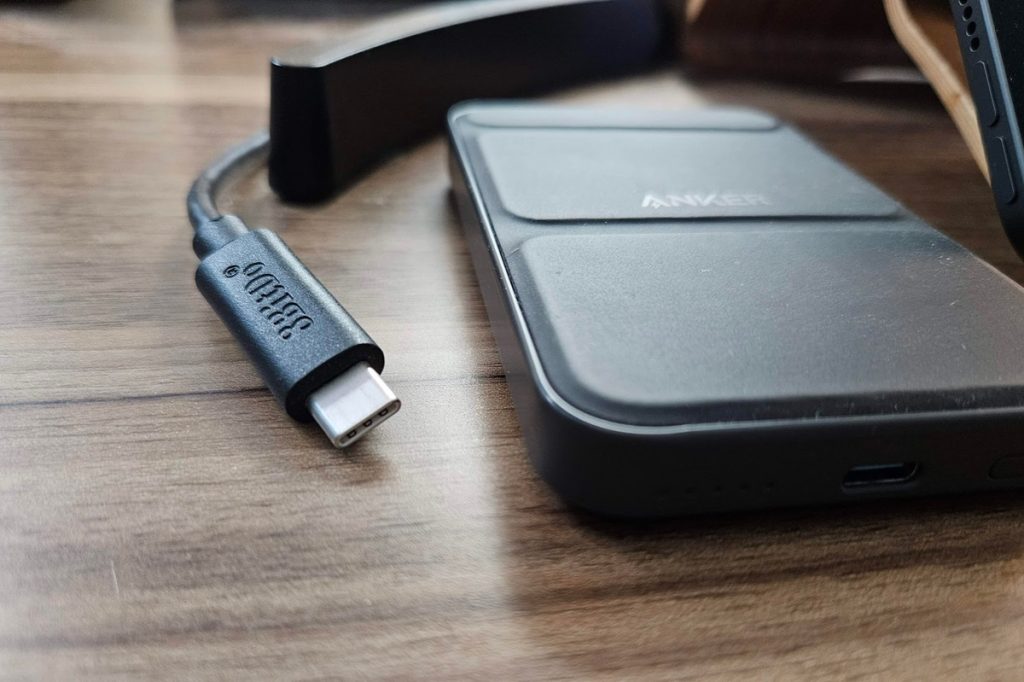
Put a USB-C cable on your desk: This is more of a suggestion than a tip, but I recently snaked a USB-C charging cable up onto my office desk from a nearly outlet, and it’s been transformative. My list of gadgets that need routine top-ups include several phones, an iPad Mini, wireless earbuds, and a couple of power banks, and I’m doing a better job keeping them charged now that it’s extra convenient to do so.
Sure, you can buy fancy docking stations with integrated USB-C cables, but I appreciate having a plain old plug that can be moved around and doesn’t force my iPad into a particular orientation. And compared to wireless charging mats, wired charging is much faster. The only modification I’d consider is an adapter for all those darned devices that still use Micro-USB.
Now try this
Mac cut and paste: Since I recently wrote about how Stage Manager makes MacOS more hospitable to Windows users, here’s another little tool I’ve found helpful: With a free app called Command X, you can use ⌘+X and ⌘+V to cut and paste files in Finder, just like in Windows and Linux. I think it beats the usual way of hitting ⌘+C to copy a file and ⌘+Option+V to move it, but feel free to yell at me if you disagree.
Around the web
- HomePod speakers get YouTube Music support.
- Here’s a nice roundup of new Windows 11 features.
- Chrome gets better at autocompleting web addresses.
- Ugh: The Brave browser installs VPN services without permission on Windows PCs.
Spend wisely
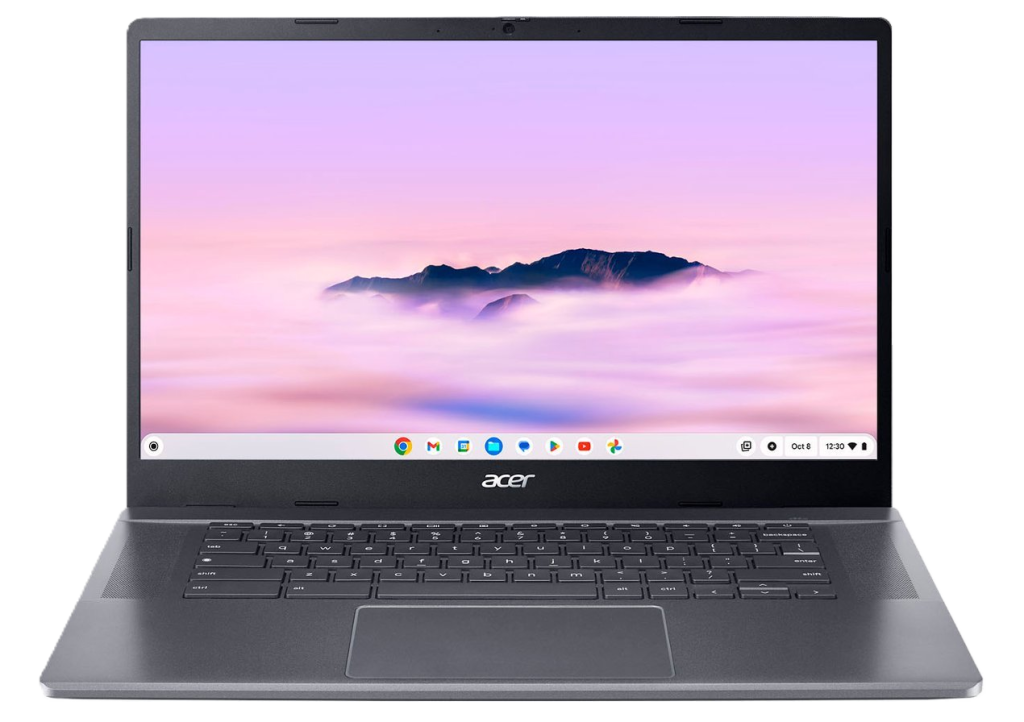
Need a basic laptop for web browsing and don’t mind Chrome OS? Acer’s Chromebook Plus 515 is on sale for $269, down from a list price of $399.
This is one of several new laptops that Google has blessed with “Plus” branding through a set of minimum hardware requirements, and received solid reviews from PCMag and Wired. It sports a 15-inch display, 12th-gen Intel Core i3 processor, 8 GB of RAM, and 128 GB of storage, all of which should be fine for a Chromebook. (If you can’t live without a number pad, HP’s Chromebook Plus is on sale for $349 with similar specs.)
Thanks for reading!
Got tech questions for me? Just reply to this email to get in touch.
Until next week,
Jared