
10/17/2023: Your phone’s efficiency boosters

Little shortcuts everywhere
Plus: YouTube blocks ad blockers, quicker notetaking, and HomePod savings


Some of the most satisfying smartphone tricks are the ones that spare you just a few seconds at a time.
It may not seem like much, but when you need to quickly snap a photo, write something down, or switch up your settings, you don’t want to waste that time jumping through multiple menu layers. Over time, those little efficiencies add up to a smoother smartphone experience.
Whether you use an iPhone or Android, your phone is full of shortcuts for getting to your favorite apps and most frequent actions. Here’s how to take advantage of them:
Need to know
More YouTube ad blocker blocking: After some experiments over the summer, Google has started discouraging more people from blocking ads on YouTube. Reports on social media indicate an uptick in the warnings, which ask users to disable their ad blockers or upgrade to YouTube Premium at $14 per month. Some users who’ve enabled “Strict” tracking protection in Microsoft Edge also report seeing the warnings, even if they weren’t trying to block ads in particular.
The good news is that the enforcement seems to be somewhat porous. Users have already reported a wide range of workarounds, from updating uBlock Origin’s filters to installing an ad block extension designed specifically for YouTube. I’ve previously covered some other ways to access YouTube content without ads or trackers as well. Stay tuned as this cat and mouse game continues.
T-Mobile’s sneaky price hikes: Behind its consumer-friendly veneer, T-Mobile isn’t much different from other major carriers. This week, the company started moving some customers onto newer data plans that cost about $10 more per month before AutoPay discounts. Leaked customer service documents show T-Mobile coaching its reps on referring to the change as “a newer plan … at a different cost” rather than a price hike.
Customers can keep their older plans if they want, but only by contacting customer service. 9to5Mac has a helpful rundown on the affected plans and how to reject them. See also: My guide to picking a data plan for Advisorator subscribers.
Tip of the moment
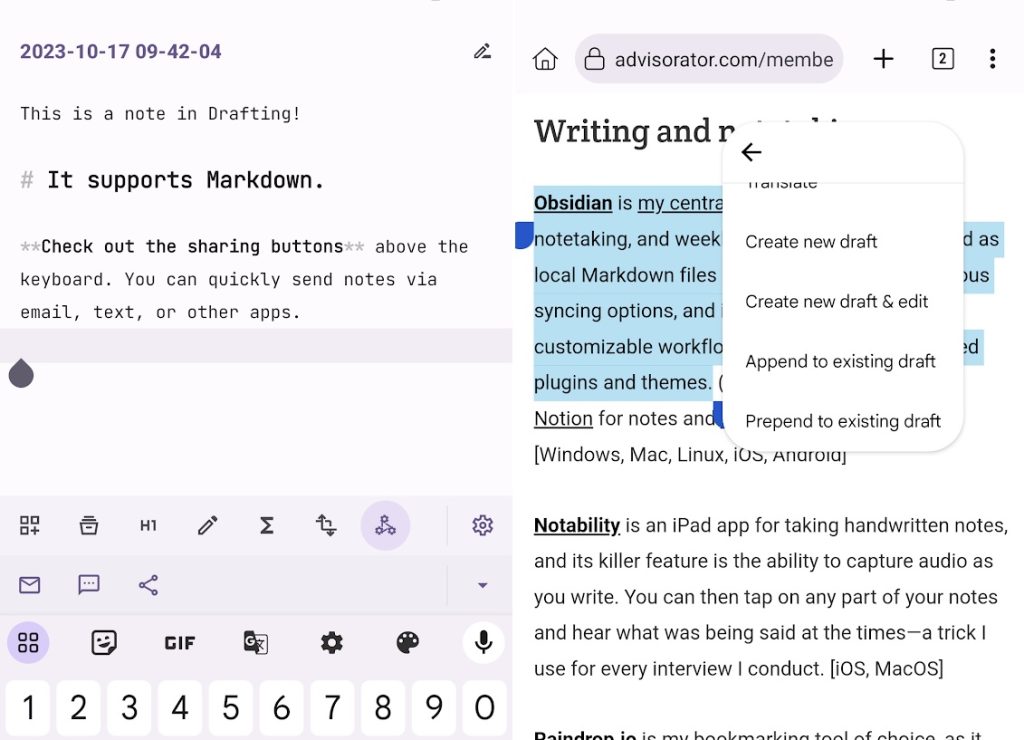
Quicker notes: Drafting is my new favorite hidden gem from the Android app world, though it’s clearly inspired by a similar iPhone app called Drafts.
Both apps have the same basic idea: Each time you open the app, you’ll get a fresh notepad that auto-saves to your phone’s file system. You can then share that text out to other notetaking apps, email, social media, or just your clipboard. It’s meant to be a simple starting point for text, rather than the final destination.
Drafting also has some helpful ways to bring text into the app: Just highlight some text on a webpage or use the Share button in your browser, for instance, and you can quickly add links and text to a new or existing note. The app pairs especially well with my Obsidian notetaking setup, with each note saving to a “Quick Notes” folder in my Obsidian vault for further editing. I’ve also added Drafting to my phone’s quick settings panel (per this week’s column) so I can start taking notes with just a swipe and a tap.
Unlike Drafts for iOS, which requires a $20 per year subscription for certain features, Drafting for Android is a $4 one-time purchase with no ads or upsells. For me, at least, it’s well worth the price.
Now try this
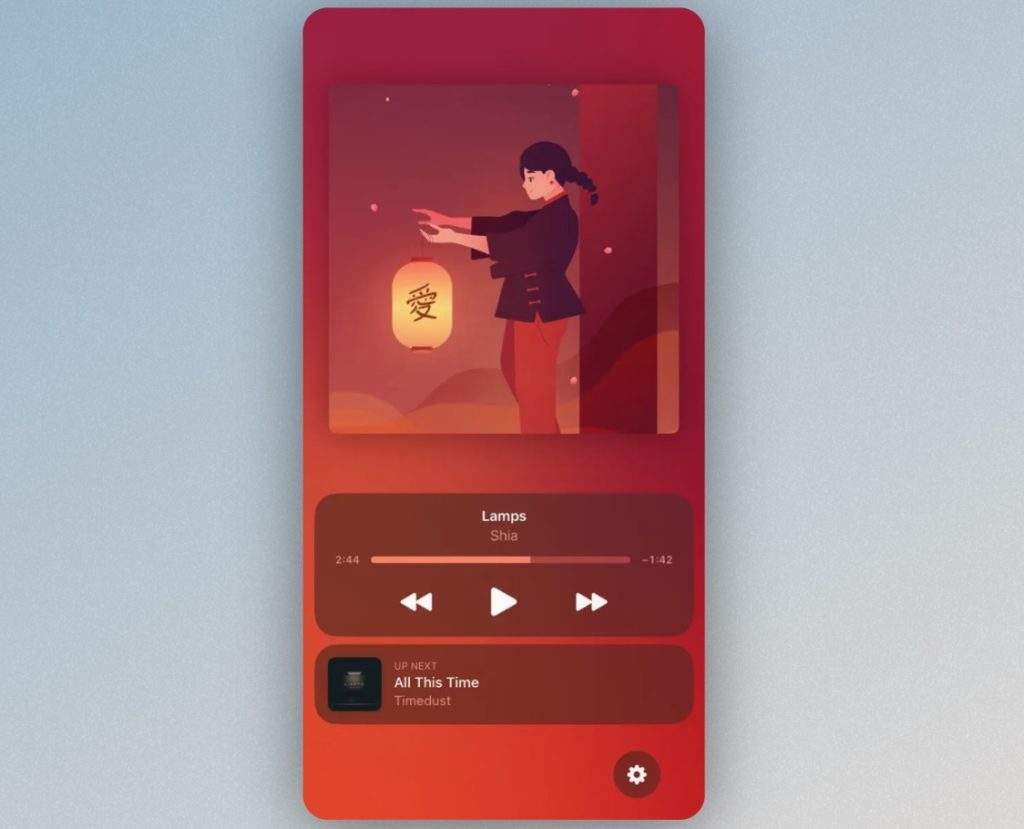
Next song up: LivePod is a clever Apple Music enhancer that lets you see what’s playing next from the lock screen, or from the Dynamic Island if your iPhone supports it. The app works with Apple’s streaming catalog and with songs you’ve synced through iTunes, but doesn’t support other services such as Spotify or Amazon Music. The free version lets you see up to 200 song previews, and you can unlock full functionality with a $3 one-time purchase. (Via 9to5Mac.)
Around the web
- The Rewind Pendant is straight out of a Black Mirror episode.
- You can safely ignore Wi-Fi 7 for now.
- iPhones are turning off for hours overnight, and no one’s sure why.
- The Pixel 8 Pro sounds like a winner.
- Asus’ new Chromebook Plus hits the sweet spot.
- For FastCo, I wrote a profile of Obsidian and why folks are obsessed with it (including me).
Spend wisely

If you’re interested in buying Apple’s second-gen HomePod smart speaker, the best move right now is to get a refurbished model straight from Apple. At $250, it’s $50 off the regular price, and you’ll still get a one-year warranty, 90 days of free tech support, and a 14-day return policy. I’ve yet to see a sale price that matches the refurb rate, and I’ve generally had great success buying lightly-used and refurbished gear over the years.
Thanks for reading!
Behold, the latest procurement from the Advisorator Gadget Budget:
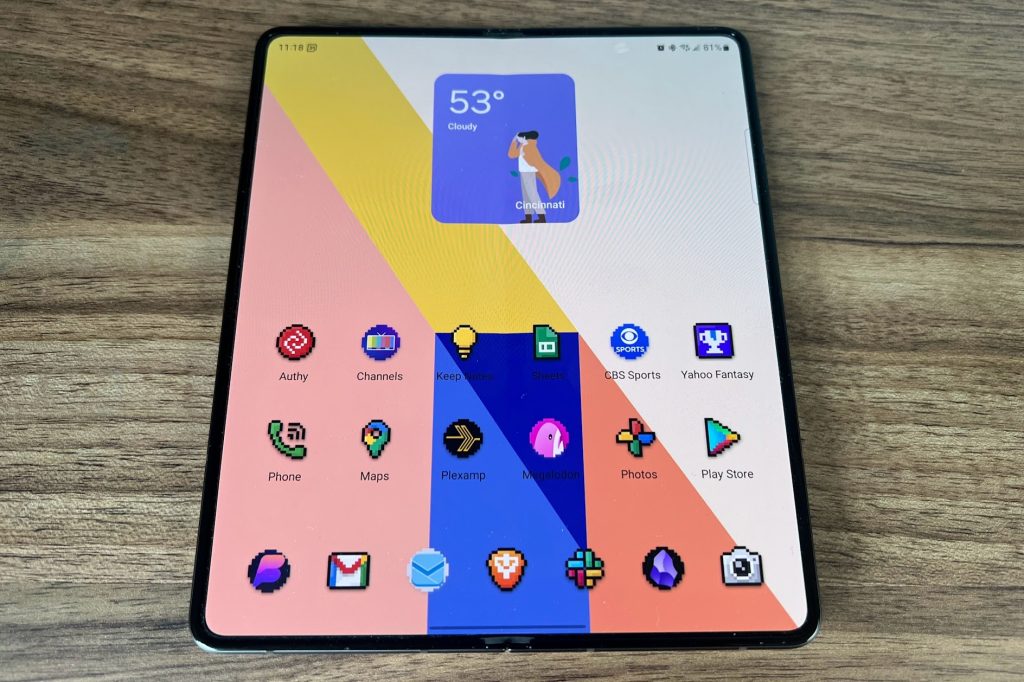
Yes, it’s a Samsung Galaxy Z Fold5, purchased in like-new condition from Swappa, where prices have already plummeted just a couple months out from launch. I enjoyed reviewing the previous version so much that I wanted to purchase a foldable for myself and see if the novelty ever wears off. We’re still very much in the honeymoon phase right now.
Got questions about foldable phones or other tech topics? Just reply to this email to get in touch.
Until next week,
Jared