
Better tab sorting tools

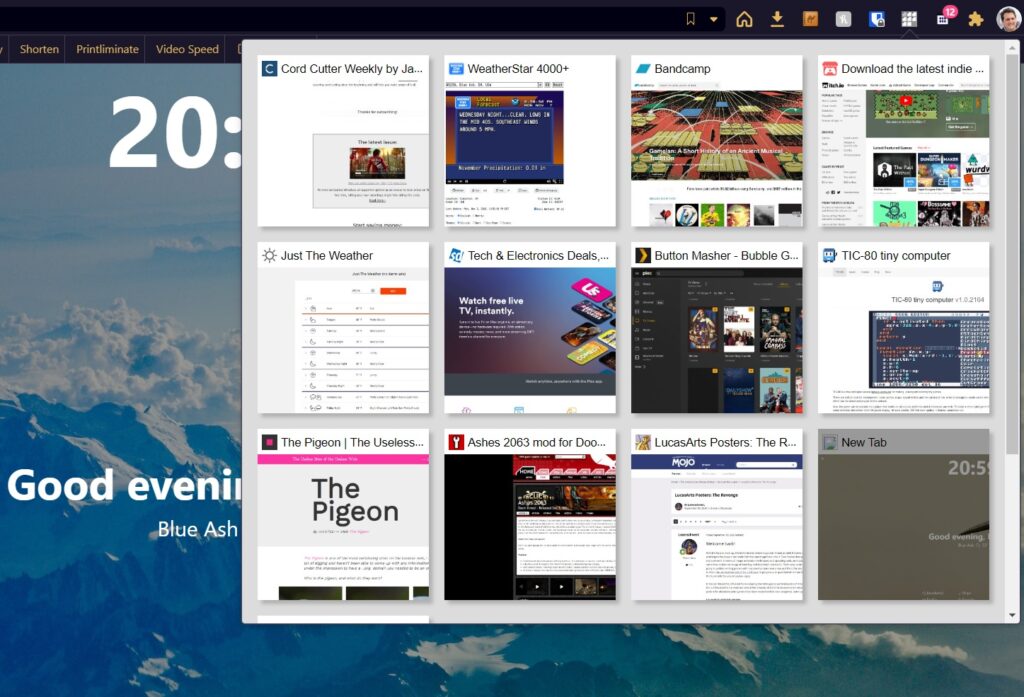
Recently I was asked if you can add a tab overview with thumbnail previews to Chrome, similar to what exists in Safari. After sifting through way too many tab management extensions, I came up with a couple solid options:
- Tab Preview Board (pictured above) gives you a straightforward thumbnail view of all your open tabs, grouped by window. Scroll to the bottom and click “Options” to adjust thumbnail quality and the number of columns.
- Tabs Manager is a bit more advanced, with built-in tab search and a handy “Zoom In” button to get a closer look at each tab. The presentation’s a little cruder, though, and it doesn’t separate tabs by window (though it does group them by domain).
In both cases, just click the extension icon to bring up the overview, then close the tabs you don’t need or click the ones you want to revisit. And of course, these extensions also work in other Chromium-based browsers such as Microsoft Edge, Brave, and Vivaldi.
Another newsletter recommendation: Want to discover the next big thing in tech before it explodes? Category Surfers breaks down the fastest-growing software categories every week, and you can sign up for free.

Sponsored by … me! No ad this week. If you like what I’m doing here with Advisorator, please consider a paid subscription.
You’ll get an expanded newsletter with exclusive advice column (this week’s: how Eero fixed my Wi-Fi problems), plus extra tips, tools, and unbiased deal roundups. It’s free to try for four weeks and super easy to cancel if it’s not your thing. Check it out!