
Tip of the week: A surprisingly great calendar app


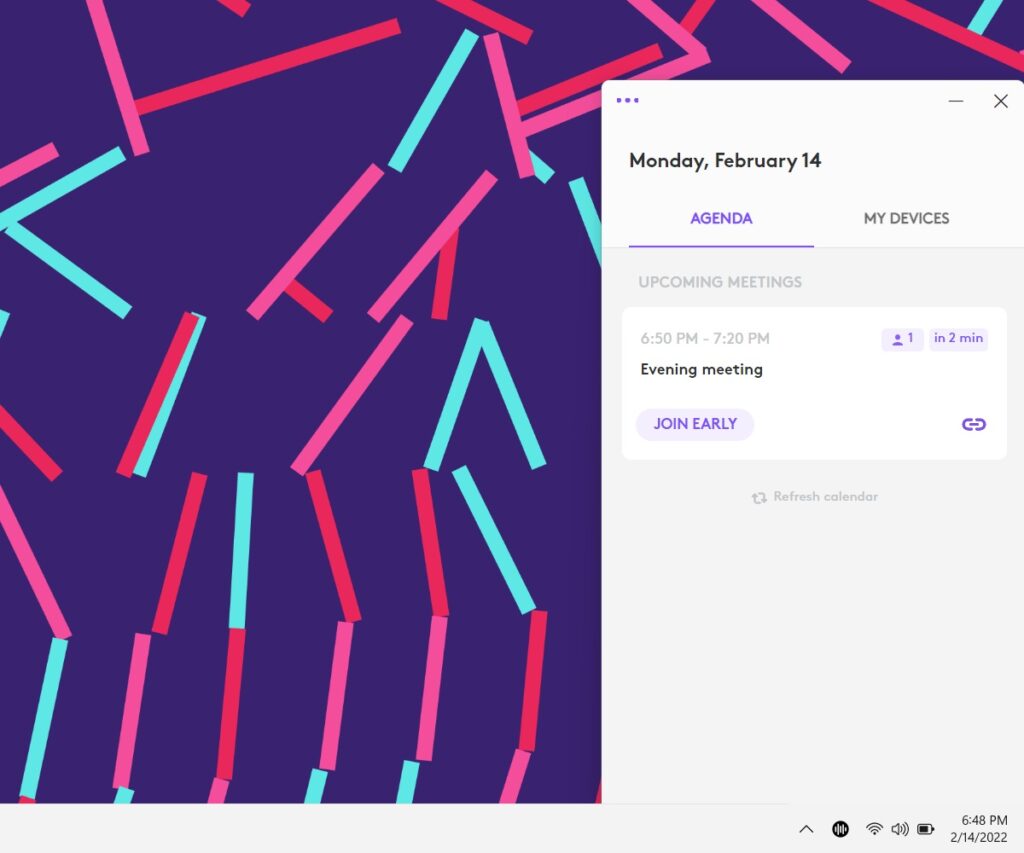
For a quick way to view upcoming calendar events and join virtual meetings with one click, check out Logi Tune for Windows and Mac.
Ostensibly, Logi Tune is a free companion app for Logitech’s webcams and headsets, letting you adjust device settings through a button on your Windows taskbar or Mac menu bar. But that same app also has a handy agenda view for Google Calendar and Outlook, and doesn’t require any Logitech hardware to use.
Just install the app from Logitech’s website, then click on the “Agenda” tab at the top. After connecting your Google or Microsoft account, you’ll see a preview of any upcoming calendar events. The app also displays a one-click join button for virtual meetings in Zoom, Google Meet, and Microsoft Teams, and it will alert you just before the meeting starts. (Windows users should also consider dragging the app from the system tray to the taskbar so it’s always visible.)
If you’re a Mac user, Logi Tune isn’t your only option. Superpowered offers a similar one-click join button for meetings, though the free version is limited to 30 meetings per month. MeetingBar is a solid free alternative, though it requires some tweaking to minimize how much menu bar space it takes up. The calendar app Fantastical, which costs $5 per month, also has a join button built into its menu bar.
Still, I like the simplicity of Logi Tune and the fact that it doesn’t leave Windows users in the cold. And as a Logitech webcam user, I do appreciate the app’s zoom controls and color filters. Plus, it’s completely free with no apparent strings attached.
Thanks for reading! Remember that paid Advisorator subscribers get an expanded weekly newsletter with in-depth features, tips, and deals. Some examples of what I’ve written lately:
- 10 smartphone tricks everyone should know.
- A free spam text blocker that actually works.
- Tools for techies, plus savings Samsung’s new phones.
You can read all three newsletters (including the ones above) with a four-week free trial. Thanks for taking a look!
Got questions or comments on this newsletter? Just send me an email to get in touch.
Until next week,
Jared