
Advisorator Free: An essential email privacy tool

Tip of the moment: An essential email privacy tool


Handing out your email address online can always feel like a bit of a gamble, which is why I’ve been singing the praises of Abine Blur ever since an Advisorator subscriber introduced me to it a year ago.
Abine Blur generates masked email addresses that forward to your actual inbox, so you can give them out whenever you’d rather not reveal your true address. The sender only sees the masked email (which looks like “gx2bhfw3155w@opayq.com“), and you can disable or delete these addresses on Abine’s website. Doing so prevents the sender from ever being able to contact you again.
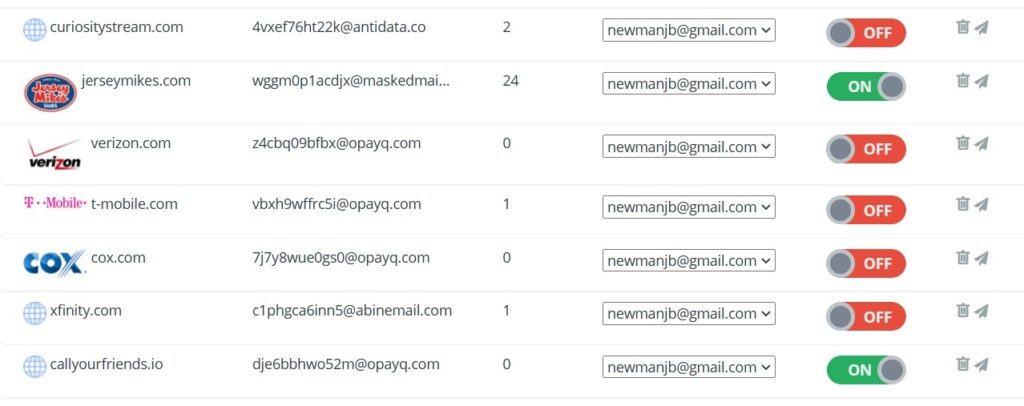
Masked email is perfect for retail sites that offer coupons in exchange for your email address, charitable organizations that abuse your generosity with nonstop requests for more donations, and any other site you don’t fully trust to treat your inbox with respect. It can also help you get extra free trials from services that require a unique email address.
One caveat: Abine’s browser extension for Chrome or Firefox is great for generating masked addresses directly inside web sign-up forms, but it also includes a lot of superfluous features. After installing it, click on the extension, then click Settings > Settings for All Sites and disable what you don’t need. (I only use it for masked email, and rely on other extensions like Bitwarden for passwords and uBlock Origin for ad blocking.)
Want more email privacy tips? Upgrade to the full weekly newsletter and I’ll send you my in-depth issue on the topic, covering additional ways to protect your address and stop senders from snooping on you. Cancellation is super easy, and you can get your first four weeks for free.
The latest from PCWorld
It might be hard to believe, but Microsoft has finally atoned for the sins of Internet Explorer. Last year, the company hit the reboot button on its web browser efforts, launching a new version of Microsoft Edge to replace the one that shipped with Windows 10. This new version is based on the same code as Google’s Chrome browser, so it offers similar performance and works with all the same extensions.
Had Microsoft merely cloned Chrome, it wouldn’t deserve much more than a participation trophy in the browser wars. But Edge is more than a mere copycat. Since its launch last year, Microsoft has been piling on all kinds of useful features that Chrome lacks, to the point that I happily use it as my primary browser.
If you’ve written off Edge before, either due to past trauma with Internet Explorer or Microsoft’s sleazy software update tactics, I’ve got five reasons to give it another look over at PCWorld.
Spend wisely
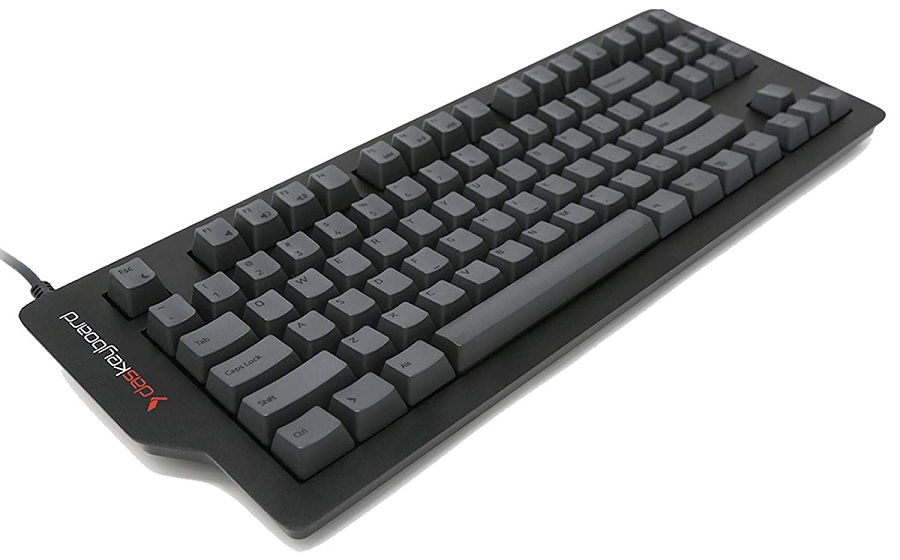
Now’s a fine time to upgrade to a mechanical keyboard, as Das Keyboard is having a sale on both its 4C TKL and X50Q models. The former is a compact keyboard with no number pad, and it has an aluminum panel, two USB passthrough ports, and Cherry MX Brown switches for a quiet tactile bump. The latter is highly programmable and includes both a number pad and a volume knob. They’re both 15% off on Das Keyboard’s website with the code BACK2IT, or you can buy them on Amazon with no code at the same price of $118 for the compact keyboard and $110 for the larger one.
Thanks for reading!
Got questions on how to use Abine Blur? Comments on your own web browser of choice? Feedback on how to improve this newsletter? I’d love to hear from you. Just reply to this email to get in touch.
Until next time,
Jared