
You can save a lot of money on streaming right now, but some deals aren’t worth doing.
 Jared Newman |
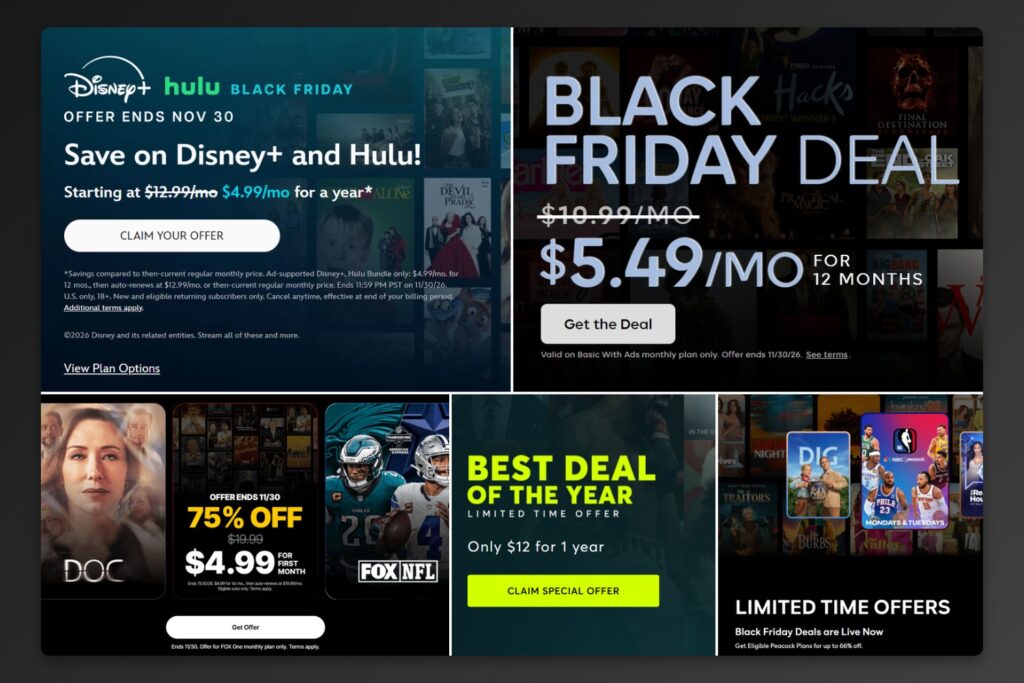
Black Friday can be the best time of the year to stock up on streaming services, but it’s also an opportunity to waste money.
I track streaming deals pretty closely throughout the year, maintaining a big list of them that I update every week on my website. In many cases, the streaming deals available you get on Black Friday aren’t available any other time of year, and can last you until next November.
But as with so many other Black Friday deals, you also have to be mindful of traps. Some streaming deals are no better (or even worse) than what you can get year-round, and taking out a bunch of cheap subscriptions now can lead to much more expensive streaming bills down the road.
Here’s how you can take advantage of Black Friday’s streaming bounty without getting burned:
Avoid: Bundling Disney+, Hulu, and HBO Max together
Head to the HBO Max website, and you’ll see a bundle of Disney+, Hulu, and HBO Max advertised at an “Unbelievable Price” of $22 per month with ads, or $35 per month ad-free. Some folks are mistaking this for an actual Black Friday deal, when it’s really just the regular year-round price to bundle all three services.
What to do instead: Disney’s own Black Friday deal is $5 per month for a year. HBO Max’s deal is $5.49 per month for year. Getting both deals separately will be half the price of the official bundle. (Disney also has an ad-free version of its bundle for $15 per month on Black Friday. Combine it with HBO Max’s ad-free plan at the full price $18.50 per month, and you’ll still come out ahead of the bundle.
Avoid: A year of Peacock Premium for $90
After sitting Black Friday out last year, Peacock is back with a fairly weak offering: Three months of Premium for $9 per month, or one year for $90. (The Select tier is also on sale at $3 per month or $30 per year, but it excludes live sports, movies, and Peacock originals.) While any offer is better than nothing, there’s another way to get Peacock for even less.
What to do instead: By combining Walmart+ with an AARP membership, you can get Peacock Premium for $78 per year total, less than the Black Friday price of Peacock alone:
- AARP costs $20 per year ($15 for a year on Black Friday) and is open to anyone age 18 or older.
- Walmart+ costs $58 per year for AARP members, and includes your choice of Peacock Premium or Paramount+.
- After joining AARP, activate Walmart+ via this page, then activate Peacock with these instructions.)
No need to rush for Black Friday, either; this discount is available year-round.
Avoid: Overpaying for Disney+ and Hulu
Disney is repeating its Black Friday deal from last year, offering 12 months of Disney+ and Hulu for $5 per month (with ads) or $15 per month (without). That’s pretty good, but savvy cord cutters can bring the cost down even further.
What to do: Pay for the subscription with an American Express Blue Cash Everyday Card, which includes a $7 monthly statement credit toward Disney streaming services and has no annual fee. Stacking the credit with Black Friday pricing brings the ad-supported cost down to $0. (The Blue Cash Preferred card offers a $10 monthly credit, which would be useful for the ad-free tier, though it has a $95 annual fee after the first year.)
Important notes:
- Don’t subscribe to the Disney bundle through Roku, Apple-in app purchase, or any other third-party billing system. The credit only applies when you sign up directly through the Disney+ or Hulu websites directly.
- After getting the card, you must activate the Disney credit through the American Express website and must use the card to pay for the subscription.
- If you’ve already signed up for Disney’s Black Friday deal, you can still switch payment methods after getting the card. You’ll get the credit for all subsequent payments.
Avoid: Subscribing to Starz through Amazon Prime Video
Amazon’s Prime Video marketplace is offering one year of Starz for $35, or two months for $3 per month. That seems like a decent deal until you look outside Amazon’s walls.
What to do instead: Sign up directly through Starz to get a year for $12. (Returning subscribers may see a higher price, in which case you might consider using a new email address.)
Avoid: A month of Fox One for $5
Fox’s official Black Friday offering is pretty tame in 2026, with just a single-month discount that shaves $15 off the regular price. Maybe that’s worthwhile if you only need a month of the service, but it’s not the best Fox One deal available right now.
What to do instead: This link has been around for a while now, and gets you a whole year of Fox One for $99, just over half-off the regular price. Alternatively, if you’re also subscribing to ESPN Unlimited, you can save $10 per month by bundling them together.
Avoid: Amazon’s Fire TV Stick 4K Select
Amazon’s entry-level 4K streamer is on sale for $18 during Black Friday, but it’s not worth buying at any price as Amazon will be discontinuing it soon.
What to do instead:
- If you don’t need sideloading and are sticking to major streaming services, the new Fire TV Stick 4K is on sale for $20. It has a better remote, faster performance, smaller design, and longer support lifespan.
- For $30, the Fire TV Stick 4K Plus is based on the superior Android operating system, which supports a wider range of apps and allows for sideloading apps from outside Amazon’s store. (Just be aware that Amazon may still block piracy apps on your device.)
Avoid: Roku Subscriptions if you have any non-Roku devices
Roku is offering a wide range of discounted subscriptions for Black Friday, covering services like Howdy, Hallmark+, MGM+, and AMC+. But most of these deals come through Roku’s own “Premium Subscriptions” platform, which is only accessible through Roku players and smart TVs. If you sign up for AMC+ through the Roku TV in your living room, for instance, but you have a Samsung TV in your bedroom, you won’t be able to watch on the latter.
What to do instead: Sign up directly through the subscription provider when possible. If a deal is only available through third-party marketplaces, consider signing up via Prime Video instead, as you’ll be able to watch through the Prime Video app on any device.
Notable exceptions: Roku has a handful of deals that are unavailable elsewhere, most notably three months of MGM+ for $3 per month. That might be worth dealing with the device limitations.
Avoid: Forgetting what you signed up for
With so many deals available, it’s easy to lose track of them all and get hit with bill shock when promo rates expire.
What to do instead:
- Maintain a spreadsheet.
- Put renewal dates on your calendar (or snooze your sign-up emails).
- Use subscription tracker apps like Streamwolf.
- Conduct occasional subscription audits.
- Use virtual cards with spending limits (I like Privacy.com for this) so you can’t get charged for more than you agreed to.
Any one of these methods can go a long way toward staying in control of your subscription spending.
Sign up for Jared’s Cord Cutter Weekly newsletter for more streaming TV advice.