
Fixing AirPods problems

Pranay Parab fixes his AirPods problems
Plus: Your music files in Spotify and an iPhone photo backup app
Hey folks, I’m on vacation for a couple more days, so I’m turning this week’s newsletter over to fellow tech journalist Pranay Parab.
I’ve enjoyed reading Pranay’s work over at Lifehacker for several years now, and was flattered when he ended up subscribing to Advisorator himself. When he pitched me on how a few AirPods tweaks helped save his long-distance relationship, it seemed like a great fit for the newsletter.
Pranay also chipped in with a useful Spotify tip and a neat app recommendation, allowing me to turn this week’s entire newsletter over to him. (We’ll catch up on news and deals next week).
Take it away, Pranay!
How I saved my AirPods Pro (and my relationship)
By Pranay Parab
As a long-distance couple, my girlfriend and I rely heavily on our AirPods Pros to keep in touch via phone calls, FaceTime, and WhatsApp. Over the past couple of years, we’ve faced every single call quality issue that you can imagine, from call drops to tin-can audio quality.
For most of those issues, the AirPods themselves are to blame. While there’s nothing wrong with the hardware, my partner and I often talk to each other while we’re walking outdoors in densely populated crowded cities, with strong winds, traffic noise, and environmental sounds. Our conversations are effectively a stress test for the AirPods’ microphones.
Fortunately for me (and our relationship), I’ve discovered a few hacks that have helped improve call quality significantly when using my AirPods.
The rest of Pranay’s feature story is for Advisorator’s paying members. Hit the button below to get started.
Tip of the week
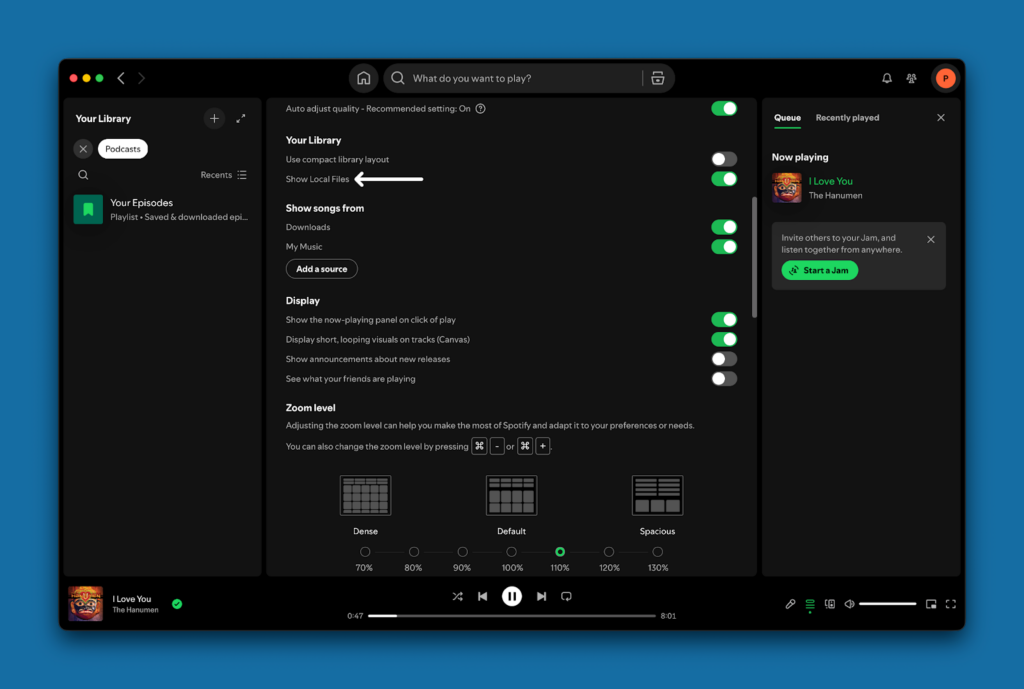
Add your local music collection to Spotify: Spotify has a little-known feature for playing your own music files. This is great if you want to use Spotify as your primary music app, but you also have a collection of songs—for instance, from ripped CDs or digital stores like Bandcamp—that aren’t available on streaming services.
To enable this feature on Spotify for iOS and Android, open the app on your phone, and tap your profile picture. Go to Settings and privacy > Apps and devices and enable “Local audio files.”
- On Android, Spotify automatically picks up audio files from your phone’s local storage. After transferring music to your phone, go to your Spotify library, then look for the folder called Local Files to access and play those songs.
- On iPhone, open the Files app on your iPhone, and copy the music files to the Spotify folder in the On my iPhone location.
To play local files in Spotify’s desktop app, click your profile icon at the top, go to Settings, and enable Show Local Files in the section called Your Library. When prompted for a source location, point the app to the folders where you’ve stored your music files.
Unfortunately for audiophiles, Spotify doesn’t support lossless FLAC files.
Try this app
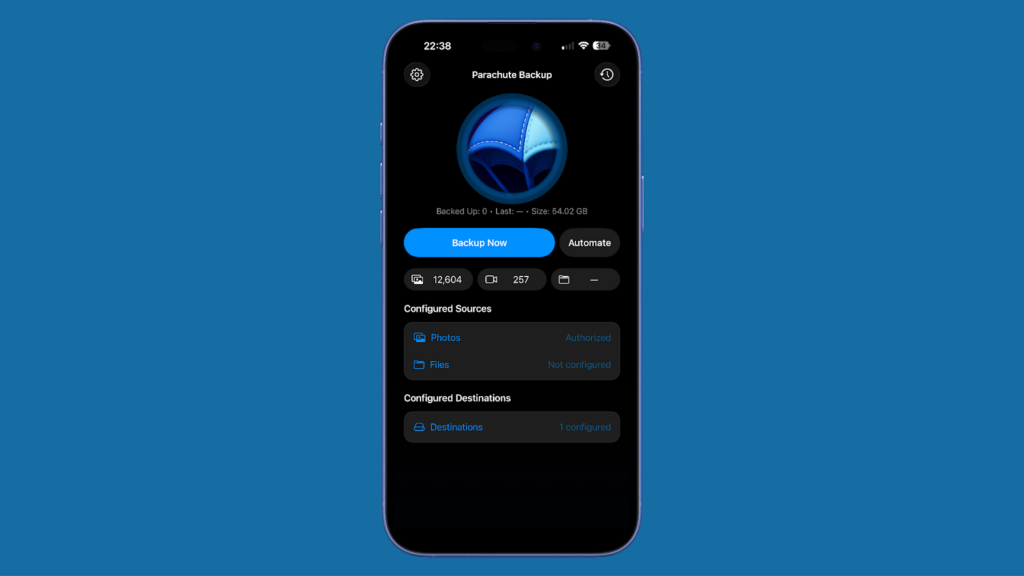
Easy photo backups: Cloud storage services such as Google Drive, iCloud, and OneDrive might claim to back up your photos, but they have a downside: If you delete something on one device, it’s deleted everywhere. To create a true backup, I use a second app called Parachute Backup, which makes a copy of all your photos to an external drive or even to other online storage services. I recently used the $4 iPhone version to save over 12,000 photos and videos to my NAS drive, and it took about 30-45 minutes to save everything.
Parachute also offers a $5 Mac version, which can be useful for creating a true backup of your iCloud Photos and iCloud Drive. Unlike Apple’s Time Machine feature, which only backs up files that are physically stored on your Mac, Parachute makes a copy of everything that’s in your cloud storage. Even if you use the “Optimize Mac Storage” feature that clears out files on your Mac to save space when they’re stored in iCloud, you’ll still have a backup copy of everything.
Thanks to Pranay Parab for taking over this week’s newsletter! Find more of his work on Lifehacker or follow him on Mastodon, Bluesky, and Threads.
Think about an Advisorator membership!
Support from Advisorator’s paying members doesn’t just allow me to produce in-depth feature columns and tech tutorials. It also gives me an actual budget for freelance contributors like Pranay, so I can keep publishing the newsletter even during the occasional off-week. Hit the button below to learn more about sharpening your tech skills with an Advisorator membership:
I’ll be back at the helm for Advisorator next week. If you also get my Cord Cutter Weekly newsletter, I’ll have one out this Friday.
Until then,
Jared
Did someone share this newsletter with you? Sign up to get it every Tuesday.