
10/31/2023: Mac malware, SIM swaps, and fake invoices (oh my)

Your security and privacy questions, answered
Plus: New Macs, T-Mobile’s backtrack, and a phone-charging trick


One of the joys of writing this newsletter is having an easy way to interact directly with you.
I always encourage folks to reach out to me via email (or visit Advisorator’s Slack chat room), and as the newsletter has grown, so has the volume of thoughtful inquiries coming in. My sense is that if a reader feels compelled to ask a question, chances are that other folks have wondered about the same thing.
So for this week’s column, I’d like to try compiling some of those questions and answers into a single post, all revolving around the themes of security and privacy. Here’s what we’ve got on tap:
- What do you recommend for anti-malware on a Mac?
- Should I worry about someone stealing my phone’s SIM card?
- Should I do anything about those fake Geek Squad invoice emails?
- What’s with the “Do Not Track” setting in my web browser?
Need to know
Apple’s new Macs: Apple is refreshing its 14-inch MacBook Pro, 16-inch MacBook Pro, and 24-inch iMac, all with new M3-series chips. Those chips are both faster and more battery-efficient than their predecessors, and there’s a big focus on gaming performance with features like hardware-accelerated ray tracing. (Speculation that Apple might announce new gaming initiatives alongside the new Macs did not pan out.)
The new MacBooks start at $1599 for the 14-inch model and $2,499 for the 16-inch model—both with a new “Space Black” color option—while the iMac starts at $1,299. As always, I suggest waiting for the inevitable sale prices from major retailers.
Qualcomm’s laptop promises: In other laptop news, Qualcomm is talking a big game about its forthcoming Snapdragon X Elite processor, which it claims will outperform chips from Apple, Intel, and AMD while offering better battery life. The Elite is the first fruit from Qualcomm’s 2021 acquisition of Nuvia, whose founders worked on the chips in Apple’s iPhone and iPad.
Battery life remains a persistent problem on Intel- and AMD-based PCs, even as Apple’s M-series chips have delivered both power and portability for a few years now. I want to believe Qualcomm can compete, but Windows hasn’t done a great job supporting the ARM-based processors Qualcomm makes, and the company’s laptop promises have fallen flat before. We’ll see what happens in mid-2024, when laptops with Elite chips start to ship.
T-Mobile backtracks: T-Mobile says it will no longer switch customers from certain older plans to newer, more expensive ones. The newer plans provide more data for mobile hotspot and international use, but cost about $10 per month more before AutoPay discounts. T-Mobile CEO Mike Sievert says the company “got plenty of feedback” about the move—presumably not the positive kind—before deciding to reverse course.
Tip of the moment

Charge a phone with your phone: Got an iPhone 15? As Macrumors points out, you can use a USB-C to USB-C cable to charge up another iPhone 15. Whichever one has the lower battery level will draw the charge. (By contrast, Apple devices with Lightning ports will always receive power from devices with USB-C, regardless of battery level.)
This charging trick isn’t exclusive to iPhones, though. With a USB-C to USB-C cable, you can also share a charge between two Android phones, an Android phone and an iPhone, an Android phone and an iPad with USB-C, and so on. You can also use a phone to charge other USB-C accessories, such as wireless earbuds.
All of which is to say that you should consider keeping a USB-C to USB-C cable in your car, travel bag, or pocketbook. You never know when it might come in handy.
Bonus tip for Android users: Check your device’s battery menu to see if it allows for reverse wireless charging. If you have another device with wireless charging support, you can top it up by laying it on the phone’s rear panel—no cables necessary. This feature is called PowerShare on Samsung phones and Battery Share on Google Pixel phones, and while it’s less efficient than a cable, it can be useful in a pinch.
Now try this
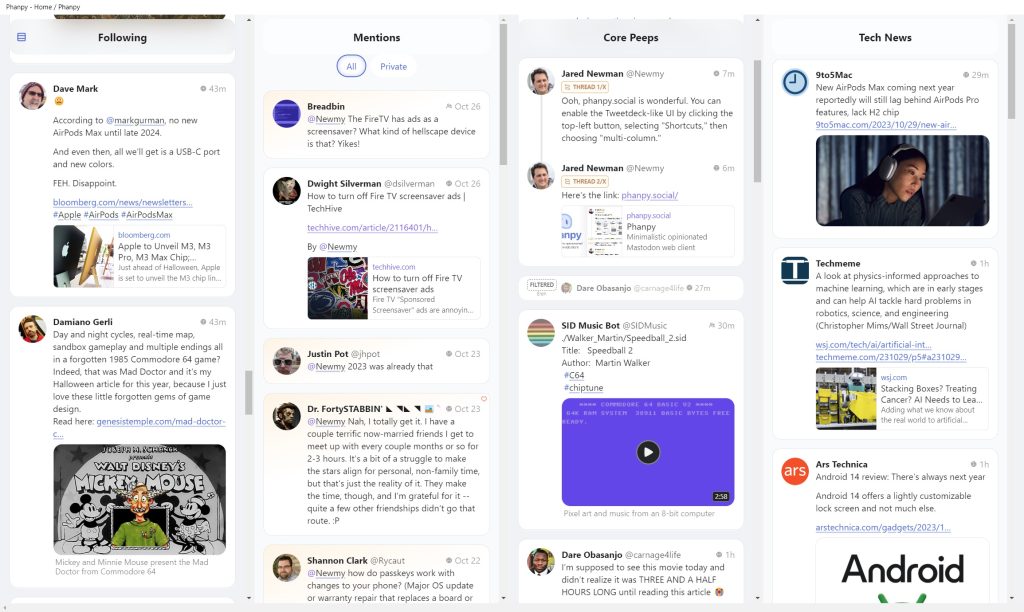
Make Mastodon delightful: If you’re a fellow Mastodon user, give Phanpy a try. It’s my favorite third-party web client of the moment, with a beautiful interface and some clever touches, like the way it groups notifications by day and consolidates boosts into a carousel view. It also supports a Tweetdeck-like multi-column layout, which you can enable by clicking the top-left menu button, then heading to Shortcuts / Columns > Multi-Column. (While you’re at it, say hi!)
Around the web
- Facebook starts selling ad-free subscriptions in Europe.
- ChatGPT subscribers are getting some big updates, including PDF uploads.
- Encryption might be slowing down your PC (if it runs Windows 11 Pro).
- Here’s how to auto-empty the Windows Recycle Bin.
- Apple discontinues the 13-inch MacBook Pro, taking the Touch Bar down with it.
- Local stores are adding “Near Me” to their names for the Google juice.
Spend wisely
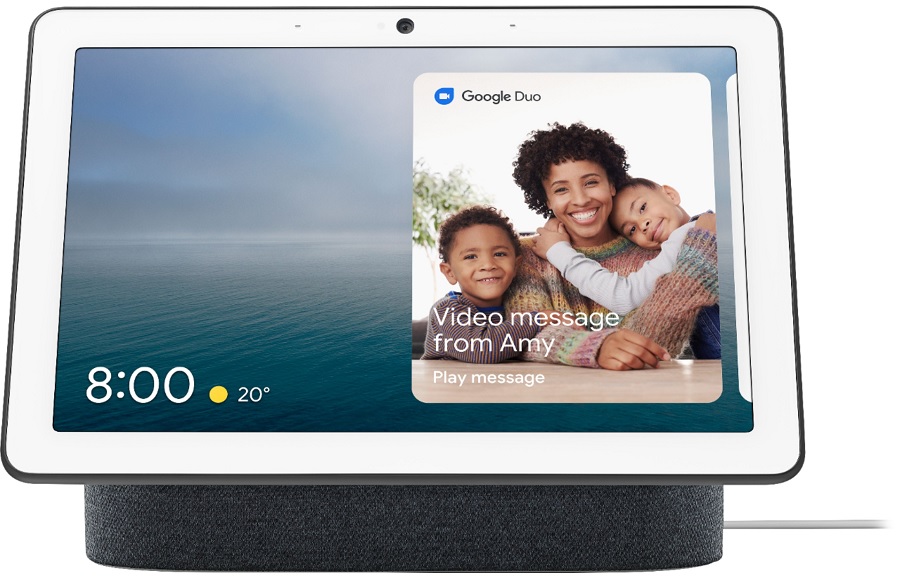
All sorts of Google gadgets are currently on sale, including the Nest Hub Max smart display for $130, the Pixel Tablet (which doubles as a smart display) for $399, the Pixel Buds Pro for $119, and the Chromecast with Google TV for $20 (HD) or $40 (4K). The unlocked Pixel 7a smartphone is also on sale for $374, and you can bundle either the Pixel Buds-A or Pixel Buds Pro for half-off the regular price.
The Nest Hub Max is the most notable discount of the bunch, selling for $100 off the list price. If nothing else, it makes an excellent digital photo frame for Google Photos users.
Thanks for reading!
Got tech questions for me? Just reply to this email to get in touch.
Until next week,
Jared