
5/2/2023: Try these email apps

Alternative email apps: A field guide
Plus: Google Authenticator’s upgrade, two neat AI tools, and free money for Prime members.


If you’re struggling to stay on top of your email, perhaps what you need is a new app to shake things up.
I’m not saying you should switch email providers and give up your existing email address. But using an alternative app with your existing email service can help you manage, find, and respond to emails more efficiently. As a bonus, you might also get an inbox that’s uncluttered by annoying ads.
For this week’s feature column, I’ve written a guide to how these third-party email apps work, along with a list of notable examples to check out.
Need to know
Google Authenticator starts syncing: Google has addressed a big weakness in its Authenticator app by syncing two-factor codes across devices. This will let users access their codes on a new device by signing into their Google accounts, even if they lose the phone where Authenticator was originally installed.
There been some uproar about the launch because the codes aren’t end-to-end encrypted (yet). In theory that means someone could hack into Google’s servers and steal users’ codes. But that’s a pretty remote possibility, far outweighed by the benefit of being less likely to lose your codes entirely. If this convenience gets more people to use a two-factor authentication app instead of text messages in the first place, it’s a win.
Halo, goodbye: Amazon is shutting down its fitness gadget business, discontinuing the Halo Band and Halo View wearables along with the Halo Rise sleep-tracking lamp, which only launched six months ago. All three devices will stop working on August 1, and anyone who bought one in the last year will get a refund.
As I remarked on Mastodon last week, Amazon is becoming to hardware what Google is to software, flooding the zone with experimental new gadgets only to abandon them when they fail to resonate. I wrote about this phenomenon a couple years ago, and of the four products pictured atop that story, two have since been discontinued and one has yet to ship. The other is Amazon’s Astro robot, a rudderless and expensive product that I wouldn’t bet on surviving the long haul either.
Tip of the moment
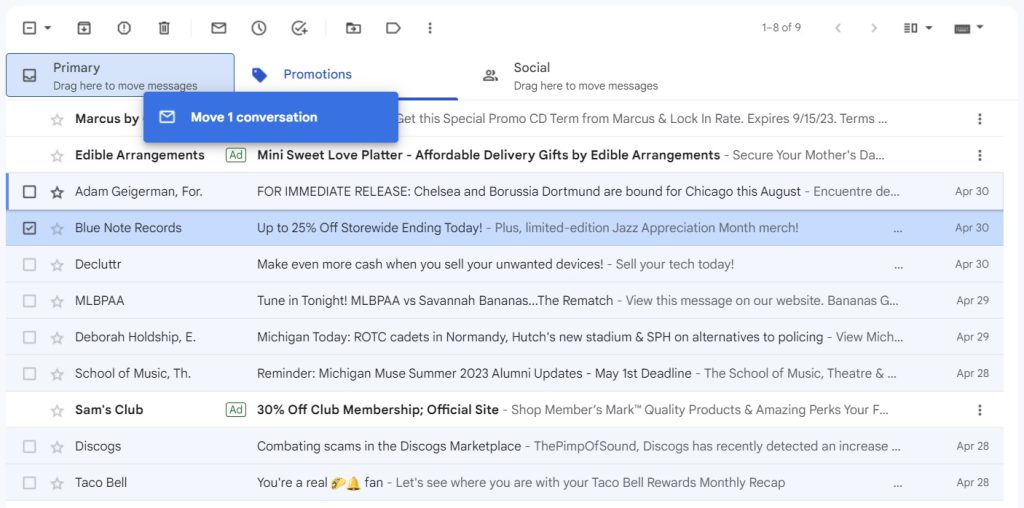
As I mentioned in this week’s feature column, intelligent email sorting is one of the main reasons to consider some alternative email apps. But if you’re a Gmail user, this capability is already built in. It’s called “Categories,” and it automatically sorts promotional emails and other low-priority messages into separate tabs in your inbox.
To make sure you’re using this feature, click Gmail’s ⚙️ gear icon, then select “See all settings,” and click the “Inbox” section. From here you’ll see a list of Categories to enable or disable, including Promotions, Social, Updates, and Forums.
As my pal JR Raphael has pointed out, you also can use Categories as a quick filtering system. Just drag an email from your inbox into any Category tab, then confirm that you want to categorize all future messages this way. By doing this, you can even repurpose any Category as place for emails from specific senders. (Using this trick, I’ve turned Gmail’s “Social” tab into a place to read all the newsletters I’ve signed up for.)
Now try this
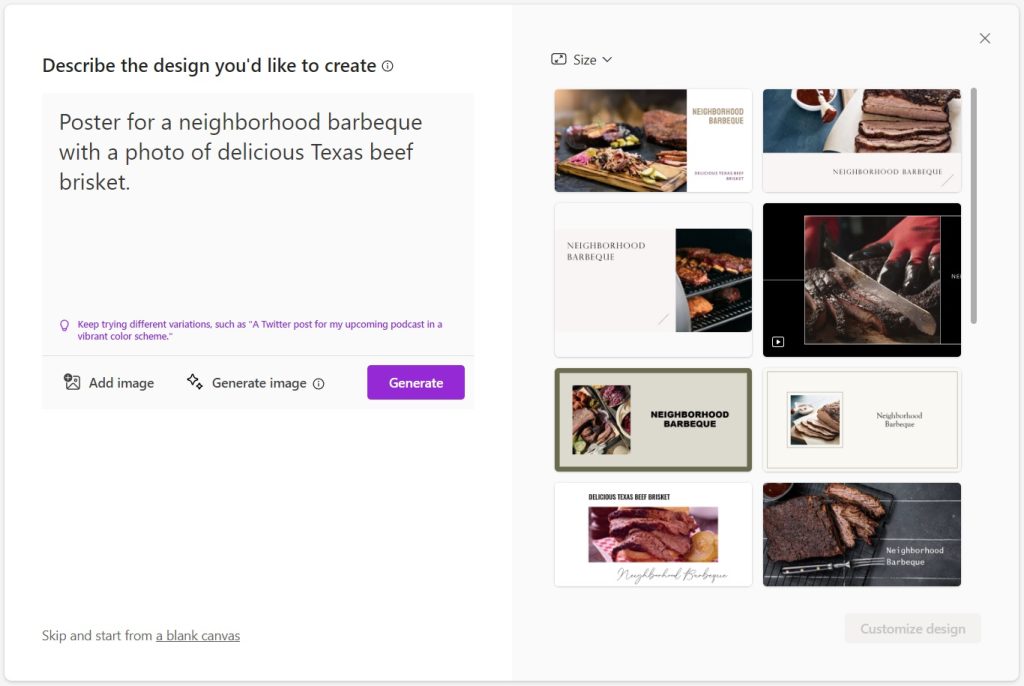
Microsoft’s poster maker: After months of private testing, Microsoft Designer is now available to anyone. It’s the latest product of the company’s AI obsession, letting you create flyers, posters, and presentations using simple text prompts. Just type out what you’re looking for, and Designer will generate some templates. From there you can tweak the design and add new elements, including AI-generated artwork. Give it a try.
Talk to your PDFs: Elsewhere in the AI realm, ChatPDF lets you upload a PDF file, then ask questions about the document in a chat-style interface. This one comes recommended by Chris H. in Advisorator’s Slack space, and could come in handy if you need some quick takeaways from a lengthy document. The free version lets you view up to three PDFs per day, with a maximum 120 pages and 10 MB file size.
Around the web
- Joanna Stern clones herself with AI, somewhat convincingly.
- Justin Pot tries life with a flip phone and learns some valuable lessons.
- Microsoft ships Windows 10’s last feature update.
- The YouTube Music app is getting a podcast tab.
- Yelp improves its search results with highlighted review snippets.
- Microsoft stops selling cheap PC accessories in favor of pricier Surface ones.
Spend wisely
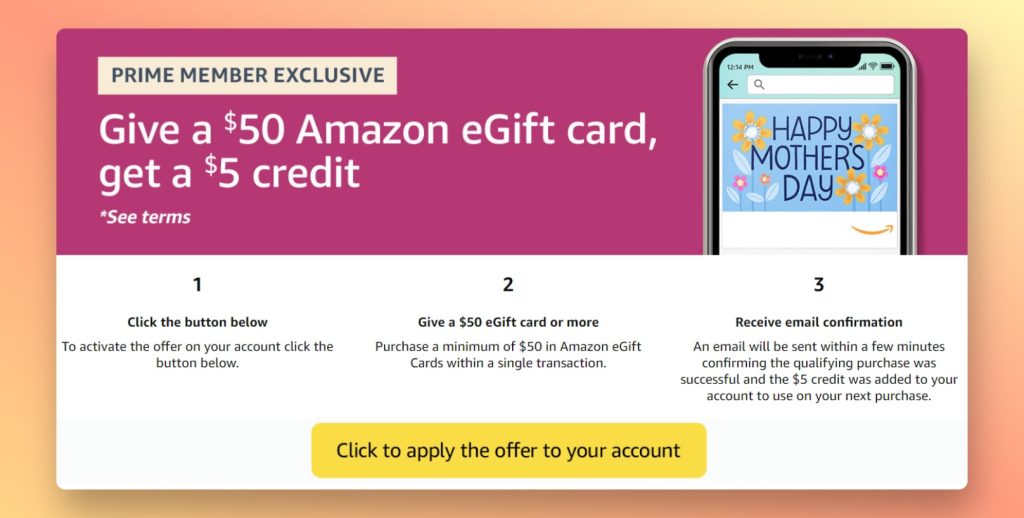
Amazon Prime members can currently get a $5 credit by purchasing a $50 Amazon gift card. Just visit the offer page, click the yellow “apply the offer” button, and purchase your card, which you can then send to someone else or use for yourself.
Amazon says the offer’s available through May 14 or “while supplies have been exhausted,” and it has sometimes sold out of these offers in the past. If you’re planning to buy a gift card or spend $50 on Amazon anytime soon, you might as well grab the credit while it’s available.
Thanks for reading!
Got questions about anything you’ve read here or feedback on this format for the free newsletter? Just reply to this email to get in touch.
Until next week,
Jared