
Faster email follow-ups

Welcome to Advisorator’s Tip of the Week, helping you learn something new from the tech world every Tuesday.
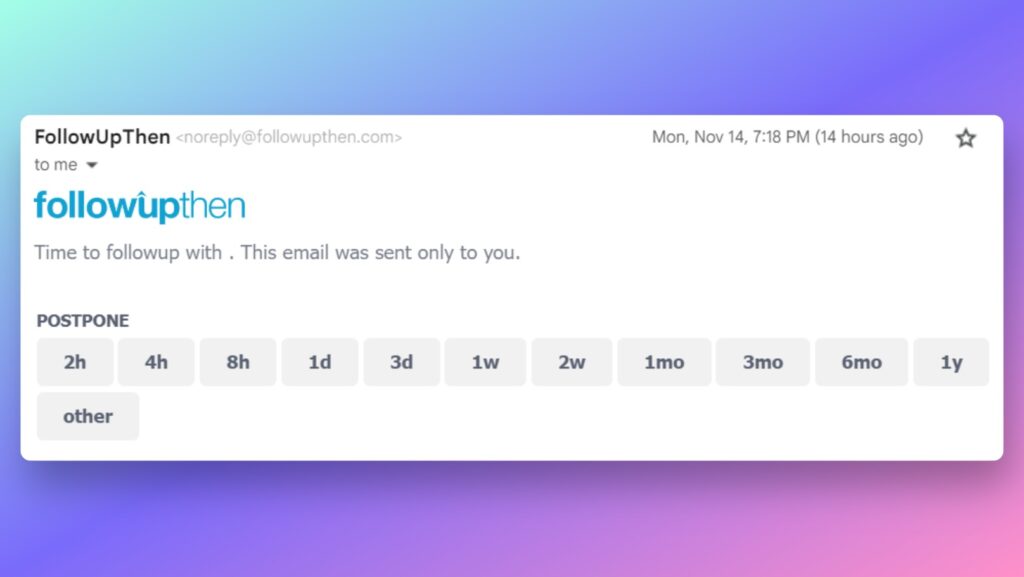
For a little extra help staying on top of your emails, check out FollowUpThen, a free tool for creating follow-up reminders straight from the BCC field. For instance, you can include “3days@followupthen.com” in the BCC field to get a reminder in three days, or “1hour@followupthen.com” to get a reminder in one hour. The message will then return to your inbox with options to set another reminder (as shown above).
Normally I use Gmail’s snooze function for this purpose, but FollowUpThen has the advantage of working with any email provider. It’s also more efficient, since you can create a reminder from the BCC field at the same time that you’re writing the email. The tool is free to use for up to 50 active reminders at a time.
(Just one thing: If you’re adding a follow-up to an email you’ve received, rather than an email you’re sending, make sure to remove the respondent from the reply field first.)
Another newsletter recommendation: Meco Reads is a weekly roundup of great links, learnings, and newsletters from around the web. It’s curated by the folks at Meco (a newsletter reading app), who read a lot of newsletters and want to share the best with you. Check it out!