
Tip of the week: A brilliant new web browser

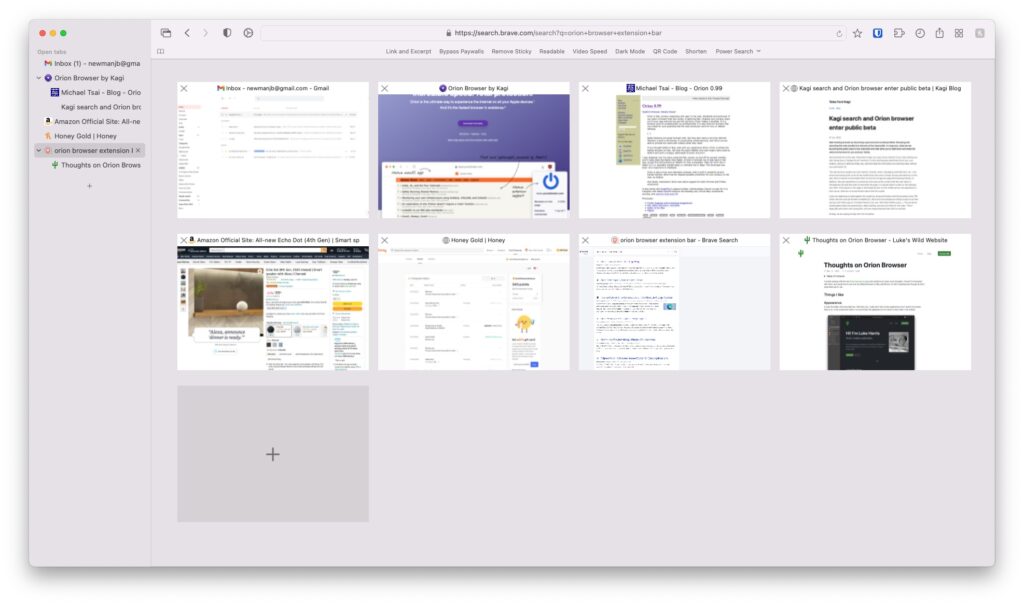
Orion is a web browser for MacOS that combines the speed of Safari with support for Chrome and Firefox extensions. It also has a bunch of helpful features for managing your browser tabs.
For instance, it offers vertical tab support (a must-have feature for me), a handy “Tab Overview” feature (pictured above), and a customizable toolbar. There’s also a “Low Power Mode” that instantly hibernates inactive tabs to save battery life. Tracker blocking is built-in, and Orion claims to collect no data from users.
Meanwhile, you can visit the Chrome Web Store or Firefox Add-On site and install any extension from either source. This is a small miracle given that Orion uses Apple’s Webkit rendering engine, which shouldn’t be compatible with any of these extensions. By using Webkit, Orion promises superior speed—it does feel quite zippy to me—and opens the door to extension support for Orion’s iOS app, which is also in development.
Granted, those extensions didn’t always work—I couldn’t get the Camelizer button to show up for viewing Amazon price histories, and Chrome’s picture-in-picture extension was non-responsive—but Bitwarden and Simplify Gmail both performed flawlessly. Orion is still in beta, and extension support should improve over time.
While Orion has been in private beta testing since last year, the public beta is now available for anyone. I’ll be keeping an eye on this one for sure.