
Tip of the week: Become a Wi-Fi wizard


For this week’s newsletter, I’m trying something a little different.
A couple of years ago, I wrote a newsletter for paid subscribers on diagnosing your Wi-Fi problems. While my advice has largely held up over the past couple of years, technology never stands still, and so I thought it was time to bring that story up to date.
Over at the Advisorator website, you’ll now find an updated and expanded guide to dealing with Wi-Fi issues. In addition to all the steps I’d personally take to fix a friend or family member’s Wi-Fi network, it also includes a glossary of Wi-Fi terms, which should come in handy if you need a new router but are struggling with the jargon.
➡ Click here to read the full guide. ⬅
The Wi-Fi guide is currently unlocked for everyone, so you can skip the usual sign-in page and even share the article with friends if you like. (I plan to move it behind the paywall in a couple of weeks, at which point you’ll have to sign into the membership site as usual.)
One more thing: Having now accumulated a few evergreen guides on the Advisorator website, I’ve also gathered them onto a single hub page. You’ll find the latest Wi-Fi article there, alongside my previous guides on cutting the cable TV cord (also unlocked) and discovering your phone’s hidden features (for subscribers only). As always, these articles have no ads, sponsorships, or invasive tracking.
My plan is to publish more guides like these in the weeks and months ahead, mostly for paid subscribers, but with some occasional freebies as well. Check out the Wi-Fi piece and let me know what you think!
Tip of the week: Ambient noise for Windows
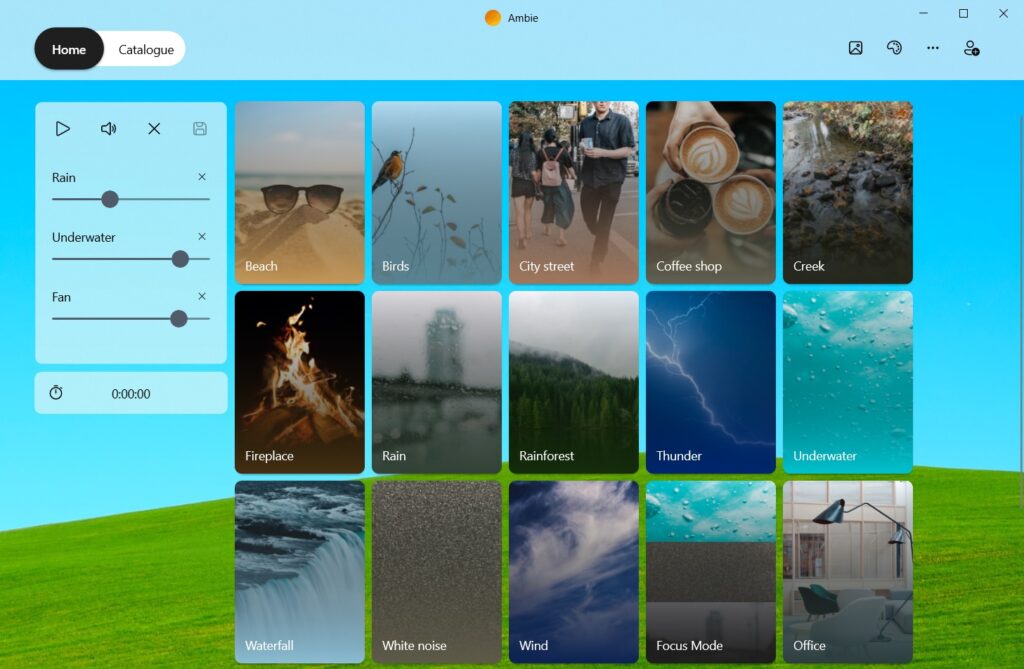
Although I’ve written plenty about ambient noise apps for the web (MyNoise, Noizer), iOS and MacOS (Dark Noise, Fan of Sleep), and Android (Atmosphere), only last week did I set out to find a native option for Windows.
Ambie is just the app I’ve been looking for. It’s simple to use, offers high-quality sounds, and lets you create custom mixes of your favorites. You can also customize the background and click the little picture icon to bring up a relaxing screensaver. The app is free with no ads (an optional $1 per month subscription adds extra sounds and screensavers).
Thanks for reading!
Let me know what you think of the Wi-Fi guide and if you have any suggestions on what to cover next. And as always, consider upgrading your subscription to support my work and get more in-depth tech advice every week.
Until next week,
Jared